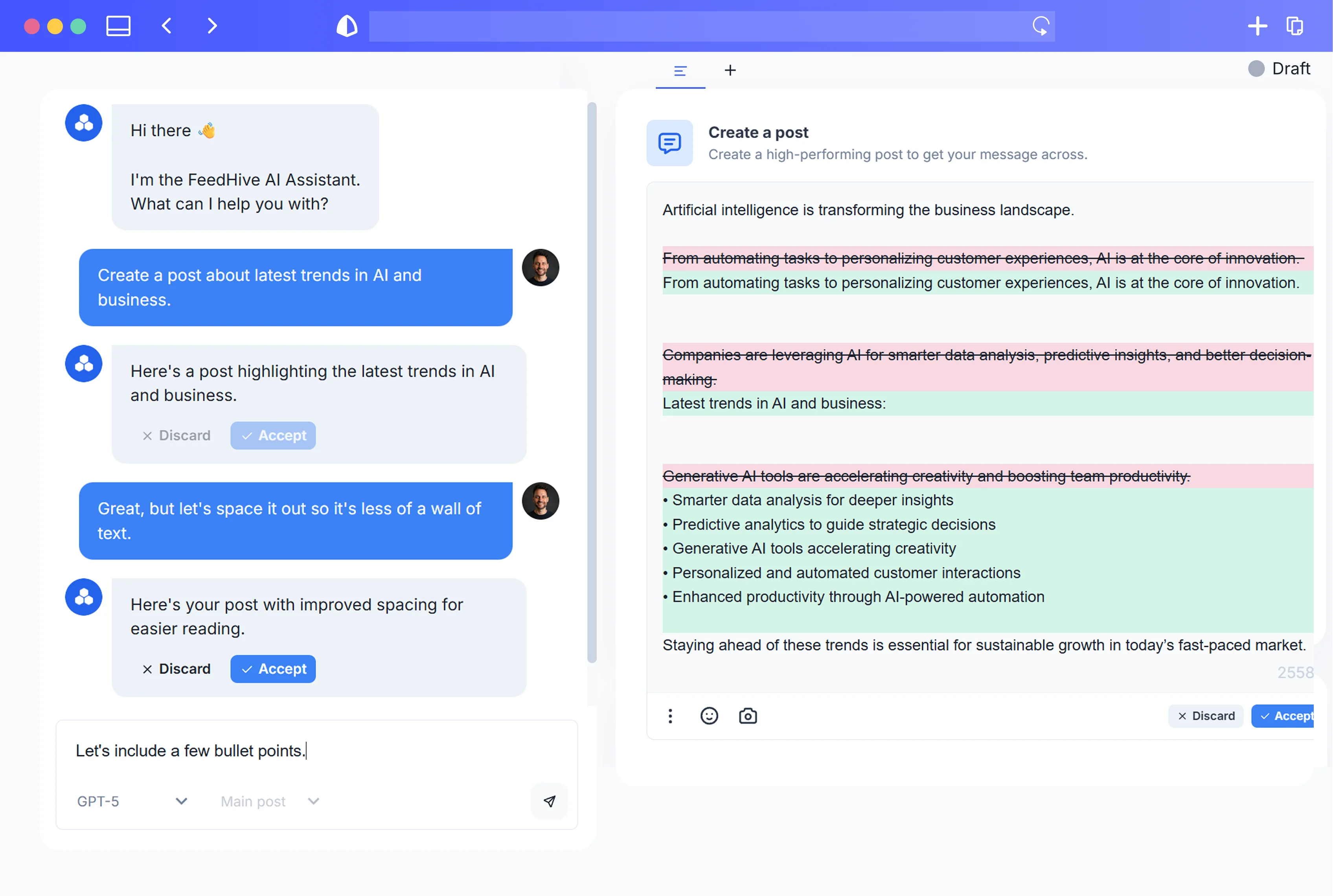

Every social team knows the mandate: “Post more.” But when you’re already juggling 5–8 channels, a product launch, and a small (or solo) team, “more” quickly becomes unsustainable—especially if you’re trying to maintain quality and a consistent brand voice.
Meanwhile, content marketing is still one of the best-performing growth levers you have. Research from Demand Metric shows content marketing generates about 3x as many leads as outbound marketing at 62% lower cost. The problem isn’t that content doesn’t work; it’s that the old way of producing it—one asset at a time, per channel—is completely broken.
This guide walks you through a structured, AI-powered way to turn a single flagship asset (like a webinar, report, or case study) into 50+ high-quality, platform‑native posts without sacrificing quality or brand voice. Think of it as an upgrade from random “repurposing” to a repeatable Content Recycling 2.0 engine.
1. Why “Post More” Is Broken Advice (and What Content Recycling 2.0 Actually Means)
The classic playbook says: publish more and you’ll get more traffic and leads. That logic isn’t wrong—HubSpot’s benchmark data on 7,000+ businesses found that companies posting 16+ blog posts per month get 3.5x more traffic and 4.5x more leads than those posting 0–4. But few teams can realistically maintain that volume with handcrafted content for every channel.
The production pressure problem
Several industry benchmarks highlight the same bottlenecks:
- The Content Marketing Institute’s B2B benchmarks report repeatedly cites “producing enough content” and “maintaining consistency” as top challenges year after year for B2B marketers (CMI).
- SEMrush’s State of Content Marketing 2023 similarly notes that most marketers feel they must produce more content faster than their teams and budgets are growing, and struggle to keep quality high (SEMrush).
You’re expected to act like a media company—but without media‑company resources.
The distribution reality: most posts are barely seen
Even when you do ship, algorithms limit how many people see your work:
- The average organic reach for a Facebook Page post is about 5% of followers, according to Hootsuite’s global “Digital” reports (Hootsuite). Other major platforms show similarly stingy reach.
So you invest heavily in a webinar, ebook, or product teardown… publish a single blog recap… drop a couple of link posts on social… and then move on.
Result: an asset that could fuel weeks of pipeline‑driving content gets maybe 1–3 shots at visibility.
What Content Recycling 2.0 really is
Most “repurposing” advice says “turn your blog into tweets.” That’s surface‑level.
Content Recycling 2.0 is different in three key ways:
-
Flagship-first
You start from a rich, high‑intent asset (webinar, report, case study, in‑depth guide)—the kind of content buyers already trust and will trade an email address for. -
Story atoms, not snippets
Instead of chopping randomly, you break the asset into strategic “story atoms”:- Single insights
- Stats with context
- Frameworks and steps
- Contrarian takes
- Customer quotes and mini‑stories
These atoms become the canonical source you remix into platform‑native posts.
-
AI‑assisted, not AI‑generated spam
You use AI to:- Extract, summarize, and classify atoms
- Generate format‑specific drafts (threads, carousels, shorts, emails)
- Enforce brand voice and quality with style guides
- Scale scheduling, testing, and iteration
…with humans still in charge of strategy, taste, and approvals.
The end result: 50+ posts from one flagship asset, consistently on‑brand, tailored to each platform, and produced in a fraction of the time a manual workflow would take.
2. Choosing Your Flagship Asset: Webinars, Reports, Case Studies, and More
Not every piece of content deserves to be your “source of truth.” The right flagship asset is:
- Dense with insight – lots of teachable moments, data points, and stories.
- Aligned to revenue – directly tied to your core offer, positioning, or problem space.
- Validated by real demand – buyers already care enough to attend, click, or opt in.
- Evergreen (enough) – won’t be obsolete in 2 weeks.
Why webinars, reports, and case studies are ideal
Research consistently shows that B2B buyers lean on deep, later‑stage content formats:
- In Demand Gen Report’s 2022 Content Preferences Survey, buyers highlighted research/survey reports, case studies, and webinars as some of their most trusted formats, especially in later buying stages (Demand Gen Report).
- GoToWebinar found that 73% of B2B marketers and sales leaders consider webinars one of the best ways to generate high‑quality leads (GoToWebinar).
- Wyzowl’s State of Video Marketing 2023 reports that 96% of people have watched an explainer video to learn about a product or service, and 89% say video has convinced them to buy (Wyzowl).
These formats are:
- High‑intent – people actively register, download, or show up.
- Rich – 30–60 minutes of discussion or 20–40 pages of analysis.
- Naturally structured – sections, chapters, agenda items, Q&A.
Perfect raw material for atomization.
Good flagship candidates (with examples)
Use these as your starting points:
- Webinar or live workshop
- Topic: “How we cut churn by 30% in 6 months”
- Includes: slides, speaker commentary, Q&A, polls, live chat.
- Original research or benchmark report
- Topic: “2025 SaaS Onboarding Benchmarks”
- Includes: data charts, methodology, key findings, recommendations.
- Customer case study or teardown
- Topic: “How ACME drove 120% expansion revenue”
- Includes: narrative, metrics, quotes, before/after, screenshots.
- Flagship guide or playbook
- Topic: “The Complete Guide to Product-Led Sales”
- Includes: frameworks, checklists, examples, templates.
If you’re unsure which to start with, pick the asset that:
- Has already influenced the most opportunities or revenue.
- Solves a high‑pain, high‑value problem for your ICP.
- You’d be happy to feature for the next 90 days without getting bored.
3. From Monolith to Building Blocks: Turning One Asset into Story Atoms
Once you choose your flagship, your first job is to decompose it—not into random quotes, but into reusable story atoms.
What is a story atom?
A story atom is the smallest self‑contained unit of your message that can stand alone as content.
Examples:
-
Single insight
“Most SaaS teams mistake more emails for better onboarding—but activation usually hinges on one or two key actions.” -
Data + meaning
“We found users who finish our 3‑step checklist in the first week are 4.7x more likely to convert to paid. That’s why our onboarding now orbits around that checklist.” -
Framework or process
“Our 4‑step churn audit: Instrument → Segment → Diagnose → Intervene.” -
Story fragment
“In week 3, their CFO told us, ‘If this doesn’t improve expansion revenue by Q3, we’re canceling.’ That pressure forced us to redesign the playbook.” -
FAQ/objection
“Isn’t this just another email blast? Here’s why it’s different…”
Each atom can be turned into multiple posts just by changing angle, format, or depth.
Step‑by‑step: Atomizing your flagship asset
-
Get everything into text
- Transcribe webinar video/audio (use your tool of choice).
- Gather slide notes, internal docs, research sheets, live chat logs.
- Dump it all into a single working document.
-
Mark obvious structural chunks
- For a webinar:
- Intro / agenda
- Main sections
- Demos
- Case study segment
- Q&A
- For a report:
- Executive summary
- Each key finding
- Data charts
- Recommendations
- Methodology
- For a webinar:
-
Extract candidate atoms by type As you read through, highlight and label:
- Big ideas – your main arguments or theses.
- Contrarian points – where you challenge common wisdom.
- Stats & numbers – metrics, benchmarks, before/after.
- Mini‑stories – short anecdotes, customer moments, quotes.
- Frameworks and checklists – steps, acronyms, canvases.
- Tactical tips – “do this, not that” advice.
- Objections & FAQs – common pushback and your answers.
- Visual moments – any part that would be compelling as a graph, chart, or UI screenshot.
-
Normalize into atom templates
Rewrite each highlight so it’s:
- Standalone (makes sense without deep context).
- Specific (no vague “optimize your funnel” statements).
- Audience‑anchored (“If you’re a SaaS PMM…”).
For example:
-
Raw transcript:
“Yeah, so like when we segmented churn by cohort instead of just overall, we saw that most of the problem was actually in the first 30 days, not later on… which changed what we focused on.” -
Story atom:
“When we segmented churn by cohort, we discovered 74% of cancellations happened in the first 30 days—not months later. That insight led us to redesign onboarding instead of adding yet another ‘winback’ email.”
-
Tag atoms for later mapping
Tag each atom with:
- Stage: Awareness / Problem / Solution / Proof / Objection / Nurture
- Emotion: Hope, fear, urgency, curiosity, pride, etc.
- Format potential: Good for carousel, thread, short, email, etc.
You can absolutely do this manually—but AI can do 80% of this heavy lifting for you, which we’ll cover shortly.
4. Mapping Story Atoms to Formats: Threads, Carousels, Shorts, Stories, and Emails
Not all atoms belong everywhere. A statistical insight that shines in a long LinkedIn post may flop as a 10‑second Reel—but might be perfect as the reveal in a YouTube Short.
Before asking AI to create anything, decide which formats each atom will become.
Data backs up why this matters: HubSpot’s State of Marketing 2023 found that short‑form video is the #1 content format for ROI, and the top format marketers plan to increase investment in (HubSpot). Similarly, SocialInsider’s studies on millions of Instagram posts show carousels generate the highest engagement on average—around 1.9% vs. 1.7% for single images and 1.5% for videos—and they’ve also found Reels often see 20–30% higher engagement than other post types (SocialInsider). Litmus reports that email returns an average $36 for every $1 spent, making it an ideal downstream format for repurposed snippets (Litmus).
Map story atoms to platform‑native formats
Think in terms of format archetypes:
1. LinkedIn / X threads
Best for:
- Frameworks
- Narrative breakdowns
- Contrarian riffs
- “Here’s how we did X” stories
Map atoms like:
- Big idea + framework → 10‑post thread
- Before/after case study → story thread with screenshots or visuals
- FAQ/objection → mini‑thread debunking common myths
2. Instagram / LinkedIn carousels
Best for:
- Step‑by‑step processes
- Checklists and frameworks
- Data reveals
- Before/after snapshots
Typical 7‑slide structure:
- Hook – bold promise or question.
- Context – who this is for / problem.
- Step 1–3 – key actions or framework pieces.
- Proof or example – a mini case or stat.
- Summary & CTA – save/share/comment or link in bio.
Map atoms like:
- Framework atom → one slide per step.
- Stat + story atom → data reveal slide plus explanation.
- Objection atom → “You might be thinking…” slide in the middle.
3. Shorts / Reels / TikToks
Best for:
- Strong hooks and punchy insights.
- Myths vs. reality.
- Micro‑case studies.
- Teasers leading to longer assets.
Map atoms like:
- Contrarian insight atom → 15–30s talking‑head short.
- Data atom → pattern interrupt hook (“Only 24% of your users ever see this email, but…”).
- Story atom → 30s snapshot with a single lesson.
4. Stories (IG, Facebook, LinkedIn internal “multi-image”)
Best for:
- Behind‑the‑scenes angles on your flagship.
- Polls and Q&A pulled from webinar/chat.
- Step‑by‑step workflows condensed.
Map atoms like:
- Q&A atoms → 1 question per story, plus “Ask us more” sticker.
- Process atoms → 3–4 story cards showing each step quickly.
5. Email snippets and drips
Remember: email has consistently strong ROI and reliable engagement. Snippets from your flagship can fuel:
- Nurture sequences – one atom → one email.
- Launch sequences – teasers that lead to the full asset.
- Plain‑text “founder” notes – a single story atom retold in a personal voice.
Map atoms like:
- Case study atom → “How ACME cut churn by 30%” email.
- Data + recommendation atom → quick insight + 1 tactical tip.
- Objection atom → “Is this just more spammy automation?” email reframing.
6. Blog and SEO content
Your atoms can also:
- Fill out supporting cluster posts (narrow deep dives).
- Become FAQ sections or how‑to guides targeting long‑tail keywords.
- Expand into guest posts for partners.
This ties directly into HubSpot’s pillar and cluster SEO strategy, where one big pillar asset spawns multiple interlinked posts around subtopics (HubSpot pillar pages).
5. Using AI to Extract, Summarize, and Classify Your Core Content
This is where AI moves you from theory to scale.
Rather than manually reading a 60‑minute webinar transcript line by line, you can have AI:
- Pull out key insights, stories, stats.
- Group them into themes (onboarding, retention, pricing, etc.).
- Tag them for format suitability (carousels, shorts, threads).
- Draft first‑pass copy for each format.
Why AI is a good fit here
An MIT study on generative AI found that professionals using ChatGPT for writing tasks:
- Finished ~40% faster, and
- Produced higher‑quality outputs on average, as rated by blind evaluators (MIT).
McKinsey estimates that generative AI could add $2.6–4.4 trillion in value per year globally, with marketing and sales among the top four functions where value is concentrated—especially via content creation and personalization (McKinsey).
In other words: AI is tailor‑made to accelerate this exact kind of knowledge‑heavy writing and summarization—if you point it correctly.
A practical AI workflow for atomization
-
Feed AI the raw flagship asset
- Transcript (cleaned if possible).
- Slide notes or report sections.
- Any supporting documents.
-
Ask for a structured summary first
Example instruction (adapt language for your tool):
- “Summarize this webinar into: 10 key insights, 5 supporting data points, 3 customer anecdotes, and 5 common questions. Present each as a bullet with 1–2 sentences.”
-
Turn the summary into story atoms
Next, instruct AI:
- “Rewrite each insight, data point, anecdote, and question as a standalone ‘story atom’ that: (a) is clear to B2B SaaS marketers, (b) is specific and tactical, (c) can fit into a 280‑character post if needed.”
-
Classify atoms for formats and stages
Then:
- “For each story atom, label:
– Buyer stage (Awareness, Consideration, Decision, Post‑purchase)
– Emotion (Curiosity, Urgency, FOMO, Relief, Authority)
– Best formats (choose among: LinkedIn post, X thread, IG carousel, short‑form video, email).
Present as a simple list.”
- “For each story atom, label:
You now have:
- A structured inventory of story atoms.
- Labels that help you choose which atoms to expand into which posts.
- Raw material to feed into format‑specific prompt frameworks (next section).
6. Prompt Frameworks: Turning Insights into 50+ Platform‑Native Post Drafts
With a solid atom library, the limiting factor shifts from “Do we have ideas?” to “How do we systematically turn atoms into high‑quality posts for each channel?”
The answer: reusable prompt frameworks.
Think of these as fill‑in‑the‑blank instructions you or your team can reuse every week.
General pattern
For any format, a good prompt includes:
-
Role & audience
“You are a senior content strategist for a B2B SaaS that sells to [ICP].” -
Input
“Here is a story atom: [PASTE].” -
Objective
“Turn this into a [format] that accomplishes [goal].” -
Constraints
“Max 220 words. No hashtags except 1–2 at the end. Keep tone [traits].”
Below are example frameworks (adapt wording to your tools; avoid treating them as code).
A. LinkedIn post / thread framework
Use this to produce 10–20 posts quickly.
Tell your AI:
- “You are a LinkedIn content strategist for a B2B SaaS serving [ICP].
I’ll give you one story atom at a time. For each:- Turn it into a single LinkedIn post (150–220 words) with:
– A strong 1–2 line hook.
– 2–3 short paragraphs expanding the idea with a practical example.
– A conversational, authoritative tone.
– A soft CTA (comment, share, DM, or link to the flagship asset). - Then turn the same atom into a 7‑post LinkedIn ‘thread’ outline (each post 1–3 sentences), labeled 1–7.”
- Turn it into a single LinkedIn post (150–220 words) with:
Repeat for 10–15 atoms and you already have 20–30 LinkedIn assets.
B. X (Twitter) thread framework
- “For this story atom aimed at growth‑stage SaaS founders, create one 8–10 post X thread.
Requirements:
– Post 1: A bold, curiosity‑driven statement or question.
– Middle posts: Explain the insight in simple language, using at least one specific example or micro‑case.
– Final post: Clear takeaway + CTA to read/watch the full flagship asset.
– Use short sentences and avoid jargon.”
Do this for 5–7 atoms = 5–7 threads.
C. Carousel framework
- “For this story atom, outline a 7‑slide LinkedIn/Instagram carousel.
– Slide 1: Punchy hook that promises a result or busts a myth.
– Slides 2–5: One key point or step per slide, written for busy B2B marketers.
– Slide 6: A short example or quick win.
– Slide 7: Summary + CTA (save, share, or go to the full webinar/report).
Provide only the text for each slide, labeled Slide 1–7.”
Do this for 5–10 atoms = 5–10 carousels.
D. Short‑form video script framework
- “Using this story atom, write a script for a 30‑second vertical video (Reel/Short/TikTok) targeted at [ICP].
– 0–3s: Hook line that calls out the audience or problem.
– 3–20s: Explain the insight in plain language, with 1 concrete example or mini‑story.
– 20–28s: One actionable tip or step viewers can take today.
– 28–30s: CTA to the flagship asset or to follow for more.
Script it in first person, as if a founder or head of marketing is talking to the camera.”
Do this for 10–15 atoms = 10–15 shorts.
E. Email snippet framework
- “For this story atom, write a plain‑text email from the POV of [role, e.g., CMO or founder] to our list of [ICP].
– Subject line: 5–7 words, curiosity‑driven but clear.
– Body: 120–180 words, starting with a short story or observation, then the key insight, then 1 tactic.
– Close with a soft CTA to consume the flagship asset.
– Tone: conversational, no fluff, no marketing clichés.”
Do this for 5–10 atoms = 5–10 emails.
Add up:
- 10 LinkedIn posts
- 5 LinkedIn/X threads
- 5 carousels
- 10 shorts
- 5 emails
…and you’re already at 35+ pieces—all directly tied to your single flagship asset, before counting re‑angle variations (e.g., different hooks, CTAs, or audiences).
7. Enforcing Brand Voice and Quality Control with AI Style Guides
At this point, AI is generating a lot of copy. The biggest risk is that it all starts sounding the same: generic, over‑polished, and off‑brand.
That’s not just an aesthetic issue. Research from Lucidpress (now Marq) found that presenting a brand consistently across all platforms can increase revenue by up to 23%, yet most organizations admit they struggle to maintain brand consistency as content volume rises (Lucidpress). Many marketer surveys (Bynder, Persado, Jasper, Salesforce) also show their top fear about AI is losing brand voice and originality.
To avoid that, you need AI‑readable brand guardrails.
Step 1: Create an AI‑friendly brand voice brief
Document, in plain language:
-
Who we are
2–3 sentences on your brand’s personality (e.g., “Pragmatic, nerdy, slightly playful, but never snarky.”) -
Who we serve
“B2B SaaS marketing and growth teams at Series A–D companies; ICP roles: Head of Marketing, Growth Lead, Social Lead.” -
Voice do’s
- Use concrete numbers and examples.
- Speak in second person (“you”) whenever possible.
- Short sentences, no corporate jargon.
-
Voice don’ts
- Don’t overpromise or use hypey phrases (“skyrocket,” “revolutionary”).
- Don’t use more than one emoji per post (or none, if that’s your brand).
- Avoid buzzwords unless they’re well‑defined.
-
Approved phrases and positioning
- Your key POV statements.
- Taglines or recurring framings (e.g., “flagship‑first content,” “story atoms”).
Feed this brief to your AI at the start of each session or save it into your AI tool’s “system” or style profile.
Step 2: Turn AI into your own copy editor
Instead of only generating content with AI, also use it to review:
-
“Here is a LinkedIn post draft. Compare it against our brand voice brief.
– Highlight anything that sounds generic or off‑brand.
– Suggest line‑by‑line edits to make it:
– More specific to B2B SaaS.
– Clearer and more concise.
– Consistent with our tone guidelines.” -
“Given this draft carousel copy, suggest improvements to:
– Make the hook stronger.
– Increase specificity (fewer vague promises).
– Keep slides under 20 words each.”
AI becomes your first‑pass editor, freeing your human reviewers to focus on strategy, compliance, and final polish.
Step 3: Define quality checklists per format
For example:
-
LinkedIn post QC
- Hook makes a specific promise or observation.
- At least one concrete example or number.
- Clear takeaway and CTA.
- Fewer than 3 big blocks of text.
-
Short‑form video QC
- Hook is in the first 2–3 seconds.
- One idea per video.
- Script sounds like how a real person talks.
You can have AI run drafts against these checklists:
- “Review this script against our short‑form video checklist. Where does it fall short? Suggest a revised version.”
8. Designing Visual Variations: AI‑Assisted Scripts, Hooks, and Carousel Structures
Content Recycling 2.0 isn’t just about words. A big part of performance comes from visual treatment—thumbnails, slide layouts, B‑roll ideas, and on‑screen text.
AI won’t replace your designer or video editor, but it can dramatically speed up ideation.
Carousels: structures and hook variations
For each story atom, ask AI to propose:
-
3 different hook concepts for Slide 1:
- A bold claim
- A question
- A “you’re doing it wrong” pattern interrupt
-
Slide‑by‑slide structure:
- Option A: Problem → Mistake → New Model → Steps → Proof → CTA
- Option B: Myth → Truth → Evidence → Quick win → CTA
You might say:
- “Given this story atom, propose 3 alternative 7‑slide carousel outlines.
– Each must have a different hook style.
– Keep slide text under 20 words.
– Indicate where visuals (charts, screenshots, icons) would go.”
Your designer now has multiple concepts to choose from instead of starting from a blank canvas.
Short‑form video: shot lists and B‑roll ideas
For each short‑form script:
- “Take this 30‑second script and:
– Break it into timestamped beats (0–3s, 3–10s, etc.).
– Suggest the on‑screen text for each beat.
– Propose what should be on screen (talking head, screen recording, over‑the‑shoulder, product UI, etc.).”
Use AI to generate:
- Thumbnail/title text ideas.
- Alternate hooks: “Say the same thing, but more controversial,” or “Make this angle more aspirational.”
Visual differentiation to avoid “sameness”
If you’re creating 50+ posts from one asset, you must avoid visual fatigue:
- Vary color emphasis (within your brand palette).
- Rotate between:
- Full‑bleed imagery
- Simple text‑only slides
- Product screenshots
- Simple data charts
Prompt AI to:
- “Given this set of 10 carousel copy drafts, propose a visual theme for each (colors, icons, imagery) so they feel related but not identical. Use only our brand colors [list] and keep design minimal.”
Your team then decides which concepts to keep, refine, or throw away.
9. Scheduling, Testing, and Iterating: Building a Recycling Cadence, Not a One‑Off Sprint
A common mistake is to do all this work once, blast 40 posts in 2 weeks, and then go back to square one.
Instead, treat your flagship asset as a 90‑day content engine.
Step 1: Build a 6–8 week calendar from your atom library
Plan across channels:
- Weeks 1–2: Heavier “announcement” and context posts about the flagship asset.
- Weeks 3–6: Deep dives, FAQs, case snippets, and behind‑the‑scenes.
- Weeks 7–8: “Best of” compilations, objection handling, and highlights with fresh hooks.
Use simple rules like:
- No more than 1 “direct promo” post per week per channel.
- Rotate themes (problem awareness, framework, proof, objection, story).
- Avoid posting essentially the same angle on all platforms the same day.
A social management tool like FeedHive makes this easier by letting you:
- Schedule posts across platforms in one place.
- Use AI to generate variations of top‑performing posts.
- Set up recycling queues so evergreen atoms resurface over time instead of all at once.
Step 2: Front‑load experiments, then double down
Social analytics (including Buffer’s blog experiments and other platform benchmarks) consistently show that most engagement happens in the first 24–48 hours after posting, then decays sharply. Use that window to test angles quickly:
- For a high‑value atom, ship:
- 2–3 different hooks (on different days/platforms).
- 2 formats (e.g., text‑only LinkedIn post vs. carousel).
Watch which:
- Hooks win higher scroll‑stopping metrics (impressions → profile views).
- Formats drive deeper engagement (comments, saves, shares, replies).
- Channels actually push people to the flagship (UTM‑tagged clicks, direct signups).
Double down on the winners in weeks 3–6.
Step 3: Feed learnings back into the AI workflow
Prompt AI with real performance data:
- “Here are 3 high‑performing posts and 3 underperformers from our last campaign. Analyze:
– Hooks that worked vs. didn’t.
– Tone differences.
– Structure differences.
Then propose 5 new post ideas from our story atoms that follow the winning patterns.”
You’re now using AI not just to generate content, but to adapt it to your audience over time.
10. Metrics That Matter: How to Measure the ROI of Structured Repurposing
Recycling content isn’t just about filling a calendar. You need to show it moves the needle.
3 levels of metrics to track
1. Content‑level performance
Per post/format:
- Impressions / reach
- Engagement rate (likes, comments, shares, saves)
- Click‑through rate to the flagship asset or key landing pages
- Completion rate for videos (especially Shorts/Reels)
Compare formats and angles:
- Do carousels or text posts perform better for frameworks?
- Do contrarian takes or how‑to’s generate more comments?
2. Asset‑level performance (the flagship)
Since all recycled content should point back to your flagship in some way, track:
- Total views or downloads of the flagship over 60–90 days.
- Webinar replays vs. live attendance.
- On‑page engagement (time on page, scroll depth).
- Opt‑in and conversion rates tied to the flagship.
Use UTM parameters to attribute:
- Which platforms (LinkedIn, X, email) drove the most engaged visitors.
- Which post types (thread vs. carousel vs. short) moved people closest to action.
Gartner’s research on the modern B2B buying journey shows that buying groups are often 6–10 stakeholders and that they spend the bulk of their journey researching independently across digital channels, not talking to sales (Gartner). That’s your justification for tracking multi‑touch influence—not just last‑click conversions.
3. Business‑level impact
Over a quarter, compare periods with and without structured recycling:
- Pipeline influenced by the flagship (opportunities with contacts who engaged with related content).
- Win rates or sales cycle length for opportunities that engaged vs. those that didn’t.
- Net new MQLs or PQLs driven by flagship‑related content.
- Retention or expansion uplift if your flagship is post‑sale content (e.g., onboarding playbook).
LinkedIn reports that 4 out of 5 of its members drive business decisions, and multiple analyses suggest LinkedIn is responsible for the majority of B2B leads from social media (LinkedIn Marketing Solutions). That makes it a prime channel to watch when measuring the revenue impact of your recycling engine.
11. Common Pitfalls: Repetition, Cannibalization, and Audience Fatigue (and How to Avoid Them)
Done poorly, repurposing becomes spam: the same message, slightly reworded, pushed everywhere until your audience tunes out.
Here’s how to avoid the biggest traps.
Pitfall 1: Saying the same thing the same way
If 10 of your posts all carry the same hook (“How to cut churn by 30%”), in the same format, your audience will feel like you’re stuck on repeat.
Fix: Vary angles, not just wording.
From one story atom, derive multiple angles:
- “The churn metric that misled us for 2 years” (contrarian learning)
- “3 onboarding mistakes that cause silent churn” (tactical how‑to)
- “One cohort analysis that changed our roadmap” (data story)
- “If your CFO is asking this question, your churn problem is worse than you think” (stakeholder POV)
Ask AI:
- “Generate 5 different angles on this story atom aimed at different stakeholders (founder, CMO, growth lead, product).”
Pitfall 2: Cannibalizing your own flagship
If every post gives away the entire story, there’s no reason to watch the webinar or download the report.
Fix: Tease and deepen, don’t duplicate.
Decide upfront:
- Which 1–2 big reveals are reserved for the flagship.
- Which posts will hint at those reveals or share one piece of a broader framework.
Structure many posts like:
- Problem + partial solution + “We break down the full playbook in [flagship].”
Pitfall 3: Ignoring context and timing
Dropping a heavy “how we redesigned onboarding” thread during a major industry event your audience cares about? Misaligned. Posting 3 promos in a row? Fatigue.
Fix: Build recycling into your editorial calendar.
- Place flagship‑derived posts alongside:
- Timely commentary on news or trends.
- Product updates.
- Community or customer spotlights.
- Set frequency caps:
- e.g., “No more than 1 flagship‑driven post per day per platform.”
Pitfall 4: Quality erosion via AI
The temptation: “We can just click ‘repurpose’ and flood every platform.” The outcome: generic, off‑brand posts your audience ignores.
Fix: Keep humans in the loop.
- Use AI for drafting and ideation.
- Use your team for:
- Selecting which atoms are strategically important.
- Approving hooks and CTAs.
- Final review on key posts (especially anything sales‑adjacent).
Pitfall 5: Competing with yourself (content shock)
Marketing thinker Mark Schaefer coined “content shock” to describe the reality that content supply has massively outstripped human capacity to consume it (Mark Schaefer). The answer isn’t more noise; it’s higher‑signal, better‑distributed content.
Your advantage with Recycling 2.0 is that you’re not churning out random posts—you’re strategically amplifying a flagship asset that already matters to your audience.
12. Putting It All Together: A 7‑Day Execution Plan to Launch Your First Content Recycling 2.0 Engine
Here’s a realistic one‑week sprint to get your first recycling engine live.
Day 1: Pick and prep your flagship
- Choose one flagship asset:
- Webinar replay
- Research report
- Deep case study
- Collect:
- Transcript and slides (or report sections).
- Any internal notes or supporting docs.
- Clarify your core narrative in 3–5 bullet points:
- The main problem.
- Your key insight.
- The framework or solution.
- The main proof or outcome.
- The primary CTA.
Day 2: Build your story atom library with AI
- Feed the flagship into your AI tool.
- Ask it to:
- Summarize into key insights, stats, stories, FAQs.
- Rewrite each into standalone story atoms.
- Tag atoms with buyer stage, emotion, and format suitability.
- Manually review, edit, and discard:
- Keep only the strongest 30–40 atoms.
- Merge duplicates, clarify vague ones.
Day 3: Create your brand voice brief and QC checklists
- Draft your AI‑friendly brand voice guide:
- Personality, audience, do’s/don’ts, key phrases.
- Create simple checklists for:
- LinkedIn/X posts.
- Carousels.
- Shorts/Reels.
- Emails.
- Test your AI with 2–3 posts:
- Generate → ask it to self‑review against your brief → refine.
Day 4: Generate first‑wave drafts (20–25 posts)
Using the prompt frameworks:
- 5 LinkedIn posts from 5 atoms.
- 3–4 X threads from 3–4 atoms.
- 3 carousel outlines.
- 5 short‑form video scripts.
- 3–4 email drafts.
Then:
- Run each through your AI “editor” using your QC checklists.
- Have a human do a final pass on:
- Hooks.
- CTAs.
- Compliance / claims.
Day 5: Design and visual planning
- Turn 3–5 carousel outlines into real designs.
- Record 3–5 short‑form videos based on scripts.
- Create thumbnails or cover slides for each asset.
- Ask AI to propose:
- Alternate hooks for weak posts.
- A/b testing variations (e.g., short vs. long hook).
Day 6: Build a 4–6 week schedule and tracking plan
- In your scheduler (e.g., FeedHive):
- Load your approved posts across platforms.
- Stagger similar atoms so they don’t cluster.
- Mix in existing or new non‑flagship content.
- Define metrics and dashboards:
- Per post (engagement, clicks).
- Per channel.
- For the flagship asset (views, signups, influenced opps).
Day 7: Launch, monitor, and log learnings
- Start publishing according to your schedule.
- After 24–72 hours on each platform:
- Note top‑performing posts, hooks, and formats.
- Log underperformers for rework.
- Feed learnings back into AI:
- Ask it to analyze winners vs. losers.
- Have it propose 5–10 next‑round ideas using your remaining atoms.
You now have:
- A working Content Recycling 2.0 engine.
- A repeatable workflow that can be applied to every new flagship asset.
- A foundation you can scale—by adding more atoms, more formats, or more flagship pieces over time.
Conclusion
The mandate to “just post more” is outdated. With limited time and shrinking organic reach, you can’t win by brute‑forcing volume alone. You win by starting with a high‑value flagship asset, breaking it into strategic story atoms, and using AI and smart workflows to turn those atoms into dozens of platform‑native, on‑brand posts over weeks and months.
The research backs it up: long‑form assets like webinars and reports are what B2B buyers trust most; short‑form video, carousels, and email are where engagement and ROI concentrate; and generative AI is already proving it can significantly boost both the speed and quality of content creation.
Combine those realities with a disciplined process—atomization, mapping to formats, AI‑assisted drafting and editing, thoughtful scheduling, and continuous optimization—and a single flagship asset can fuel 50+ posts that actually move your pipeline, not just your posting frequency.
Start with one flagship this week. Build your atom library, set up your prompts and style guide, and let your first Content Recycling 2.0 engine run for 60–90 days. Once it’s working, every new webinar, report, or case study becomes not a one‑off event—but the beginning of your next multi‑channel content machine.