
The last few years have been brutal for anyone whose job depends on social media. Algorithms change monthly, new platforms appear every quarter, and “just post more” has become the default advice.
At the same time, generative AI has exploded. Most teams now have access to tools that can spin up endless captions in seconds. Used the wrong way, that just accelerates the treadmill: more content, more channels, more pressure.
This guide takes the opposite approach. You’ll design an AI‑assisted social system that protects your creative energy. One that lowers decision fatigue, reduces context switching, and carves out real time for deep, high‑quality work—whether you’re a solo creator, a founder, or part of a lean in‑house team in 2025–2026.
1. Why Social Media Is Burning Creators Out in 2026
Burnout isn’t a vibe; it’s a measurable occupational problem. In 2019, the World Health Organization classified burnout as an “occupational phenomenon” caused by chronic workplace stress that hasn’t been successfully managed—marked by exhaustion, cynicism, and reduced efficacy (WHO, ICD‑11).
Social and content roles are perfectly designed to trigger that pattern:
- Endless creative deadlines. There’s always another post, another platform, another campaign.
- Algorithm pressure. Performance is public, real‑time, and often volatile.
- Always‑on expectations. Comments, DMs, mentions and crises don’t respect office hours.
The data backs up what most social media managers already feel:
- In a survey of 2,704 creators, 61% of full‑time creators reported having experienced burnout (ConvertKit, State of the Creator Economy, 2022).
- Globally, 38% of workers say their job requires them to be reachable “at all times” via digital tools—those workers are significantly more likely to report stress and burnout (Microsoft, Work Trend Index: Great Expectations: Making Hybrid Work Work, 2022).
- A meta‑analysis of 16 studies found a significant association between social media use and depressive symptoms, especially in younger users (Huang, 2017). For social pros, being in the feeds is part of the job, which can amplify that risk further.
By 2026, the job of “social media manager” or “creator” often combines:
- High output expectations
- High emotional labor (community interactions, public feedback)
- High monitoring load (multiple platforms, channels, and dashboards)
If you add AI used purely as a speed multiplier, you don’t fix this; you intensify it. More posts, more comments, more monitoring.
The real opportunity isn’t “AI to do more.” It’s AI to change how the work feels—to remove friction, protect your attention, and let you focus on the meaningful creative decisions only humans can make.
2. Rethinking AI: From Productivity Hype to Energy Protection
Most of the AI conversation in marketing has focused on speed and volume:
- A 2023 survey of B2B content marketers found 72% of organizations already use generative AI, primarily for brainstorming, drafting, and repurposing content (Content Marketing Institute & MarketingProfs, 2023).
- In Microsoft’s 2023 Work Trend Index, 70% of workers said they would delegate as much work as possible to AI to reduce their workload (Microsoft, Will AI Fix Work?, 2023).
- In a controlled experiment with 453 professionals, access to a generative AI tool cut writing time by about 37% while increasing the quality of outputs on average (Noy & Zhang, 2023).
The takeaway most teams absorb: we can produce more content faster.
Here’s the problem: more isn’t automatically better for your brand—or your brain.
If your underlying system is chaotic, speeding it up just gives you:
- Faster context switching
- Faster decision fatigue
- Faster path to burnout
An anti‑burnout approach reframes AI like this:
- Not a factory, but scaffolding. AI handles structure, drafting, and repetitive tasks so your limited creative energy goes into the hard, high‑leverage decisions.
- Not a replacement, but a collaborator. AI proposes; humans dispose. You stay in charge of taste, judgment, and context.
- Not only productivity, but protective productivity. Gains from AI are reinvested into:
- Fewer platforms or formats done better
- More time for deep creative thinking
- Reasonable working hours and true offline time
So instead of “How do we publish 5x more?” the better 2025–2026 question is:
How do we design an AI‑assisted workflow that keeps us creative, sane, and strategically sharp?
That starts with understanding where your burnout really comes from.
3. Diagnose Your Current Workflow: Where Burnout Actually Starts
Before installing new tools or prompts, map the current reality. Burnout usually comes less from “too much content” and more from how the work is structured.
Step 1: Map your typical week
Take one representative week and list what you actually do, not just what’s on your calendar. For each item, tag it:
- Deep creative work – writing, concepting campaigns, scripting, designing
- Shallow production – resizing assets, formatting, uploading to tools
- Work about work – status updates, chasing approvals, pulling reports, copying data between tools
- Monitoring & reactive work – checking comments, DMs, mentions, trends
Now estimate how many hours you spend in each bucket.
You’ll probably see something like:
- A couple of hours of real creative flow
- A lot of time in dashboards, emails, and chats
- Frequent bouncing between tasks and channels
An analysis of 185 million working hours found that most knowledge workers have about 1 hour and 12 minutes per day of truly uninterrupted focus time, and check communication tools every 6 minutes on average (RescueTime, The State of Work, 2019). Social and marketing roles tend to be even more fragmented.
That constant fragmentation is expensive: every “quick check” of Slack, TikTok, or analytics can blow up your ability to do deep, generative thinking.
Step 2: Identify the friction points
For each stage of your social workflow, ask:
-
Where do I get stuck?
- Staring at a blank caption?
- Reformatting assets for yet another platform?
- Waiting on approvals?
- Wondering what to prioritize next?
-
Where do I feel the most drained, even if the work is easy?
- Manual scheduling
- Reporting
- Constantly monitoring comments
-
Where are we duplicating effort?
- Writing similar explanations for different stakeholders
- Re‑creating posts from scratch instead of repurposing from existing assets
These are the best candidates for AI assistance and smarter workflows—not your core creative instincts.
Step 3: Decide what “better” looks like
Before we design your stack, define your success constraints. For example:
- Max platforms: “We’ll actively create for max 2–3 core platforms; everything else only gets lightweight repurposes.”
- Max active campaigns per marketer: “No more than 2–3 major campaigns running simultaneously per person.”
- Protected deep‑work blocks: “2–3 x 90‑minute blocks per week reserved for ideation and core creative work, no meetings or dashboards.”
Your AI system should free up time to stay within these limits—not tempt you to overshoot them.
4. Designing Your Anti-Burnout Stack: Tools, Not Toys
Once you understand where the pain is, you can assemble a minimalist tech stack designed to do one thing: reduce cognitive load and context switching.
Avoid the 2026 trap of “yet another AI tool for one tiny use case.” Each new tab is another context switch and another set of micro‑decisions.
Instead, think in layers.
The 5 layers of an anti‑burnout social stack
-
Capture & knowledge base
- Where raw ideas, notes, voice‑of‑customer snippets, and links live
- Examples: Notion, ClickUp Docs, Google Docs
- Requirement: searchable, easy to clip into from anywhere
-
AI partner(s)
- General‑purpose large language model(s) for:
- Summarizing and mining existing assets
- Generating ideas and first drafts
- Standardizing content into templates
- Requirement: easy to feed your own content, reliable history, privacy controls
- General‑purpose large language model(s) for:
-
Content calendar & workflow
- A single source of truth for:
- What’s going out, where, and when
- Status (idea → draft → approved → scheduled)
- Owners and deadlines
- Requirement: simple, visual, and shared with stakeholders
- A single source of truth for:
-
Publishing & analytics
- Scheduling and distribution for your chosen platforms
- Performance tracking in one place
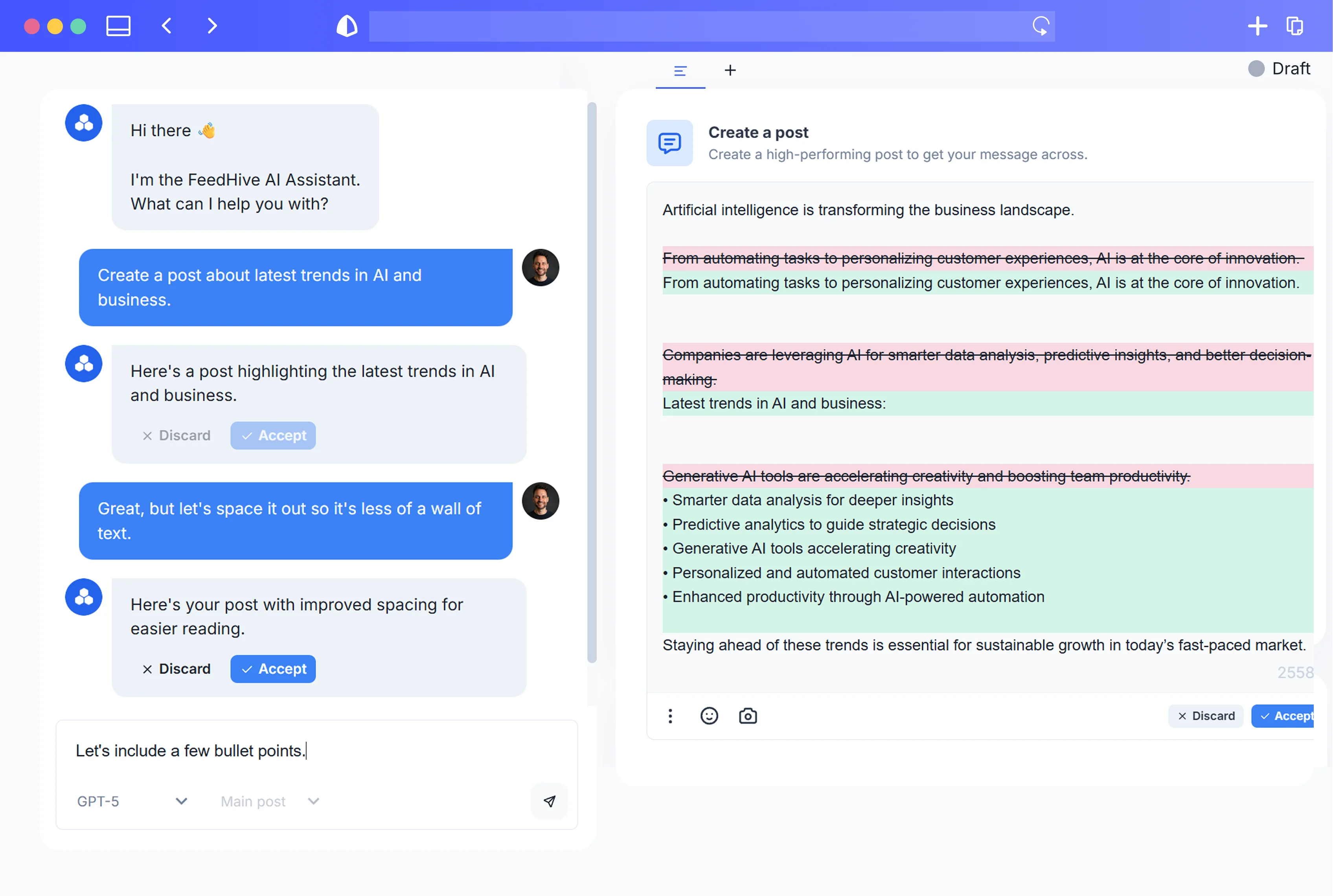
- This is where a tool like FeedHive can simplify your life: draft with AI, schedule across channels, and see performance without jumping between native apps.
-
Feedback & iteration
- A lightweight process for:
- Weekly or bi‑weekly performance reviews
- Logging insights (“hooks with X framing perform best on LinkedIn”)
- Feeding those insights back into your AI prompts and templates
- A lightweight process for:
Point AI at “work about work” first
The average knowledge worker spends over half their time on “work about work”—things like status updates, searching for information, and chasing approvals—rather than on skilled or strategic tasks (Asana, Anatomy of Work Global Index, 2021). Social teams are notorious for this.
So your first automation targets should be:
- Summaries and reports – Have AI summarize comments, DMs, and campaign performance into short briefs.
- Meeting prep and follow‑up – Use AI to outline agendas, summarize decisions, and generate task lists from notes.
- Asset mining – Turn existing webinars, blog posts, podcast transcripts, and internal docs into structured idea lists.
Only once your coordination overhead is down should you consider using AI to expand volume. Your goal: fewer tools, fewer tabs, more flow.
5. Build a Low-Stress Idea Engine with AI (So You’re Never Staring at a Blank Page)
The blank page is one of the biggest stressors in social media work. Every day can feel like:
“What do we post today? On which platform? With what hook? In what format?”
Research on choice overload shows that too many options can actually make people less likely to act at all. In a famous study, shoppers presented with 24 jam flavors were far less likely to buy any jam than those shown just 6 options (Iyengar & Lepper, 2000).
Your job is to pre‑decide and pre‑generate enough ideas that your daily choices are minimal.
Step 1: Inventory your existing assets
List everything you already have:
- Blog posts and articles
- Webinars, workshops, and conference talks
- Podcast episodes
- Case studies and testimonials
- Long LinkedIn posts or Twitter/X threads
- Sales decks and FAQs
- Internal memos or strategy docs
Store links or text in your knowledge base.
Step 2: Turn each asset into an idea cluster
Feed one asset at a time into your AI tool and ask it for a structured breakdown. For example:
- “Extract the 10 most interesting insights and questions from this article, each in one sentence.”
- “Summarize this 45‑minute webinar into: 5 myths, 5 mistakes, 5 how‑to tips, and 5 ‘hot takes’.”
- “From this case study, generate 10 social post angles: educational, behind‑the‑scenes, customer‑story, and objection‑handling.”
Log the outputs in your idea backlog with tags:
- Topic/pillar (e.g., strategy, tools, culture, customer stories)
- Stage of awareness (e.g., problem‑aware, solution‑aware, product‑aware)
- Format (e.g., carousel, short video, text post, story)
- Platform suitability
Step 3: Standardize idea formats
To avoid cognitive overload later, shape ideas into consistent, reusable patterns:
- Hooks – 1‑sentence attention grabbers
- Outlines – 3–5 bullet skeletons for a post or video
- Angles – One‑line descriptions (“Explain X using a restaurant metaphor”)
Examples of prompt structures you might use:
- “From the attached transcript, create 20 hook ideas for LinkedIn aimed at founders feeling overwhelmed by social media.”
- “Turn this long article into 15 carousel post outlines for Instagram; each slide should be one key point or visual.”
Always edit and curate: choose the 20–30% of AI ideas that feel on‑brand and useful. Delete the rest.
Step 4: Build a living idea backlog
Your idea engine should live outside your head. In your knowledge base or calendar tool, maintain a simple board:
- Backlog – AI‑generated but unvetted ideas
- Approved concepts – Human‑curated ideas worth turning into posts
- In progress – Drafts being written or designed
- Scheduled – Ready to go
The goal: when you sit down to create, you’re never inventing from nothing. You’re choosing from a pre‑vetted pool and elevating the best.
6. The Weekly Calm: A 60-Minute AI-Assisted Planning Ritual
Instead of planning content in stressful, last‑minute bursts, turn it into a predictable, low‑stress ritual. Behavioral science calls this building implementation intentions—“If situation X happens, I will do Y”—which dramatically increases follow‑through by pre‑deciding actions (Gollwitzer, 1999).
A fixed weekly planning ritual gives you:
- A boundary between planning and execution
- Fewer daily decisions (“What should I post today?” is already answered)
- A natural time to reflect and adjust strategy
Here’s a 60‑minute framework you can adopt every week.
Minute 0–10: Review the week with AI
Pull up your scheduler and analytics. Ask your AI assistant to:
- Summarize top‑performing posts and why they might have worked
- Highlight underperformers and patterns (e.g., weak hooks, poor timing)
- Extract notable comments or DMs (questions, objections, language customers use)
You might prompt:
- “Summarize last week’s posts by platform. For each, give: topic, hook type, performance vs average, and 1 hypothesis why it worked or didn’t.”
Skim the summary, not the raw feeds. This protects your attention and keeps you out of reactive scrolling.
Minute 10–25: Set themes and goals
Decide on:
- One or two campaign focuses (e.g., product launch, lead magnet, thought‑leadership topic)
- Content themes for the week (e.g., education Mon–Wed, community Thu–Fri)
- Reachable goals, like:
- “3 high‑quality LinkedIn posts”
- “2 Reels repurposed from last month’s webinar”
- “1 deep thread per week”
Translate this into a rough calendar:
- Monday: Myth‑busting post
- Tuesday: Quick tip carousel
- Wednesday: Case‑study story
- Thursday: Founder POV video
- Friday: Community or culture post
Write this down. Routines and checklists, even in complex roles like medicine and aviation, reduce errors and cognitive load by turning decisions into standardized sequences (Gawande, The Checklist Manifesto, 2010).
Minute 25–45: Generate and assign ideas with AI
For each slot in your calendar:
- Pull 2–3 candidates from your approved idea backlog.
- Ask AI to:
- Adapt them to the specific platform
- Draft 1–2 hooks or outlines per slot
- Suggest format variations if needed (e.g., text + image vs carousel)
Example prompt:
- “From our approved ideas tagged ‘founder burnout’, suggest 5 posts tailored for LinkedIn this week: give me a title/hook, 3‑point outline, and suggested CTA for each.”
Assign ownership (even if it’s just you) and deadlines in your content calendar.
Minute 45–60: Protect your deep‑work blocks
Finally, block out execution windows:
- 1–2 batching sessions for writing
- 1 for design/video editing (if relevant)
- A small daily window for monitoring and engagement
Mark them as focus time in your calendar and in your own mind: no meetings, no dashboards, no reactive scrolling.
By the end of this hour, you’ll know:
- Exactly what you’re publishing
- When and where it’s going
- When you’ll produce it
The rest of the week is execution—not daily re‑planning.
7. Templates, Frameworks, and Prompts That Cut Decision Fatigue in Half
Decision fatigue is real. In lab studies, people who have to make many small choices show lower persistence and poorer self‑control on subsequent tasks compared to those who simply think about options without choosing (Vohs, Baumeister et al., 2008).
On social, those countless micro‑decisions look like:
- Which hook format?
- Any emojis?
- Short or long caption?
- Which CTA?
- Which hashtags?
Your goal is not to “be creative” with structure every time. It’s to standardize structure so your creativity goes into message and story.
Step 1: Choose 3–5 core post frameworks
Pick a small set of repeatable frameworks per platform. For example:
For LinkedIn / text‑heavy platforms:
- Problem → Insight → Next step
- Myth → Reality → What to do instead
- Story → Lesson → Takeaway
For short‑form video:
- Hook question → 3 points → CTA
- Contrarian statement → Why it’s wrong/right → What to do
- Before/After → Steps → Invitation
For carousels:
- Slide 1: Big promise or question
- Slides 2–4: Key points or steps
- Slide 5–7: Examples or mini case study
- Last slide: CTA / summary
Document these once and reuse.
Step 2: Turn frameworks into AI‑ready prompts
Instead of “Write a post about X,” you’ll say:
- “Using the [Problem → Insight → Next step] framework, write a first draft LinkedIn post about [topic] for [audience], in [brand voice].”
- “Using our standard carousel structure (big promise, 3 steps, CTA), create a slide‑by‑slide outline from this blog section.”
Because your structure is fixed, AI’s job is to fill in the blanks. You then:
- Tighten the language
- Add personal or brand‑specific stories
- Ensure accuracy and nuance
Step 3: Pre‑decide your defaults
Create defaults for:
- Hook types (e.g., 70% problem‑focused, 30% story‑led)
- Caption length ranges by platform
- Hashtag ranges (e.g., 3–5 max on Instagram)
- CTAs per content type (e.g., “save this” for how‑to, “reply with…” for community posts)
Then instruct AI:
- “By default, generate 3 hook options: 1 question, 1 contrarian, 1 direct promise.”
- “Use 3–5 relevant, non‑spammy hashtags based on the topic; do not exceed 5.”
This turns constant micro‑choices into simple approvals:
- Yes/no on this hook
- Option A/B for CTA
- Small edits instead of total rewrites
Step 4: Use templates as guardrails, not cages
Templates shouldn’t make your content robotic. They simply:
- Shorten the path from idea to execution
- Ensure you cover the essentials (hook, value, CTA)
- Make collaboration easier (everyone knows the structure)
You can always deviate intentionally when a post calls for it. The point is that default structure exists so you’re not reinventing the wheel 20 times a week.
8. Protecting Your Voice: Training AI on Brand Tone Without Losing Authenticity
One of the biggest (and most legitimate) fears about AI in social media is losing authenticity. Consumers care: in a global survey, 86% said authenticity is important when deciding which brands to support, yet 57% felt that less than half of brands create content that feels authentic (Stackla/Nosto, Consumer Content Report, 2019).
Your goal is to make AI a voice‑aware assistant, not your brand’s voice on autopilot.
Step 1: Build a lightweight voice guide
Create a simple, practical voice guide that includes:
- 3–5 adjectives – e.g., “curious, direct, playful, no‑nonsense”
- Tone sliders – formal ↔ casual, serious ↔ humorous, academic ↔ conversational
- Do / Don’t examples
- Do: share personal anecdotes, use “you” and “we”
- Don’t: use jargon like “synergy,” overuse exclamation points, or sound like a press release
- Sentence and formatting preferences – e.g., short sentences, lots of line breaks, minimal emojis
Feed this to your AI and reference it directly in prompts:
- “Write in the voice described in this guide. Do: direct, specific, first‑person plural (‘we’). Don’t: hype, clichés, or overpromising.”
Step 2: Train on your best posts, not everything
Don’t dump your entire content history into the model. Curate:
- 20–50 posts that feel most “you” and performed well
- A mix of formats and topics
- A few “never do this again” examples
Prompt ideas:
- “Analyze these 30 posts and describe the common patterns in style, tone, and structure.”
- “Based on these examples, generate 10 headlines that match our voice, then rate your own confidence level from 1–10 for each.”
You’re teaching the model what “good” looks like.
Step 3: Use AI as a mimic, not an inventor, of your voice
Good uses of AI for voice:
- Style matching: “Rewrite this draft in our brand voice, using the examples provided.”
- Tone adjustment: “Soften this caption while keeping the key points; less aggressive, more empathetic.”
- Consistency checks: “Compare this post to our voice guide. List any deviations and suggest edits.”
Risks to avoid:
- Letting AI invent brand stories or experiences you didn’t have
- Allowing AI to improvise sensitive positions (politics, social issues, legal or health advice)
- Publishing AI output without a human reading it for tone and nuance
Step 4: Be transparent where it matters
Many consumers say they want to know when they’re interacting with AI and worry about generic or misaligned messaging when AI is used without oversight (Capgemini Research Institute, Why Consumers Love Generative AI, 2023).
You don’t need a label on every caption, but consider:
- Internal transparency (“This post started as an AI draft, then we rewrote it.”)
- Clear policies for customer support or DMs when AI is involved
- Occasional behind‑the‑scenes content showing how you use AI responsibly
Authenticity is less about whether AI touched the copy and more about whether the ideas, experiences, and decisions behind that copy are genuinely yours.
9. Smart Automation Boundaries: What to Automate, What to Keep Human
Just because AI can write and publish content end‑to‑end doesn’t mean it should.
A large field experiment with Boston Consulting Group consultants found that generative AI significantly improved performance on creative product innovation tasks—but could harm performance on tasks outside the model’s strengths, a pattern the authors call the “jagged technological frontier” (Glassman et al., 2023). Translation: AI is powerful but uneven.
You need boundaries.
Automate (or heavily assist) these
1. Idea expansion from existing assets
- Summarizing articles, interviews, or webinars into post ideas
- Extracting quotes, stats, and frameworks
- Translating ideas between formats (thread → carousel, webinar → Reel scripts)
2. First drafts and outlines
- Hooks and headlines in your standard frameworks
- Rough drafts of captions, email teasers, or video scripts
- Alt‑text and basic copy variations for A/B tests
3. Admin and “work about work”
- Meeting and research summaries
- Drafting briefings or creative outlines
- Compiling weekly performance digests
4. Repurposing across platforms
- Adapting a long LinkedIn post into 3–4 Twitter/X posts
- Turning a podcast snippet into a short‑form video script
Keep these firmly human (with AI as assistant at most)
1. Strategy and positioning
- Deciding what your brand stands for
- Choosing which platforms to prioritize
- Setting goals, priorities, and trade‑offs
AI can support with research and options, but not make the call.
2. Sensitive communication
- Crisis responses
- Issues touching on identity, politics, health, or safety
- Public apologies or major announcements
AI might help draft, but humans must own and approve.
3. High‑stakes client or executive content
- CEO letters or deeply personal founder posts
- Big product launches or investor communications
- Anything where a misstep has real financial or reputational consequences
4. Real‑time, nuanced community interactions
- Handling complex customer complaints
- Moderating heated comment threads
- One‑to‑one DMs that require context from the relationship
AI can prepare FAQs or suggested replies, but humans should send the final message.
A simple rule of thumb
Automate structure and scale; keep judgment and relationship human.
If a task is:
- Repetitive
- Low‑risk
- Rules‑based
…then it’s a good candidate for AI and automation.
If it is:
- Nuanced
- Emotionally loaded
- Strategically pivotal
…then it should remain human‑led, with AI only in a support role if at all.
10. Daily Flow Examples: Anti-Burnout Routines for Solo Creators and In-House Teams
Let’s make this concrete with example daily flows you can adapt.
A. Solo creator / founder (approx. 4–5 hours per week on social)
Monday
- 20 min – Quick analytics review (skim AI summary from your tool)
- 40 min – Batch write 3–4 LinkedIn posts using AI‑generated outlines
- 20 min – Light editing for tone and accuracy
- 15 min – Load posts into your scheduler for Tues–Thu
Tuesday
- 45 min – Record 2 short videos (Reels/TikTok/Shorts) based on last week’s ideas
- 15 min – Use AI to generate captions, hooks, and basic descriptions
- 10 min – Schedule videos
Wednesday
- 25 min – Engage: reply to comments and DMs in a single focused block
- 20 min – Save interesting comments/questions into your idea backlog
Thursday
- 60 min – Weekly Calm ritual (Section 6) for upcoming week
- 10 min – Adjust anything in the pipeline based on new insights
Friday
- 30 min – Deep creative: free‑write or brainstorm big ideas without tools
- 15 min – Use AI to turn one promising idea into multiple formats for next week
Key characteristics:
- Batching – Creation in focused sprints instead of scattered minutes
- Limited monitoring – One or two engagement windows per day, not constant checking
- AI as structure, not as a 24/7 content firehose
B. In-house team of 3–5 (social lead + content + design)
Assume a team managing multiple brands or regions, with 1–2 people dedicated to social.
Monday: Strategy & planning
- 30 min – Team stand‑up (in person or async) using AI‑generated performance summaries
- 45 min – Joint Weekly Calm ritual: set themes, campaigns, and key posts
- 45 min – Concepting session: humans outline big ideas; AI expands into variants
Tuesday: Drafting & scripts
- 90 min – Focus block for writers to draft posts/scripts using templates & AI
- 30 min – Peer review: swap drafts, comment, and refine
- 30 min – Designers briefed with AI‑generated content outlines and key messages
Wednesday: Design & production
- 90 min – Designers batch visuals and motion assets
- 30 min – Writers and social lead review and tweak copy/layout
- 30 min – Prepare 2–3 variations of key posts for testing (AI assists)
Thursday: Scheduling & stakeholder sign-off
- 60 min – Load content into scheduler (e.g., FeedHive or similar), set times and targeting
- 30 min – Stakeholder review window (using clear, simple approval flows)
- 15 min – Final adjustments and approvals
Friday: Community & reflection
- 30 min – Team review of key conversations and DMs (AI summary + manual spot checks)
- 30 min – Save new ideas to backlog, update what worked/didn’t
- 30 min – Learning and experimentation: try one new format or hook pattern
Across the team:
- Everyone knows the rhythm of the week
- Deep‑work blocks are respected
- AI is shared through agreed‑upon templates and prompts, not used ad hoc in 10 different ways
11. Measuring Success: Workload, Stress, and Creative Quality Metrics
You already track reach, clicks, and conversions. If you want an anti‑burnout system, you must track how the work feels and how sustainable it is.
1. Workload and focus metrics
Track, at least weekly:
- Hours spent on:
- Deep creative work
- Work about work (meetings, status, chasing approvals, admin)
- Monitoring and reactive tasks
- Number of active platforms per person
- Number of major campaigns or launches per quarter
If “work about work” consistently eats half or more of your time, your AI stack is probably under‑used or mis‑configured. Your goal is to push more time into deep creative work without increasing total hours.
2. Simple stress and energy pulse checks
You don’t need full clinical instruments, but you can borrow from them.
The World Health Organization’s WHO‑5 Well‑Being Index uses five short items to assess mood and energy and is widely used in research and clinical practice as a quick well‑being measure (WHO‑5, 1998).
Inspired by that, create a quick weekly team check‑in (1–5 scale):
- “I felt energetic and motivated in my work this week.”
- “I felt in control of my workload.”
- “I had enough time for deep, focused work.”
- “I felt overwhelmed or on the edge of burnout.” (reverse‑scored)
You can run this anonymously for teams or privately for yourself. Track trends over months, not just weeks.
3. Creative quality indicators
Quantitative:
- Ratio of “evergreen, high‑effort” content (deep threads, polished videos, flagship posts) to quick, reactive content
- Performance of those evergreen pieces vs quick posts over time
- Save rate, share rate, and time‑on‑content for educational posts
Qualitative:
- Are you proud of the work you’re shipping?
- Does it still feel like your voice?
- Are you experimenting thoughtfully, or just filling slots?
4. AI impact metrics
Specifically track how AI affects:
- Time per asset type (before vs after adopting your system)
- Revision cycles (are drafts getting closer to final faster?)
- Volume creep (are you “using the time savings” to produce more than you can sustainably monitor or support?)
If AI reduces production time but your stress and “work about work” scores go up, something is off. Perhaps:
- You added too many platforms or formats
- You over‑automated engagement or publishing
- You haven’t reduced meetings or approvals in parallel
Treat your energy metrics as seriously as your engagement metrics.
12. Implementation Checklist: Launch Your Anti-Burnout Social System in 30 Days
Here’s a practical 4‑week rollout plan you can adapt.
Week 1: Audit and boundaries
- [ ] Map your current workflow (Section 3) and estimate time per bucket
- [ ] Set boundaries:
- Max platforms and campaigns per person
- Minimum number of weekly deep‑work blocks
- [ ] Clarify what not to automate (Section 9) based on your risks and values
- [ ] Choose or confirm your core tools:
- Knowledge base
- AI partner
- Content calendar
- Scheduler (e.g., FeedHive)
Week 2: Build the idea engine
- [ ] Inventory 5–10 of your best existing assets
- [ ] Use AI to:
- Extract 20–50 ideas and hooks per asset
- Organize them by pillar, format, and platform
- [ ] Create an idea backlog board with:
- Backlog → Approved concepts → In progress → Scheduled
- [ ] Curate: mark 30–50 ideas as “approved” to feed the next 4–6 weeks
Week 3: Templates, prompts, and voice
- [ ] Define 3–5 core frameworks per platform (Section 7)
- [ ] Turn them into reusable prompts (store in a shared doc)
- [ ] Create a lightweight voice guide and feed it to your AI (Section 8)
- [ ] Curate 20–50 “best posts” to refine AI’s sense of your tone
- [ ] Run small tests:
- Have AI draft 5–10 posts with templates + voice guide
- Edit them; note what works and what doesn’t
Week 4: Install the Weekly Calm and tweak
- [ ] Schedule a recurring 60‑minute Weekly Calm block (Section 6)
- [ ] Run the ritual end‑to‑end:
- AI‑assisted review
- Themes and calendar
- Idea selection and outlining
- Blocking deep‑work time
- [ ] Set up simple metrics:
- Weekly energy and control scores (Section 11)
- Time spent per work bucket
- [ ] Adjust:
- Reduce platforms or campaigns if stress is high
- Move more admin/reporting to AI
- Tighten templates if decisions still feel heavy
At the end of 30 days, you should have:
- A functioning idea backlog
- A weekly planning ritual that feels calmer, not heavier
- A small set of prompts and templates that reliably generate usable drafts
- Early data on how your workload and energy are changing
From there, iterate slowly. The goal is sustainability, not maximal output.
Conclusion
Social media isn’t going to slow down in 2025–2026. Platforms will keep shipping features; algorithms will keep shifting; AI models will keep getting more capable. If your only response is “do more, faster,” burnout is almost guaranteed.
The alternative is to design an AI‑assisted system that:
- Shrinks decision fatigue with templates, defaults, and weekly rituals
- Reduces context switching by consolidating tools and batching tasks
- Protects your creative core by offloading admin and first drafts to machines
- Keeps your voice and judgment human, especially where authenticity and trust matter most
AI can absolutely help you publish more. But its real power, when used wisely, is to help you feel calmer, clearer, and more in control of the work. Build that kind of system now, and you’ll not only outlast the burnout wave—you’ll do your best creative work in the middle of it.