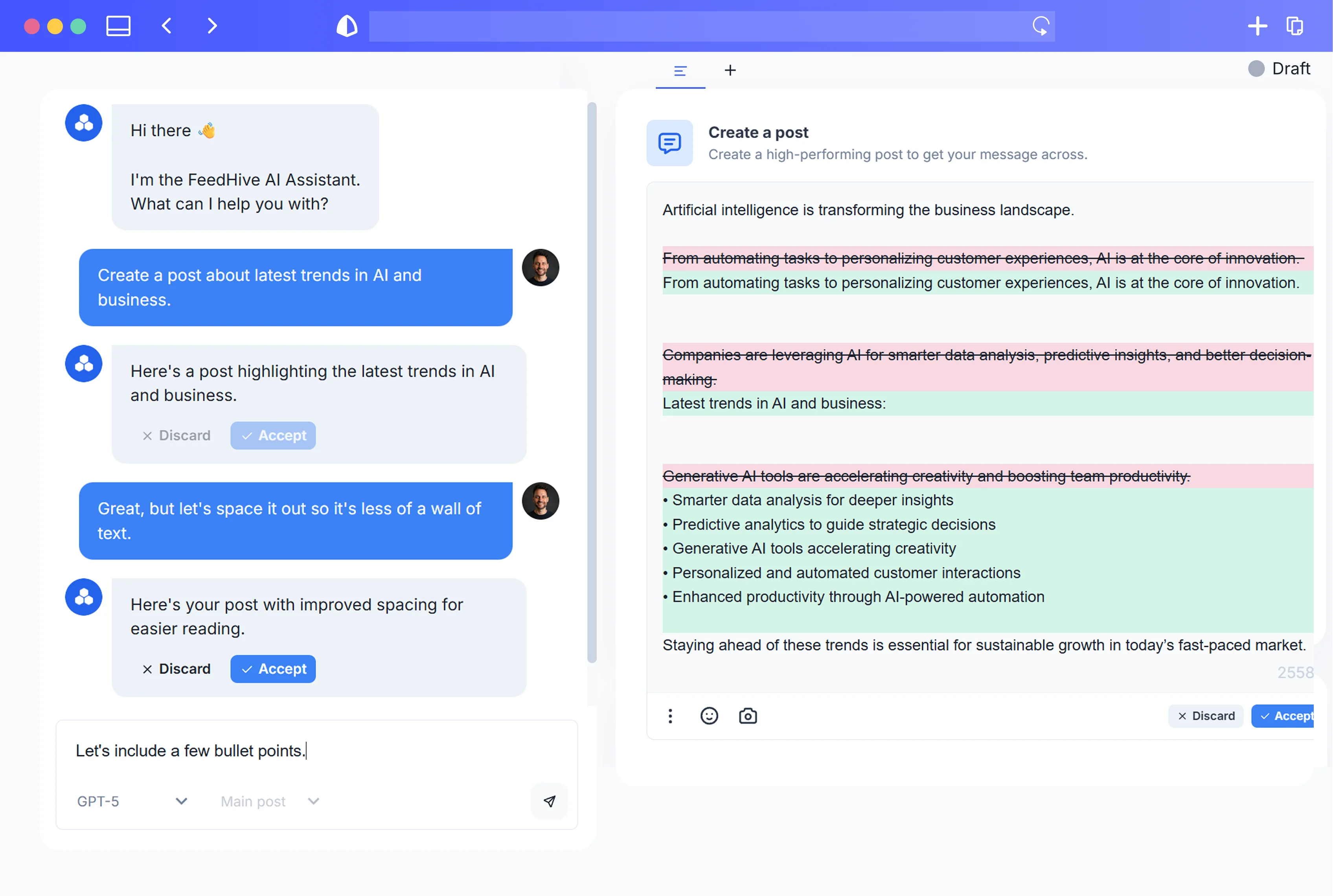


Most social teams don’t suffer from a lack of ideas—they suffer from a lack of structure. You’ve got years of posts, docs, FAQs, launch notes, objection‑handling emails, and Slack threads, but every week still feels like starting from scratch. Meanwhile, the demand for content never slows down.
As of January 2024, there are 5.04 billion social media users worldwide—about 62.3% of the global population—spending an average of 2 hours 23 minutes per day on social platforms DataReportal, 2024. Multiple industry reports show social is now the top marketing channel for both B2B and B2C, ahead of websites and email HubSpot, 2023 Hootsuite, 2024.
At the same time, 88% of customers say the experience a company provides is as important as its products, and 73% expect companies to understand their unique needs and expectations Salesforce, 2022. Translation: you’re expected to be always-on, highly personalized, and perfectly on-brand—everywhere.
A simple content calendar can’t do that. You don’t just need a schedule; you need a brain: a reusable, structured system that remembers everything your brand knows and has said, and can use that knowledge to power AI that actually sounds like you.
That’s what a social media knowledge graph gives you—and what this article will show you how to build.
What Is a Social Media Knowledge Graph? (Plain-Language Explanation for Marketers)
When marketers hear “knowledge graph,” it can sound like something only data scientists at Google care about. But the basic idea is straightforward and incredibly useful for social teams.
Google itself describes its Knowledge Graph as a way to model “real-world entities and their relationships to one another” so it can provide more relevant results and context Google, 2012. Their mantra is:
“Things, not strings.”
They don’t just treat a query like “Apple” as a string of letters; they treat it as a thing—a company, a fruit, a stock symbol—connected to other things.
A social media knowledge graph applies the same idea to your marketing universe:
- Instead of treating posts as isolated text, you treat them as connected to things:
- Topics
- Products and features
- Personas and segments
- Pain points and objections
- Benefits and value props
- Proof (case studies, testimonials, stats)
- Campaigns and journeys
- FAQs and policies
In academic terms, “nodes represent entities of interest and edges represent relations between these entities” Hogan et al., 2021. In practical marketing terms:
- A node might be:
- “Product X”
- “Persona: Bootstrapped SaaS founder”
- “Objection: ‘It’s too expensive’”
- “Case study: ACME reduced churn by 30%”
- An edge (relationship) might be:
- “Product X solves Objection Y”
- “Case study Z is relevant to Persona A”
- “Post #123 mentions Feature B and targets Persona C”
Your posts, replies, scripts, and FAQs don’t live as random blobs of text; they live as connected pieces of structured knowledge.
This graph‑style thinking is quickly becoming mainstream. Gartner predicts that by 2025, graph technologies will be used in 80% of data and analytics innovations, up from 10% in 2021 Gartner, 2021. That’s because graphs are ideal for context-aware decisions—exactly what you need on social when deciding:
- What should we say next?
- Which proof points should we use for this persona?
- How should we respond to this tricky reply?
So:
- A content calendar tells you when to post.
- A knowledge graph helps you decide what to say, how to say it, and why—based on everything your brand already knows.
From Fragmented Assets to Structured Entities: Mapping Your Existing Content
Most teams already have the raw material for a powerful content brain. What they don’t have is structure.
Your reality probably looks like this:
- Years of social posts spread across platforms
- Launch decks sitting in Google Drive or PowerPoint
- FAQs in Notion, Confluence, or your help center
- Objection-handling lines buried in sales enablement docs
- Customer stories scattered across blogs, PDFs, and testimonials
- “Tribal knowledge” locked in Slack threads and people’s heads
This fragmentation has a real productivity cost. The McKinsey Global Institute estimates that knowledge workers spend 19% of their workweek—about 1.8 hours per day—searching for and gathering information McKinsey, 2012. Social teams are no exception; every time you dig through past posts to find “that one tweet that explained this perfectly,” you’re paying the tax of disorganization.
Another study found employees spend 5.3 hours per week waiting for information or help from colleagues, costing organizations with 1,000 employees an estimated $2.7 million per year in lost productivity due to poor knowledge sharing Panopto & YouGov, 2018. On social, that shows up as:
- Rewriting the same explanations and objection-handling messages
- Recreating campaign concepts that already worked last year
- Inconsistent or off-brand replies because the “good answer” lives in someone’s DM history
The root problem: most content strategy isn’t truly captured and structured. Only 43% of B2B marketers say they have a documented content marketing strategy, and another 36% say they have one but it’s not documented Content Marketing Institute, 2022.
If your strategy isn’t clearly documented, your AI can’t “know” it. A knowledge graph is how you:
- Pull all this scattered knowledge into one place.
- Model it as reusable entities (topics, products, personas, objections, proof).
- Connect it so both humans and AI can actually use it.
Designing Your Content Brain: Core Building Blocks (Topics, Personas, Products, and Journeys)
Think of your content brain as a box of Lego bricks, not a stack of finished models. The bricks are your entities. Once you define them well, you can snap them together into endless posts, replies, and campaigns—without reinventing your message.
Here are the core building blocks most social teams need:
-
Topics & Themes
- High-level subjects you talk about: “pricing strategy,” “creator productivity,” “email deliverability,” etc.
- These anchor your editorial pillars and help you see where you’re over‑ or under‑investing.
-
Products, Features & Benefits
- Each product or key feature is its own entity.
- Attach:
- Short and long descriptions
- Key benefits
- Ideal personas and use cases
- Pricing and packaging notes
-
Personas & Segments
- “Founder of 5–20 person SaaS,” “enterprise marketing leader,” “freelance designer,” etc.
- Include:
- Goals and KPIs
- Pain points
- Common objections
- Preferred channels and content formats
-
Pain Points & Objections
- “Too expensive,” “too hard to implement,” “we tried this before and it didn’t work.”
- Each objection links to:
- Relevant persona(s)
- Features/benefits that address it
- Case studies that prove it wrong
- Approved messaging templates
-
Proof Points & Case Studies
- Success stories, testimonials, stats, reviews.
- Link each proof point to:
- The product/feature it validates
- The persona it’s about
- The objection it overcomes
- The industries or segments it’s strongest for
-
FAQs & Policies
- Shipping, refunds, support SLAs, data security, compliance, etc.
- Crucial for accurate reply generation and avoiding legal issues.
-
Campaigns & Journeys
- Launches, seasonal campaigns, nurture streams, promos.
- Define:
- Objective (awareness, trial, expansion)
- Target personas
- Key messages and CTAs
- Supporting assets (videos, blogs, landing pages)
Why structure it this way? Because personalization and consistency are what pay off.
McKinsey found that companies that excel at personalization generate 40% more revenue from those activities than average competitors. At the same time, 71% of customers expect personalized interactions and 76% get frustrated when this doesn’t happen McKinsey & Company, 2021. If you want AI to personalize at scale, it needs well-defined personas, journeys, and objections—not just vibes.
Brand consistency matters just as much. Brands that present themselves consistently across all platforms can increase revenue by up to 23% Marq (Lucidpress), 2019. A knowledge graph gives you a single source of truth for:
- How you describe your product
- Which proof points are current and approved
- How you position against specific objections
So when AI drafts a post or reply, it’s not inventing a voice; it’s assembling one from the building blocks you’ve defined.
Step-by-Step: Turning Your Existing Posts and Docs into a Social Knowledge Graph
You don’t need to be a data engineer to build this. You just need a clear process and a tool that lets you tag, relate, and reuse content.
Here’s a practical, non-technical roadmap.
1. Centralize your existing assets
Pull your scattered content into one workspace:
- Export past posts and threads from your social accounts.
- Collect:
- FAQ docs
- Product one-pagers
- Sales enablement decks
- Case studies and testimonials
- Previous campaign briefs
- Include support macros or canned responses—they’re gold for replies.
The goal isn’t perfection; it’s getting everything into one place so you can structure it.
2. Define your initial schema (entities and tags)
Start small. Based on the building blocks above, define:
- 5–10 topics
- 3–7 personas
- Your main products/features
- Top 10–20 objections and FAQs
- Key campaigns/journeys for the next 6–12 months
Then decide which tags or fields each post or document should have, for example:
TopicPersonaProduct / FeatureFunnel StageObjectionProof Point / Case StudyChannelTone / Format(educational, story, testimonial, meme, etc.)
3. Manually tag a representative sample
Before involving AI, tag a small but representative set of content by hand:
- 50–100 posts that:
- Performed well
- Cover different topics and personas
- Include both top- and bottom-of-funnel content
As you tag, refine your schema:
- Merge redundant tags (“pricing” vs. “price”).
- Clarify personas.
- Combine duplicate objections.
This gives you a clean training set and clarifies how your graph should look.
4. Use AI to accelerate tagging and relationship-building
Once you have a clear schema and examples:
- Use AI to:
- Suggest tags for new and historical posts
- Identify which persona a post is aimed at
- Extract mentioned features, benefits, and objections
- Propose connections to related case studies or FAQs
You still review and approve, but AI does the grunt work of reading and suggesting.
5. Turn connections into reusable patterns
Now, make your graph actively useful:
- For each objection, link:
- 2–3 posts that answer it
- 1–2 case studies validating the answer
- The product/features that address it
- For each persona, link:
- Main pain points
- Most resonant proof points
- Preferred content formats (e.g., carousels vs. threads)
- For each campaign, link:
- Core message
- Target personas
- Posts, landing pages, and assets used
At this point, your graph becomes a menu for AI: “Give me a launch thread for Persona A, emphasizing Benefit B, and use Proof Point C as the core story.”
6. Bake graph-building into your ongoing workflow
Don’t treat this as a one-off migration project. For every new asset:
- Tag it with:
- Topic
- Persona
- Product/feature
- Funnel stage
- Attach:
- Any objections it addresses
- Any proof points it uses
- Link it to:
- A campaign or journey, if relevant
Over time, everything you publish becomes a node that can be remixed later.
This pays off because high-performing content marketers are significantly more likely to have a deliberate process for repurposing and reusing content across channels Content Marketing Institute, 2023. At the same time, surveys from CMI and Semrush show that around 40–60% of marketers cite producing enough content consistently as a top challenge Semrush, 2023. A knowledge graph makes repurposing the default, not an afterthought.
Connecting AI to Your Content Brain: How Generation Changes When Context Is Structured
Most teams are already experimenting with AI, especially for content. A recent survey found 61.4% of marketers have used AI in their marketing, and among them, 44.4% use it for content production—the top use case Influencer Marketing Hub, 2023. Another study reports that over 70% of marketing leaders either use or plan to use generative AI in their workflows within two years Deloitte, 2023.
So AI itself is no longer a differentiator. How you feed it is.
Without a knowledge graph, an AI assistant:
- Only knows what’s in its generic training data (which isn’t your product or brand).
- Relies on vague prompts like “Write a social post about our new feature for small business owners.”
- Is prone to making things up or drifting off-brand.
With a content brain (knowledge graph) behind it, your workflow looks more like:
- Retrieve context from the graph
- Find the relevant:
- Product node
- Persona node
- Objection node
- Proof points and FAQs
- Find the relevant:
- Feed that structured context into the AI
- “Here’s who we’re talking to, what we’re promoting, what they care about, and how we’ve described it before.”
- Let AI draft posts, threads, or replies from that context, not from scratch.
Research on combining large language models (LLMs) with knowledge graphs concludes that their fusion “offers a promising direction to build AI systems that are both knowledgeable and reliable” Pan et al., 2023. Knowledge graphs help fix three big AI weaknesses:
- Hallucinations – AI making confident but wrong claims
- Outdated / missing domain knowledge – especially for niche products
- Lack of explainability – it’s unclear why the AI said what it said
In a content brain setup:
- If the AI claims “this feature integrates with X,” it’s because there’s a feature node that explicitly says so.
- If it tailors a post to “bootstrapped SaaS founders,” it’s because your persona node describes their pains and goals.
- If someone asks a nuanced product question, the AI grounds its answer in linked FAQ and policy nodes.
The productivity upside is massive. McKinsey estimates that applying generative AI and automation to knowledge work—especially content creation, customer operations, and marketing & sales—could increase global labor productivity growth by 0.2 to 3.3 percentage points per year McKinsey Global Institute, 2023.
But you only realize those gains safely when AI is sitting on top of a clean, structured, and governed content brain—not a pile of random docs and vibes.
Practical Use Cases: Replies, Campaigns, FAQs, and Evergreen Content on Autopilot
Once you connect AI to your social knowledge graph, new workflows open up. Here are real, practical ways to use it.
1. Faster, more accurate replies in comments and DMs
Customers expect speed. Research shows that 90% of customers rate an “immediate” response as important or very important when they have a service question, and 60% define “immediate” as 10 minutes or less HubSpot Research, 2018.
With a content brain:
- A comment comes in: “This looks great, but does it integrate with X? And how hard is onboarding for a team of 10?”
- Your system:
- Identifies the topic (integrations, onboarding).
- Fetches the relevant product and FAQ nodes.
- Checks if there are case studies matching this use case.
- AI drafts a reply that:
- Uses your approved positioning.
- References the right features and proof points.
- Adapts tone to the platform (concise for X, more detailed for LinkedIn).
Your team can move from writing from scratch to editing and approving—while staying accurate and on-brand.
2. Smarter campaign and launch content
Instead of building each campaign from a blank doc, your knowledge graph lets you:
- Pick a campaign node (e.g., “Spring feature launch”).
- Attach or pull in:
- Target personas
- Key features and benefits
- Known objections for those personas
- Best proof points and stories
- Ask AI to:
- Draft announcement posts for each platform.
- Create supporting educational threads and carousels.
- Generate variant messages for different personas.
- Suggest A/B test angles based on past performance for that topic.
Because it’s grounded in the graph, the AI naturally reuses your best explanations, phrases, and proof.
3. FAQ and objection-handling on autopilot
When FAQs and objections are modeled as first-class entities:
- Incoming question → system detects the closest FAQ/objection node.
- AI:
- Pulls the approved explanation.
- Adds context for this specific user or situation.
- Suggests a reply or DM script.
Over time, you build a robust objection → message → proof map that can be reused everywhere:
- Social replies
- Ad copy
- Landing pages
- Sales scripts
Social becomes a testing ground where objection-handling language is continually refined.
4. Evergreen and repurposed content that never dies
Because every post is linked to topics, personas, and campaigns, your graph can:
- Identify evergreen insights that performed well.
- Automatically:
- Propose repost schedules.
- Generate fresh variations for different personas or channels.
- Spot coverage gaps (e.g., strong content for Persona A on Topic X, but nothing tailored for Persona B).
Instead of “posting once and forgetting,” everything you publish becomes a reusable asset in your content brain.
How FeedHive Becomes the Central Nervous System for Your Social Knowledge Graph
Even the best knowledge model is useless if it lives across 10 tools. In many marketing stacks, content is split across CMSs, DAMs, social schedulers, docs, and chat tools—leading to duplicated work and inconsistent messaging. Industry research repeatedly cites data and content silos as a major barrier to improving customer experience Adobe & Econsultancy, 2023.
On the flip side, organizations with strong knowledge management practices report higher productivity, better decision-making, and reduced duplication of effort Deloitte, 2019. That’s exactly what you want for social: one single source of truth your team and your AI can rely on.
Modern customer journeys are also highly non-linear; buyers often touch 10+ interactions across search, social, and content before purchasing. Google’s “Messy Middle” research highlights how people loop between exploration and evaluation, switching channels frequently Google, 2020. Keeping your story coherent across those touchpoints demands a centralized “content brain.”
This is where FeedHive can act as the central nervous system for your social media knowledge graph:
-
Import & unify
- Pull in historic posts from all your social channels.
- Connect supporting docs (FAQs, launch notes, case studies).
- Store them in a single workspace rather than scattering them across tools.
-
Tag & structure your content
- Define your entity set directly in FeedHive: topics, personas, products, funnel stages, objections, proof points.
- Tag existing and new posts with those entities.
- Use AI-assisted tagging to quickly classify large backlogs, then review and approve.
-
Let AI suggest relationships
- Surface related posts based on shared entities (e.g., all content that addresses “Objection: too expensive” for “Persona: agency owner”).
- Automatically link posts to campaigns, journeys, and proof points.
-
Generate on-brand posts and replies from the graph
- When you ask AI to draft a post or reply, FeedHive can pull the relevant nodes—product descriptions, FAQs, case studies, tone guidelines—and use them as context.
- The result: AI output that’s grounded in your knowledge, not generic internet text.
-
Connect performance analytics back to the brain
- Track performance not just by post, but by:
- Topic
- Persona
- Objection
- Campaign
- Use those insights to refine your entities and messages, feeding the learnings back into your content brain.
- Track performance not just by post, but by:
Over time, FeedHive becomes the place where everything you’ve ever said on social, plus the strategy and documentation behind it, comes together. AI sits on top as the interface—creating, suggesting, and optimizing—while the knowledge graph underneath keeps it smart, safe, and on-brand.
Governance and Quality: Keeping Your Content Brain On-Brand and Up-to-Date
A content brain only works if you trust it. That means treating it as a governed asset, not a dumping ground.
In a recent survey on generative AI, marketing and IT professionals cited factual accuracy and brand safety as major blockers to deploying AI in customer-facing experiences Salesforce, 2023. Good governance is how you unblock those concerns.
Key practices:
1. Define your “source of truth” content
Not all content is equal. Decide which assets are authoritative:
- Official product docs and spec sheets
- Legal-approved policies and FAQs
- Current messaging frameworks and positioning docs
- Verified case studies and testimonials
In your graph, clearly mark these as canonical and prioritize them when AI drafts responses.
2. Establish roles and permissions
Treat the content brain like a living database:
- Owners – typically content/brand leads:
- Approve schema changes (new personas, topics, objections).
- Decide when to retire or merge entities.
- Contributors – social, product marketing, support:
- Propose new nodes (new objections, FAQs, campaigns).
- Tag and link content.
- Reviewers/Approvers:
- Sign off on AI-generated content for sensitive topics.
Use permissions in your tool to prevent accidental edits to canonical entities.
3. Create clear update and deprecation rules
Knowledge goes stale. To keep the brain accurate:
- Add “valid from / to” or “last reviewed” metadata to critical entities (pricing, features, policies).
- Set recurring reviews for:
- Top FAQs
- Core product descriptions
- Regulated or legal-sensitive topics
- When you change messaging or positioning:
- Update the relevant nodes.
- Mark old ones as deprecated rather than deleting immediately (so you can redirect references).
4. Encode brand voice and guardrails in the graph
Don’t rely on vibes to keep AI on-brand. Instead:
- Create nodes for:
- Brand voice principles (e.g., “plain-spoken,” “optimistic,” “no jargon”).
- Do/Don’t examples of phrases and tone.
- Attach these to:
- Persona nodes (e.g., slightly more formal tone for enterprise buyers).
- Campaigns (e.g., playful voice for a seasonal promo).
Feed these guidelines to AI alongside topical context so every draft bakes in voice by design.
5. Close the loop: feed edits back into the brain
When humans edit AI output:
- Capture common changes:
- Phrases you always tweak.
- Objections or questions AI didn’t fully address.
- New proof points editors keep adding.
- Turn those into:
- Updated messaging nodes.
- New FAQ or objection entities.
- Refined examples for AI prompts.
Your content brain should get smarter over time, reflecting real-world usage and feedback.
Metrics That Matter: Measuring the Impact of a Knowledge-Driven Social Strategy
Once you’ve invested in a content brain, you need to prove it’s doing more than sounding clever. A graph-based approach actually gives you richer, more actionable metrics than traditional per-post analytics.
Gartner has highlighted graph techniques as a top trend in data and analytics, emphasizing their role in context-aware, real-time decision-making Gartner, 2021. Applied to social, that means tracking not just what happened, but which entities and relationships drove the result.
Here’s what to measure.
1. Efficiency & throughput
- Time to brief → draft → approved post
- Time spent searching for past content or answers
- Percentage of posts generated from existing knowledge (vs. net-new from scratch)
Goal: show that your team is doing more, higher-quality work with less effort.
2. Consistency & quality
- Brand/voice compliance rate – percentage of AI drafts needing only light edits
- Error or correction rate – how often posts require factual corrections
- Policy/compliance incidents – ideally trending to zero as canonical FAQs and policies are used
Goal: demonstrate that structure and governance reduce risk and rework.
3. Performance by entity, not just by post
Because every post is tagged, you can see:
- Which topics are driving:
- Highest engagement
- Highest conversions or trials
- Which personas respond best to which messages or proof points
- Which objections are most frequently addressed—and how effective your responses are
Goal: turn social performance into insights your whole go-to-market team can use.
4. Responsiveness and support overlap
- Average response time to social mentions and DMs
- First-contact resolution rate for common FAQs
- Deflection rate – how often social replies resolve issues without escalating to support
Goal: show that your content brain isn’t just driving engagement; it’s improving the customer experience.
5. Graph health and coverage
Finally, measure the state of the brain itself:
- Number of entities by type (topics, personas, objections, proof points)
- Percentage of posts linked to:
- At least one topic
- At least one persona
- At least one campaign or journey
- Number of orphan nodes (entities with little or no content linked)
Goal: ensure your content brain is comprehensive, well-connected, and not cluttered with outdated or isolated nodes.
Implementation Roadmap: A 30–60 Day Plan to Build Your Social Content Brain
Building a content brain sounds big, but you can make meaningful progress in 30–60 days if you scope it well.
Here’s a practical roadmap.
Days 1–10: Discovery and schema design
- Audit your content sources
- List social channels, docs, FAQs, sales enablement assets, case studies.
- Define your minimum viable schema
- 5–10 topics
- 3–7 personas
- Main products/features
- Top 10–20 objections and FAQs
- Decide entity fields
- What metadata does each entity need?
- How will you tag posts?
Output: a simple schema you can implement in your tool.
Days 11–20: Centralize and tag a pilot set
- Import a pilot batch
- 3–6 months of social posts.
- Your top FAQs and product docs.
- Manually tag 50–100 items
- Focus on high-impact posts and FAQs.
- Refine tags and entities as you go.
Output: a small but well-structured graph that reflects your real messaging.
Days 21–30: Connect AI for low-risk use cases
- Set up AI-assisted tagging
- Use your pilot as examples to help AI auto-tag more content.
- Pilot AI-generated drafts for internal use
- Internal Q&A (“What have we said about Topic X for Persona Y?”).
- Rough drafts of posts that your team fully reviews.
Output: AI is reading from your content brain and proving it can stay on-brand under human supervision.
Days 31–45: Expand coverage and start campaigns
- Scale tagging to the rest of your history
- Prioritize high-performing posts and core campaigns.
- Build campaign and objection maps
- For each upcoming campaign:
- Link personas, key features, objections, proof points.
- For each upcoming campaign:
- Use AI to draft full campaign content
- Social posts, threads, and replies, all grounded in your graph.
Output: campaigns are now being assembled from reusable entities, not written from scratch.
Days 46–60: Tighten governance and measure impact
- Formalize governance
- Define owners, reviewers, and update processes for key entities.
- Connect and monitor metrics
- Track performance by topic, persona, objection.
- Measure time saved and content reuse.
- Plan next-level use cases
- More advanced reply automation.
- Deeper personalization by persona or industry.
- Sharing entity-level insights with sales and product teams.
Output: a living, governed content brain that supports both day-to-day social production and strategic decision-making.
Common Pitfalls and How to Avoid Them (Over-Tagging, Noise, and AI Hallucinations)
As you build your social knowledge graph, watch out for these traps.
1. Over-tagging and taxonomy bloat
Symptoms:
- Hundreds of tags no one can remember.
- The same concept tagged 5 different ways.
- People stop tagging altogether.
Fix:
- Start with a small, controlled vocabulary.
- Require justification and approval for new entities.
- Regularly merge or delete low-use or redundant tags.
2. Under-structuring (just “labeling,” not connecting)
Symptoms:
- Posts have topics but no links to personas, products, or objections.
- You still can’t answer “Show me everything we’ve said about Objection X for Persona Y.”
Fix:
- Make sure entities are connected, not just labeled.
- Build at least:
- Persona ↔ Pain points/objections
- Objections ↔ Features/benefits ↔ Proof points
- Posts ↔ Campaigns/journeys
3. Noise and low-quality nodes
Symptoms:
- Outdated messaging still in circulation.
- Conflicting product descriptions.
- Multiple nodes representing the same thing.
Fix:
- Designate canonical entities and archive or merge duplicates.
- Set review cadences for critical nodes (product, pricing, policies).
- Treat the graph like a library, not a junk drawer.
4. AI hallucinations and over-trust
Large language models are powerful but imperfect. Survey research finds factual error (hallucination) rates around 20–30% on open-ended tasks when models aren’t grounded in reliable sources Zhao et al., 2023.
Fix:
- Always ground AI generation in your knowledge graph.
- For critical replies and posts:
- Require AI to cite which entities it used.
- Have humans review outputs, especially for legal, medical, or financial claims.
- Log and correct hallucinations by:
- Creating or updating entities.
- Tightening prompts to require adherence to known facts.
5. Treating the content brain as a one-time project
Symptoms:
- Big push to tag old content; then the graph slowly decays.
- New campaigns and features never get modeled.
- AI starts drifting off-message again.
Fix:
- Bake graph maintenance into your workflows:
- New campaigns require new or updated entities.
- Post-review includes tagging and linking.
- Regular “graph health” reviews.
Your content brain should evolve alongside your product, market, and brand—not lag months behind.
Conclusion: Future-Proofing Your Social Strategy with a Reusable Content Brain
Social media isn’t getting simpler. Audiences are larger, expectations are higher, and channels are more fragmented than ever. The teams that win won’t be the ones who simply “post more” or plug generic AI into their calendars. They’ll be the ones who build a reusable, structured content brain that captures everything their brand knows and has said—and uses it to power smarter, safer, more effective AI.
A social media knowledge graph gives you:
- A clear model of your topics, products, personas, objections, and proof points.
- A way to reuse and recombine those building blocks into posts, replies, and campaigns.
- A foundation to ground AI in your own knowledge, not the open web.
- A feedback loop where every interaction makes your system smarter.
You don’t have to build it all at once. Start with a simple schema, centralize a slice of your content, and connect AI to low-risk use cases. As you see results—in faster workflows, more consistent messaging, and better-performing campaigns—you can expand the graph and deepen your automation.
Done well, your content brain becomes an asset that outlives any single platform trend or algorithm change. No matter how social evolves, you’ll always have a structured, AI-ready map of your brand’s knowledge—ready to power whatever comes next.