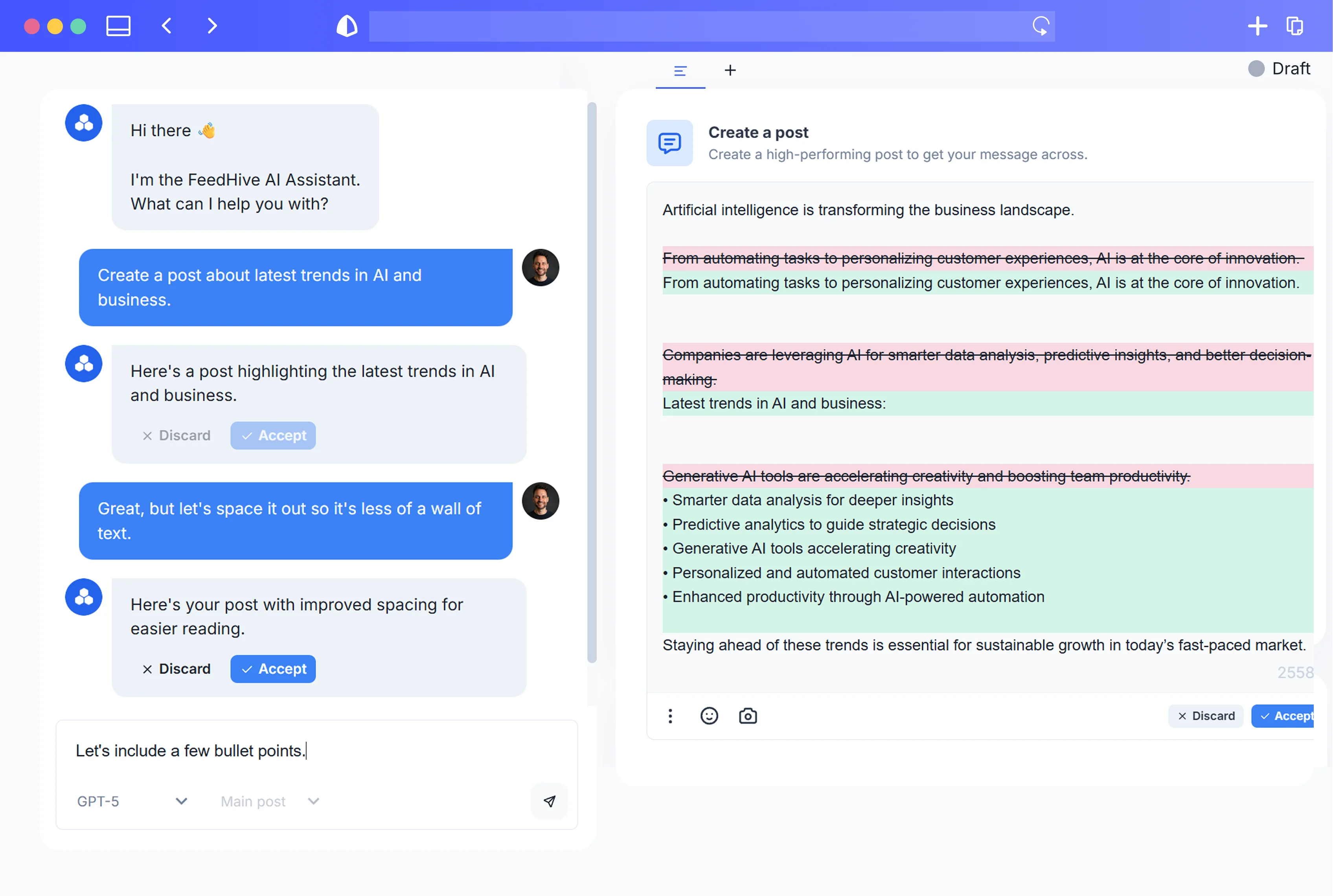


Most social feeds are still run on adrenaline: last‑minute ideas, half‑finished drafts, and a scheduler that looks like a patchwork quilt. That might have worked when social was “nice to have.” In 2026, it’s your main content front line—and the teams winning are treating it like a real content operations system that just happens to run on AI.
This guide walks you through designing that system: a repeatable pipeline that moves from zero‑draft to publish to iterate, with AI assistants and tools like FeedHive doing the heavy lifting and humans steering strategy, brand, and compliance. You’ll see exactly how to structure the workflow, prompts, approvals, and feedback loops so you can stand it up in a week and then keep improving it over time.
Introduction: Why Social Needs a Content Ops System in 2026 (Not Just a Posting Habit)
Social is no longer a side channel. It is the internet for billions of people.
As of January 2024, there are just over 5 billion social media users worldwide—about 62% of the global population—spending an average of 2.5 hours per day on social platforms and using around 6–7 platforms each month on average. In that kind of environment, reactive, ad‑hoc posting doesn’t even register as a blip in the feed noise; you need a deliberate system for standing out and staying consistent across channels.
Source: Digital 2024: Global Overview Report
At the same time, AI is rewriting how content work happens:
-
McKinsey estimates generative AI could add $2.6–4.4 trillion USD in value annually and could automate tasks that currently take 60–70% of employees’ time, especially language-heavy work like drafting posts, emails, and documents.
Source: McKinsey – The Economic Potential of Generative AI -
Gartner predicted that by 2025, 30% of outbound marketing messages from large organizations will be synthetically generated, up from less than 2% in 2022.
Source: Gartner Predicts 2022: Artificial Intelligence
In other words: by 2026, AI‑generated content will be the norm, not the experiment. The question isn’t “Should we use AI for social?” It’s “Will we build a deliberate AI‑powered system, or end up buried under everyone else’s AI‑driven output?”
A social content ops system is how you avoid that fate. It:
- Turns random posts into a pipeline.
- Moves ideas smoothly from zero draft → polished → approved → scheduled → analyzed.
- Uses AI as a co‑pilot at every stage, not a toy you occasionally copy‑paste from.
Let’s define that clearly before we build it.
What Is a Social Content Ops System? (And How It Differs from Simple Scheduling)
Most teams have some process:
- Someone drops ideas into a doc or Slack thread.
- A social manager writes posts when they can.
- A scheduler tool queues things for the week.
That’s not content operations. That’s “organized chaos.”
Content operations, applied to social
Forrester defines content operations as the function that coordinates people, processes, and technology to plan, create, manage, distribute, and analyze content across the customer lifecycle—emphasizing governance, workflows, metadata, and measurement.
Source: Forrester – Rethink Content Operations to Liberate Your Content
A social content ops system applies that discipline to your social presence:
-
People
- Strategists decide themes, objectives, and KPIs.
- Creators and AI tools generate drafts.
- Editors and approvers handle brand, legal, and compliance.
- Analysts feed performance data back into the system.
-
Process
A clear pipeline with defined stages (ideation → zero draft → review → schedule → publish → analyze) and SLAs (e.g., “new drafts reviewed within 24 hours”). -
Technology
Social management tools, AI assistants, asset libraries, and analytics—all connected so content flows smoothly without manual copy‑paste chaos.
This matters because social is not peripheral. Content Marketing Institute’s 2024 benchmarks report consistently lists organic social as one of the top content distribution channels for B2B marketers, yet only around 40% say they have a documented content marketing strategy at all.
Source: B2B Content Marketing 2024 – CMI & MarketingProfs
Your edge isn’t “posting more.” It’s building a documented, AI‑assisted system your team can run—and improve—over time.
Designing the Pipeline: From Zero-Draft to Publish to Iterate
Before we deep‑dive into each stage, zoom out and design the whole pipeline. Think like an ops leader, not just a creator.
The end‑to‑end social content pipeline
A robust AI‑assisted pipeline for social typically includes:
-
Always-On Ideation
- Inputs: content pillars, campaigns, FAQs, product updates, social listening, competitor analysis.
- Output: structured idea backlog and “zero drafts” (rough, exploratory takes).
-
Drafting with AI
- AI converts zero drafts into structured multi‑platform posts using prompt frameworks.
- Human creators shape hooks, storytelling, and nuance.
-
Human Review & Compliance
- Brand voice, accuracy, claims, disclosures, and ethical checks.
- Legal or regulatory review where required.
-
Scheduling & Distribution
- Approved content scheduled across platforms.
- Platform-specific formatting, tags, and CTAs.
-
Repurposing & Remixing
- High‑performing or strategic pieces spun into multiple formats: threads, carousels, shorts, etc.
- AI automates first passes, humans pick winners.
-
Measurement & Feedback Loops
- Performance tracked against goals (awareness, traffic, leads, revenue).
- Insights feed back into ideation and prompts.
Visually, your workflow board (in Notion, Asana, ClickUp, etc.) should resemble:
Backlog → Zero Draft → In Draft (AI) → In Review (Human) → Approved → Scheduled → Published → Analyze & Learn
Each card = one content “idea” that might turn into multiple posts across channels.
Where AI fits in this pipeline
At each stage, ask:
- What is mechanical? (Pattern-based writing, variations, summarizing, formatting.)
- What is judgment‑heavy? (Brand, narrative, angles, sensitive topics, compliance.)
AI should own as much of the mechanical as possible, while humans focus on judgment and direction. We’ll structure prompts and workflows around that principle in the next sections.
Stage 1 – Always-On Ideation: Turning Topics, Data, and Prompts into Zero Drafts
You can’t automate what you don’t capture. Stage 1 is about building an always-on idea engine that feeds your pipeline with raw material—then using AI to turn that into usable zero drafts.
What a “zero draft” is (and why AI is perfect for it)
Writing pedagogy uses “zero draft” to describe an initial, exploratory draft you create before a real first draft—messy, unstructured, focused on getting ideas out rather than getting them right.
Source: UNC Writing Center – “Getting Started with Writing: Drafts”
Anne Lamott called this same idea “shitty first drafts”: you lower the bar and just get words onto the page so you have something to work with later.
Source: Bird by Bird – Anne Lamott (1994)
This is exactly what generative AI excels at:
- Brainstorming angles you hadn’t considered.
- Roughing out talking points and examples.
- Turning vague prompts (“talk about X trend”) into something concrete enough to edit.
You’re not asking AI for a polished, on‑brand post yet. You’re asking for something to react to.
Inputs for your always-on idea engine
Set up simple inputs that continuously feed your backlog:
-
Strategic inputs
- Business goals and campaigns.
- Product roadmap and feature launches.
- Key events (webinars, conferences, seasonal moments).
-
Audience & market inputs
- Customer FAQs (from support, sales).
- Objections and misconceptions.
- Community questions (comments, DMs, forums).
-
Content & data inputs
- High‑performing past content.
- Blog posts, podcasts, webinars.
- Industry news and reports.
Capture them in one searchable place (Notion database, Airtable, Google Sheet). Each row should at least have:
- Topic / working title
- Content pillar (e.g., education, proof, brand, product)
- Source link or reference
- Target audience segment
Using AI for idea expansion
Marketers are already leaning on AI for this. HubSpot’s 2023 survey found that most marketers using AI rely on it for writing and editing copy, generating ideas/topics, and drafting social posts and captions.
Source: HubSpot – The State of AI in Marketing in 2023
Turn each input into 5–20 concrete ideas with a simple framework.
Prompt framework: Topic expansion
Use a structure like:
- Context – brand, audience, offer.
- Constraints – tone, platforms, awareness level.
- Task – number and type of ideas.
- Output format – bullets with short descriptions.
Example (shortened):
You are a social strategist for a B2B SaaS company helping [AUDIENCE] solve [PROBLEM].
Our brand voice is [VOICE].From this source: [LINK OR SUMMARY], generate 15 social content ideas.
- Mix educational, contrarian, and story-based angles.
- For each, give: a one-sentence angle, the primary platform (LinkedIn, X, Instagram), and the main CTA type (engagement, click, lead).
- Avoid generic “tips” lists.
Paste 3–5 relevant sources at once (e.g., top blog posts + a customer FAQ) and you’ll get a roadmap of angles that will last weeks.
Turning ideas into zero drafts
Once you have idea titles/angles, ask AI to produce imperfect, long-form zero drafts you’ll later chop down into posts.
Prompt framework: Zero draft generator
For this idea: “[IDEA TITLE]”
Write a rough “zero draft” exploring this idea for [AUDIENCE].
- 500–800 words.
- Include stories or examples where possible.
- Don’t worry about polish, headlines, or length.
- Focus on getting all the key points out.
Attach this zero draft as a note to your idea card in your content board.
Make this stage visible and collaborative
To make this screenshot‑worthy and operational:
- Create a “Zero Draft” view in your project tool.
- Each card shows:
- Idea title
- Content pillar
- Link to source material
- AI‑generated zero draft
- Owner (who will later turn it into posts)
- Status (Backlog, Zero Draft Ready, In Draft, etc.)
This way, anyone on the team can scan the board, grab a ready‑to‑draft idea, and move it forward—no more “What should we post today?” Slack messages.
Stage 2 – Drafting with AI: Frameworks, Templates, and Guardrails for Quality Posts
With zero drafts in place, Stage 2 turns them into actual posts tailored to each platform—with AI doing the heavy lifting, and humans steering quality and nuance.
Why drafting is where AI shines (with data)
In a controlled experiment with 444 professionals performing realistic writing tasks, access to ChatGPT reduced time spent by ~40% and improved output quality by ~18%, as rated by blind evaluators.
Source: Shakked Noy & Whitney Zhang – Experimental Evidence on the Productivity Effects of Generative AI
Another field study across 5,000+ customer support agents using a generative AI assistant showed a 14% average productivity boost, with novice workers improving by up to 35%.
Source: Brynjolfsson, Li & Raymond – Generative AI at Work
Put simply: AI co‑pilots are already making people faster and better at writing—especially those who aren’t expert copywriters. The key is giving AI structured prompts and guardrails.
Design your master prompt template
OpenAI’s own prompt‑engineering best practices recommend that you:
- Clearly specify the task and desired output format.
- Provide context and examples.
- Break complex tasks into steps.
- Iterate, using outputs as drafts and refining with follow‑up prompts.
Source: OpenAI – Prompt Engineering Guide
Turn that into a reusable master template your team can copy‑paste and tweak.
Master post‑drafting prompt
Role & context
You are a senior social media strategist and copywriter for [BRAND], which helps [AUDIENCE] achieve [OUTCOME].
Brand voice: [3–5 bullet description].Source material
Here is the zero draft you’ll base this on:
[PASTE ZERO DRAFT]Task
- Extract the 3–5 most important points.
- Propose 3 different hooks for this topic.
- Write platform-specific drafts for:
- LinkedIn (1 post, 120–220 words).
- X/Twitter (1 main post + 3–5 follow-up replies).
- Instagram (caption + 3–5 carousel slide captions, short and punchy).
Constraints
- Avoid jargon.
- Use [TONE].
- End each with 1 clear CTA (engagement or click).
- Comply with this brand guideline: [PASTE KEY POINTS].
Output format
- Summary of key points (bullets).
- Hooks list.
- Drafts under headings: “LinkedIn”, “X/Twitter”, “Instagram”.
Save this template in your team’s SOPs so anyone—from interns to execs—can produce multi‑platform drafts consistently.
Use AI as both writer and editor
Management scholar Ethan Mollick describes effective AI collaboration models as:
- “Centaurs” – humans and AI split tasks (e.g., AI drafts, human edits).
- “Cyborgs” – humans and AI continuously interact (generate → critique → improve loops).
Source: Ethan Mollick – “How to Use AI to Do Stuff”
You want the cyborg model for social: don’t accept the first output. Build in a self‑critique step.
Prompt framework: AI critiques its own draft
Review the LinkedIn draft you just wrote.
- Identify 3 weaknesses (hook strength, clarity, length, relevance).
- Rewrite the draft to address those weaknesses while keeping the same core idea.
- Suggest a 2nd alternative version with a more contrarian angle.
This simple loop dramatically improves quality and gives humans better options to choose from.
Guardrails to bake into every draft
To keep output useable and on‑brand:
-
Brand voice shortcodes
Define 3–5 adjectives and 2–3 “do/don’t” rules (e.g., “We don’t use sarcasm,” “We avoid fear‑based framing”) and paste them into prompts. -
Formatting rules per platform
- LinkedIn: line breaks, clear structure, 1–3 hashtags max.
- X: character caps, reply threading, no hashtag soup.
- Instagram: hook in first 3 lines, relevant emojis if on‑brand, CTA before “more” fold.
-
Accessibility basics
- Ask AI to propose alt‑text for images and carousels.
- Avoid all‑caps and very low‑contrast color suggestions.
-
Localization options
- If you post in multiple languages, have AI generate base drafts and then route to local reviewers.
Everything that’s repetitive should be automated in the prompt; everything that’s judgment‑heavy should be reviewed by a human in Stage 3.
Stage 3 – Human Review and Compliance: Keeping Brand, Legal, and Ethics in Check
AI will happily generate confident nonsense, questionable claims, and tone‑deaf jokes if you let it. This stage is your safety net.
Why human-in-the-loop is non‑negotiable
Salesforce’s global generative AI research found that while workers expect AI to eliminate tedious tasks and boost productivity, they have strong concerns about:
- Data security and privacy
- Inaccurate or “hallucinated” outputs
- Ethical and brand‑safety issues
and overwhelmingly agree that human oversight is essential for external content.
Source: Salesforce – Generative AI Snapshot Research
Your system must assume:
- AI drafts are first passes, not final truth.
- Humans own final accountability.
Build a clear review checklist
Create a review checklist every approver uses before content moves to “Approved”.
1. Brand & messaging
- Does the tone match our voice guidelines?
- Are claims consistent with our positioning?
- Would our best customers recognize this as “us”?
2. Accuracy & sources
- Are any stats, names, or quotes verifiable?
- If AI added data you didn’t provide, remove or fact‑check it.
- Are references current and relevant?
3. Compliance & disclosures
Regulators already expect social posts to be transparent and truthful:
- The U.S. FTC’s guidance for social media stresses clear disclosures for endorsements and paid content (e.g., using unambiguous tags like #ad) and avoiding deceptive or unsubstantiated claims—even if they came from an AI tool.
Sources:
Build rules like:
- Always disclose sponsorships and affiliate relationships.
- No performance or ROI claims without approved proof.
- No AI‑generated testimonials or fake personas.
4. Ethical & risk checks
- Could this be misinterpreted or offensive to any segment?
- Are we amplifying misinformation or low‑quality sources?
- Does the post need a legal or compliance sign‑off?
Global frameworks such as the OECD’s AI Principles emphasize human oversight, accountability, and transparency in AI systems. For social, that means you should document who approved what, when, and on what basis.
Source: OECD – AI Principles
Operationalizing review
To make this stage work in practice:
-
Define roles
- Content owner: responsible from zero draft to publish.
- Brand/editor: checks tone, clarity, story.
- Compliance: reviews higher‑risk content (claims, regulated industries).
-
Set SLAs
- e.g., “Standard posts reviewed within 24 hours; high‑risk within 48 hours.”
-
Create approval states in your tool
- “Needs Review → Changes Requested → Approved → Blocked (Legal)”
-
Document exceptions
- Pre‑approved content templates or “evergreen” posts that can bypass compliance after initial sign‑off.
AI can be fast; your system should be deliberate. Stage 3 is where speed meets responsibility.
Stage 4 – Scheduling and Distribution: Multi-Platform Cadence Without Chaos
With approved posts in hand, you need to get them out reliably across multiple platforms without turning your calendar into spaghetti.
Design your cadence first
Start with goals and audience capacity, not arbitrary posting quotas:
- Map your key platforms: e.g., LinkedIn, X, Instagram, TikTok, YouTube Shorts.
- Decide realistic baselines per platform (e.g., 4–5x/week LinkedIn, 7–10x/week X).
- Anchor around core content types:
- Education (how‑tos, frameworks)
- Proof (case studies, testimonials)
- Brand (values, behind‑the‑scenes)
- Product (features, launches, offers)
Build a simple weekly pattern (e.g., “Mon – educational; Tue – proof; Wed – brand; Thu – product; Fri – contrarian take/summary”).
Structure your calendar
Set up a central calendar view (inside your social tool or a separate project tool) with:
- Columns by date or week.
- Rows or tags by platform.
- Fields for:
- Status (Drafted, Scheduled, Published)
- Campaign
- Content pillar
- Owner
- Link to assets and zero draft
Make it easy to export or screenshot this calendar for weekly standups.
Use AI to optimize timing and variants
Once scheduled:
- Generate time‑zone aware variants – AI can propose best posting windows by region based on your historical data (where tools support it).
- Create subject line / hook variations – e.g., 2–3 hook alternatives per post to A/B test on platforms that support it (like LinkedIn or paid placements).
- Automate UTM parameters – define rules in your tool so each campaign’s links are tagged consistently for analytics.
The goal of Stage 4: a predictable, de‑personalized schedule where hitting “publish” is no longer someone’s daily emotional burden. The system posts; humans watch and adapt.
Stage 5 – Repurposing and Remixing: Turning One Idea into a Week of Content
You don’t need more ideas; you need more mileage from the ones that work.
Why repurposing is a hallmark of high performers
Semrush’s State of Content Marketing reports show that top‑performing teams are much more likely to update and repurpose existing content instead of constantly starting from scratch.
Source: Semrush – State of Content Marketing 2022/2023
Gary Vaynerchuk popularized this with his “pillar content” model: take one substantial asset (keynote, podcast, long article) and spin it into dozens of micro‑pieces across platforms.
Source: GaryVee – The Content Model
Your AI‑driven social ops should bake this in.
Define your pillar → micro pipeline
For each pillar asset (e.g., a webinar), design a standard repurposing recipe:
From one 45‑minute webinar, you might always produce:
- 3–5 LinkedIn posts (frameworks, takeaways).
- 1 LinkedIn carousel (step‑by‑step).
- 1 X thread (summary with quotes).
- 3–7 short vertical clips (TikTok/Reels/Shorts).
- 5+ standalone quote graphics.
- 1 email or newsletter blurb.
Use AI to do the first 80%
Once the pillar is created:
-
Transcript & summarization
- Get a transcript; ask AI to:
- Summarize key points.
- Identify 5–10 “aha” moments.
- Pull 10–20 quotable lines with timestamps.
- Get a transcript; ask AI to:
-
Format-specific prompts
-
LinkedIn framework post
From this transcript summary: [PASTE]
Write a LinkedIn post sharing a 3–5 step framework.
- 150–220 words.
- Start with a strong hook that challenges a common belief.
- Use short paragraphs and bullets.
- End with a question that invites stories from practitioners.
-
X thread
Turn these key points into a 7–10 tweet thread.
- Tweet 1: bold claim or hook.
- Tweets 2–8: steps, examples, or tips, 240 characters max each.
- Final tweet: summary + CTA to [RESOURCE].
-
Carousel outline
Create an outline for a 7-slide LinkedIn/Instagram carousel from this content.
- Slide 1: big promise headline.
- Slides 2–6: 1 concept per slide, 10–15 words each.
- Slide 7: recap + CTA.
-
-
Asset briefs for designers or video editors
- Have AI draft briefs:
- Key message per asset.
- Suggested visuals.
- On‑screen text for video clips.
- Have AI draft briefs:
Humans then:
- Choose the best angles.
- Refine copy where needed.
- Align sequencing with campaigns.
Make repurposing a standard stage
In your board, add a “Repurpose” column where:
- Any post that meets a performance threshold (e.g., top 20% in engagement or clicks) automatically gets a card.
- AI is tasked with suggesting 3–5 repurposing ideas and rough drafts.
- The team decides which to produce and schedule.
This ensures your best ideas don’t die after one post.
Stage 6 – Measurement and Feedback Loops: Using Performance Data to Refine Prompts and Strategy
Most teams look at metrics; few use them to actively steer what AI and humans create next.
Go beyond vanity metrics
Sprout Social’s Index shows social teams still overwhelmingly track:
- Engagement (likes, comments, shares)
- Impressions and reach
- Click-throughs and traffic
- Follower growth and conversions
But many struggle to connect those numbers to business outcomes.
Source: Sprout Social Index™, Edition XIX
Define a simple metrics stack tied to objectives:
- Awareness – reach, impressions, new followers for strategic segments.
- Engagement & education – saves, shares, meaningful comments.
- Demand & pipeline – clicks to key pages, content‑assisted leads, demo requests.
- Customer insights – recurring questions, objections, ideas from comments and DMs.
Use AI to turn raw data into direction
Rather than just exporting dashboards:
-
Summarize performance by theme
-
Export post performance for the last 30–90 days.
-
Group by:
- Content pillar
- Format
- Hook style
- CTA type
-
Ask AI:
Analyze this dataset of social posts and performance.
- Identify which combinations of content pillar, format, and hook type perform best for each platform.
- Suggest 5 hypotheses about why these posts work.
- Recommend 10 new post ideas that build on these patterns.
-
-
Refine your prompts with evidence
If you learn, for example, that:
- Contrarian hooks outperform generic “tips.”
- Story‑driven posts get more saves.
- Short LinkedIn posts with strong CTAs drive more demo requests.
Then update your master prompts:
- Emphasize contrarian angles in hook instructions.
- Ask AI to propose story examples first.
- Cap certain formats at specific lengths.
-
Feed social data back into the business
Hootsuite’s research highlights how social data is increasingly used not just for content performance, but also for product feedback and executive decision‑making.
Source: Hootsuite – Social Media Trends 2024
Set up a monthly ritual where:
- AI summarizes customer insights from comments and DMs.
- Marketing shares these insights with product, sales, and leadership.
- Those teams provide new prompts and angles back into Stage 1 ideation.
When your pipeline learns from its own outputs, it becomes a self‑improving system rather than a content treadmill.
Building Your AI-First Social Ops Stack: Tools, Integrations, and Automations
You don’t need a giant martech stack. You need a small set of tools that talk to each other and support your pipeline.
Core categories
-
AI assistant(s)
- For drafting, idea generation, summarization, analysis.
-
Social content system
- Scheduling, multi‑platform publishing, approvals, analytics.
-
Knowledge & asset hub
- Brand guidelines, audience docs, prompt templates, zero drafts, final copy, visuals.
-
Project/workflow tool
- Kanban boards, assignments, due dates, version tracking.
Example: Using FeedHive as the social content core
Modern tools are increasingly AI‑native. FeedHive, for example, positions itself as an AI‑powered social content system that offers:
- AI‑assisted idea generation and post drafting.
- Built‑in repurposing, like turning one post into multiple variations.
- Cross‑platform scheduling and queue management.
- Analytics and AI‑based performance insights or even predictions of how posts might perform based on historical data.
Source: FeedHive – Official Site
That maps neatly onto the stages we’ve covered:
- Stage 1–2: AI idea and draft generation inside your posting tool.
- Stage 4–6: Scheduling, analytics, and prediction‑based iteration.
Other AI-enabled social tools in the ecosystem
If you’re evaluating or already using other platforms:
-
Hootsuite – OwlyWriter AI
- Generates social captions, repurposes top posts, and suggests ideas directly in the scheduler.
Source: Hootsuite – OwlyWriter AI
- Generates social captions, repurposes top posts, and suggests ideas directly in the scheduler.
-
Buffer – AI Assistant
- Drafts and repurposes social posts from inside Buffer’s scheduling interface.
Source: Buffer – AI Assistant
- Drafts and repurposes social posts from inside Buffer’s scheduling interface.
-
Sprout Social – AI features
- Rolling out AI for writing help, summarization, and insights analysis within their social management and analytics suite.
Source: Sprout Social – AI features overview
- Rolling out AI for writing help, summarization, and insights analysis within their social management and analytics suite.
Smart integrations & automations
A few high‑leverage connections:
-
CMS → Social
- When a new blog post goes live, trigger an automation:
- Pull the URL and summary.
- Ask AI to create three social posts.
- Send drafts to your content board under “Zero Draft.”
- When a new blog post goes live, trigger an automation:
-
Webinar/podcast → Repurposing
- New recording uploaded → auto transcription → AI summary → repurposing prompts → cards created for each derivative asset.
-
Analytics → Feedback
- Weekly export of top posts into a folder.
- AI summarizes patterns and suggests next week’s content angles.
Start simple; focus on automations that directly reduce manual copy‑paste and help you keep the pipeline flowing.
Playbooks and SOPs: Documenting Your System So It Survives Team Changes
The best system fails if it only lives in one person’s brain.
Why documentation is a competitive advantage
Content Marketing Institute’s earlier benchmarking found that 62% of the most successful B2B marketers had a documented content strategy, versus just 16% of the least successful. Top performers were also more likely to have formal processes for content creation and distribution.
Source: B2B Content Marketing 2018 – CMI & MarketingProfs
Your AI‑driven social ops should be:
- Documented enough that a new hire can learn it in a week.
- Flexible enough to adapt as tools and platforms change.
What to document
-
Strategy & foundations
- Brand voice guide (with examples of good/bad posts).
- Audience personas and key pains.
- Content pillars and how they ladder to business goals.
-
Workflow
- Pipeline stages and definitions.
- Roles and responsibilities (who owns what, who approves what).
- SLAs for reviews and turnarounds.
-
Prompt libraries
- Master drafting prompt.
- Ideation and zero‑draft prompts.
- Platform‑specific prompts (LinkedIn, X, Instagram, TikTok).
- Repurposing prompts for pillar content.
-
Approval & compliance
- Review checklists.
- Escalation paths for high‑risk content.
- Standard disclosures and legal boilerplate.
-
Measurement & iteration
- Metrics definitions and dashboards.
- Monthly/quarterly review rituals.
- How to update prompts based on performance.
Make SOPs easy to use
- Keep them in a shared workspace (Notion, Confluence, Google Docs).
- Use short pages with checklists and examples rather than walls of text.
- Link directly from tools (e.g., a “How to use this prompt” link in your scheduler).
You’re building a system, not just a set of posts. SOPs are the blueprint that lets others run and improve it.
Common Pitfalls: Over-Automation, Content Bloat, and Brand Dilution
AI makes it easy to flood feeds with content. That’s not the goal.
Pitfall 1: Over-automation (no human judgment)
Symptoms:
- Posts go live that no one remembers writing.
- Obvious errors or tone‑deaf messages slip through.
- Leadership loses trust in the system.
Avoid it by:
- Keeping humans in charge of approvals for all external content.
- Limiting “auto‑publish” to pre‑approved evergreen buckets.
- Regularly sampling published posts for quality control.
Pitfall 2: Content bloat with no clear purpose
Symptoms:
- You’re posting more than ever but seeing flat or declining results.
- Feeds feel repetitive or generic.
- No one can articulate why each post exists.
Avoid it by:
- Tying every post to a content pillar and objective (awareness, nurture, demand, etc.).
- Capping weekly post volume per platform and focusing on quality and resonance.
- Using performance data (Stage 6) to prune formats and themes that don’t move needles.
Pitfall 3: Brand dilution
Symptoms:
- Posts feel like they could be from any competitor.
- Voice shifts dramatically across platforms or creators.
- Leadership says, “This doesn’t sound like us.”
Avoid it by:
- Training AI on strong, on‑brand examples.
- Maintaining a simple, concrete voice guide (with “do/don’t” examples).
- Centralizing brand review with a small group who give consistent feedback.
Pitfall 4: “Prompt sprawl”
Symptoms:
- Everyone uses their own prompts with wildly different results.
- It’s hard to onboard new team members.
- No one knows which AI workflows are actually working.
Avoid it by:
- Standardizing a small set of prompts per stage.
- Versioning prompts and noting changes when you update them.
- Regularly pruning and consolidating your prompt library.
Implementation Roadmap: Standing Up Your AI-Driven Content Ops in 7 Days
You don’t need months to start. Here’s a practical one‑week rollout plan.
Day 1 – Map strategy and current reality
- Clarify:
- Goals for social (awareness, demand, community, support).
- Priority platforms.
- Content pillars (3–5 max).
- Audit your current workflow:
- Where do ideas come from?
- Who writes, approves, and schedules?
- Which tools do you use?
Deliverable: a simple diagram of today’s process and a target pipeline (the stages we outlined).
Day 2 – Build your workflow skeleton
- Set up your board (Notion, Asana, ClickUp, etc.) with columns:
- Backlog → Zero Draft → In Draft (AI) → In Review → Approved → Scheduled → Published → Analyze.
- Define fields: platform(s), owner, pillar, campaign, status, publish date.
- Decide roles and SLAs for each stage.
Deliverable: a living workflow board your team can screenshot and share.
Day 3 – Create prompt libraries for ideation and drafting
- Draft:
- Master ideation prompt.
- Zero‑draft generator prompt.
- Master multi‑platform drafting prompt.
- Self‑critique / improvement prompt.
- Test them on 3–5 existing topics; tweak based on results.
Deliverable: a shared prompt doc linked from your workflow board.
Day 4 – Set up tools and basic integrations
- Configure your social tool:
- Connect accounts.
- Create approval workflows if supported.
- Set up basic scheduling queues (e.g., ideal times per platform).
- Connect knowledge base:
- Add brand voice guide and key docs.
- Store initial zero drafts and prompts.
Deliverable: a working environment where AI, content, and scheduling live close together.
Day 5 – Run a pilot campaign through the full pipeline
- Choose one campaign or theme (e.g., an upcoming launch or webinar).
- Move 3–10 posts through:
- Ideation → Zero Draft → AI Draft → Human Review → Scheduling.
- Document issues:
- Where did handoffs break?
- Where did AI struggle?
- Which prompts felt clunky?
Deliverable: first real posts scheduled using the new system.
Day 6 – Add repurposing and measurement
- Define repurposing recipes for:
- 1 blog post.
- 1 webinar or podcast.
- Implement:
- A “Repurpose” column and trigger rule (e.g., top 20% performers).
- Basic UTM rules for links.
- Weekly or monthly analytics export process.
Deliverable: initial repurposing workflows and measurement rituals.
Day 7 – Document SOPs and finalize governance
- Write lightweight SOPs for:
- Using each prompt.
- Moving cards through the pipeline.
- Review and approval steps.
- Handling high‑risk content or escalations.
- Host a short team training:
- Walk through one idea traveling the full pipeline.
- Gather feedback and refine.
Deliverable: a documented, trainable social content ops system with AI baked in.
From here, you iterate: improve prompts, tweak cadences, refine roles, and keep feeding insights back into the machine.
Conclusion: From Firefighting Posts to a Self-Improving Social Machine
In a world where billions of people spend hours a day on multiple social platforms—and where a growing share of outbound marketing is synthetically generated—winging your social presence is no longer an option.
An AI‑driven social content ops system:
- Treats ideas as inputs to a pipeline, not sparks of inspiration.
- Uses AI to handle the heavy lifting—zero drafts, variations, repurposing, summaries.
- Keeps humans in charge of strategy, brand, and accountability.
- Builds feedback loops so every post teaches the system what to do next.
You don’t have to reinvent your entire marketing org. Start with a clear pipeline, a handful of well‑designed prompts, and a toolset—like FeedHive or its peers—that brings AI, scheduling, and analytics under one roof. Get it working for one campaign, then expand.
The shift is from “What should we post today?” to “How do we keep improving the machine we’ve built?” Once that happens, social stops being a daily fire drill and becomes a compounding asset—an AI‑assisted engine that gets smarter, faster, and more on‑brand with every cycle.