
Planning your social media content shouldn't feel like a never-ending hamster wheel. Yet for most creators and marketers, that's exactly what it is: wake up, panic about what to post, throw something together, repeat.
What if you could break free from that cycle entirely?
In this guide, you'll learn how to plan—and actually fill—your entire 2026 social media calendar in a single focused day. No vague advice. No "just be consistent" platitudes. Just a concrete, AI-powered system you can implement today.
Why Most Content Calendars Fail
Before we dive into the how, let's address why most content calendars end up abandoned by February:
- They're too ambitious. Planning to post 3x daily across 5 platforms? Good luck maintaining that without burning out.
- They lack a system. Random topic ideas don't compound. Without content pillars, you're just throwing spaghetti at the wall.
- They ignore recycling. Your best content deserves more than one appearance. Most calendars treat every post as a one-and-done.
- They don't leverage AI. Manual ideation for 365 days of content is a recipe for creative exhaustion.
The system we're building today solves all four problems.
The One-Day Calendar Blueprint: Overview
Here's what we'll accomplish in your planning day:
Morning (2 hours) — Define content pillars + voice. This builds your strategic foundation.
Late Morning (2 hours) — Map key dates + campaigns. This creates your year-long framework.
Afternoon (3 hours) — AI-powered batch content creation. You'll walk away with 3+ months of posts.
Late Afternoon (1 hour) — Set up recycling + automation. This builds your evergreen system.
Total time: ~8 hours. One day. An entire year planned.
Let's break it down.
Step 1: Define Your Content Pillars (2 Hours)
Content pillars are the 3-5 core themes everything you post will fall under. They keep you focused and make ideation 10x easier.
How to Choose Your Pillars
Ask yourself:
- What topics does my audience care most about?
- What problems do I solve?
- What do I want to be known for?
Example pillars for a SaaS company:
- Product tips & tutorials
- Industry insights & trends
- Customer success stories
- Behind-the-scenes / company culture
- Thought leadership & hot takes
Example pillars for a personal brand:
- Career advice
- Personal stories & lessons
- Industry commentary
- Quick tips & tactics
- Community engagement (questions, polls)
Set Up Your Pillars in FeedHive
In FeedHive, you can create Post Categories that map directly to your pillars. This lets you:
- Color-code your calendar for visual balance
- Filter posts by category
- Track which pillars perform best
Pro tip: Aim for a balanced mix. A good starting ratio:
- 40% value/educational content
- 25% engagement/conversation starters
- 20% promotional/product content
- 15% personality/behind-the-scenes
Step 2: Map Your Key Dates & Campaigns (2 Hours)
Now let's build the skeleton of your year. Open a spreadsheet or your FeedHive calendar and mark:
Must-Have Dates
Industry events:
- Major conferences in your space
- Product launches (yours and competitors')
- Seasonal trends (e.g., "back to school" for B2B, holiday shopping for e-commerce)
Company milestones:
- Product updates and feature launches
- Anniversaries and celebrations
- Hiring announcements
Cultural moments:
- Relevant holidays (not every holiday—just the ones that make sense for your brand)
- Awareness days/months tied to your industry
- Major cultural events your audience cares about
Campaign Blocks
Think in campaigns, not individual posts. Block out 2-4 week periods for:
- Product launches
- Seasonal promotions
- Content series (e.g., "Tips Tuesday" for 8 weeks)
- Collaborations or partnerships

2026 dates to consider:
- Q1: New Year's resolutions, planning season, Valentine's Day
- Q2: Spring refresh, Earth Day, graduation season
- Q3: Summer slowdown (lighter content), back-to-school prep
- Q4: Holiday rush, Black Friday/Cyber Monday, year-end reflections
Step 3: AI-Powered Batch Content Creation (3 Hours)
Here's where the magic happens. With your pillars defined and key dates mapped, it's time to fill in the gaps with AI.
The FeedHive AI Workflow
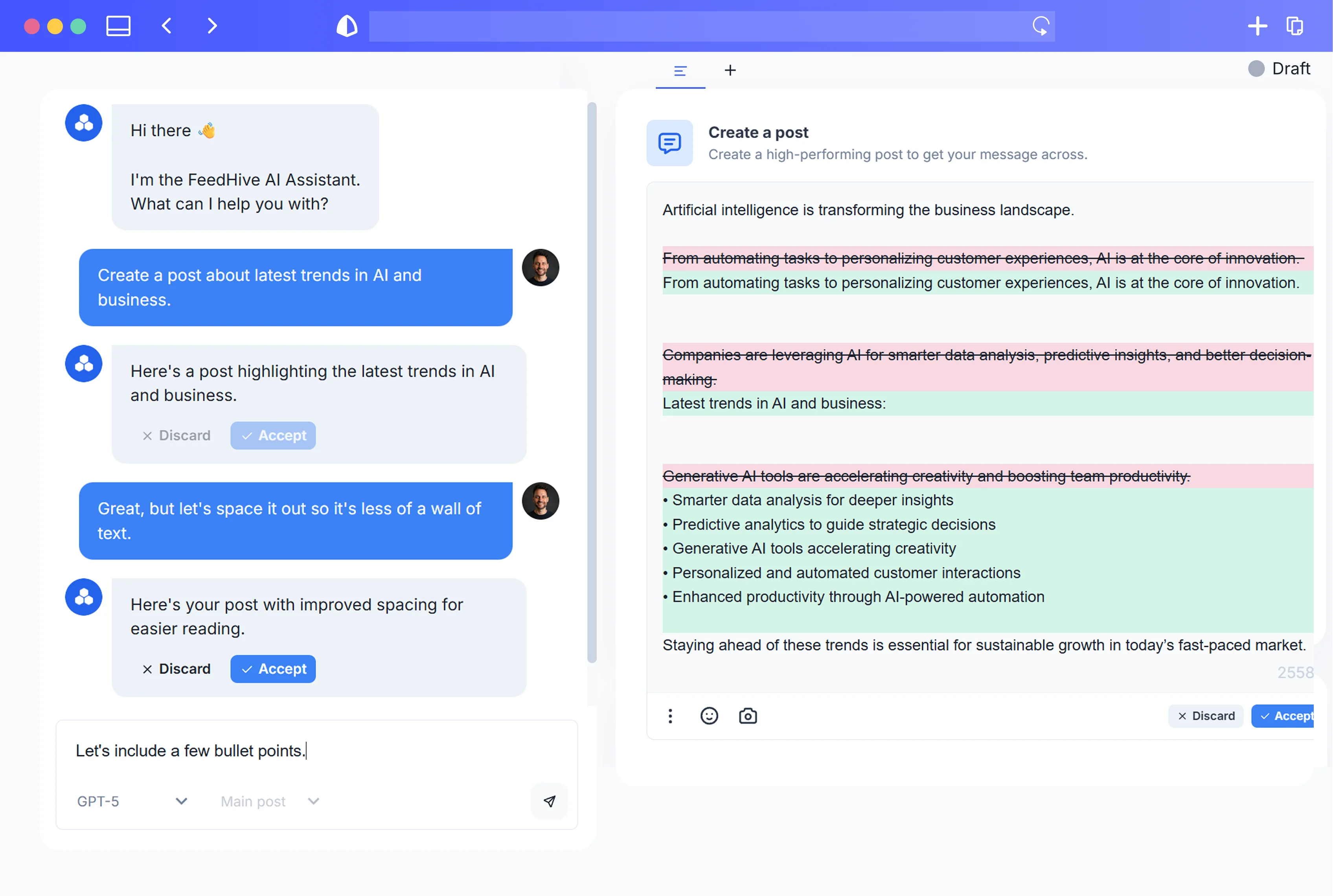
FeedHive's AI writing assistant can generate post ideas, full drafts, and variations based on your brand voice. Here's how to use it efficiently:
1. Set up your brand voice first
Before generating anything, train the AI on your tone. In FeedHive, you can:
- Provide example posts that sound like you
- Define your tone (casual, professional, witty, etc.)
- Set guidelines for what to avoid
This prevents the "sounds like a robot" problem that plagues most AI content.
2. Batch by pillar
Don't jump around randomly. Focus on one pillar at a time:
- Generate 20 post ideas for Pillar 1
- Pick the best 10-12
- Expand into full posts
- Move to Pillar 2
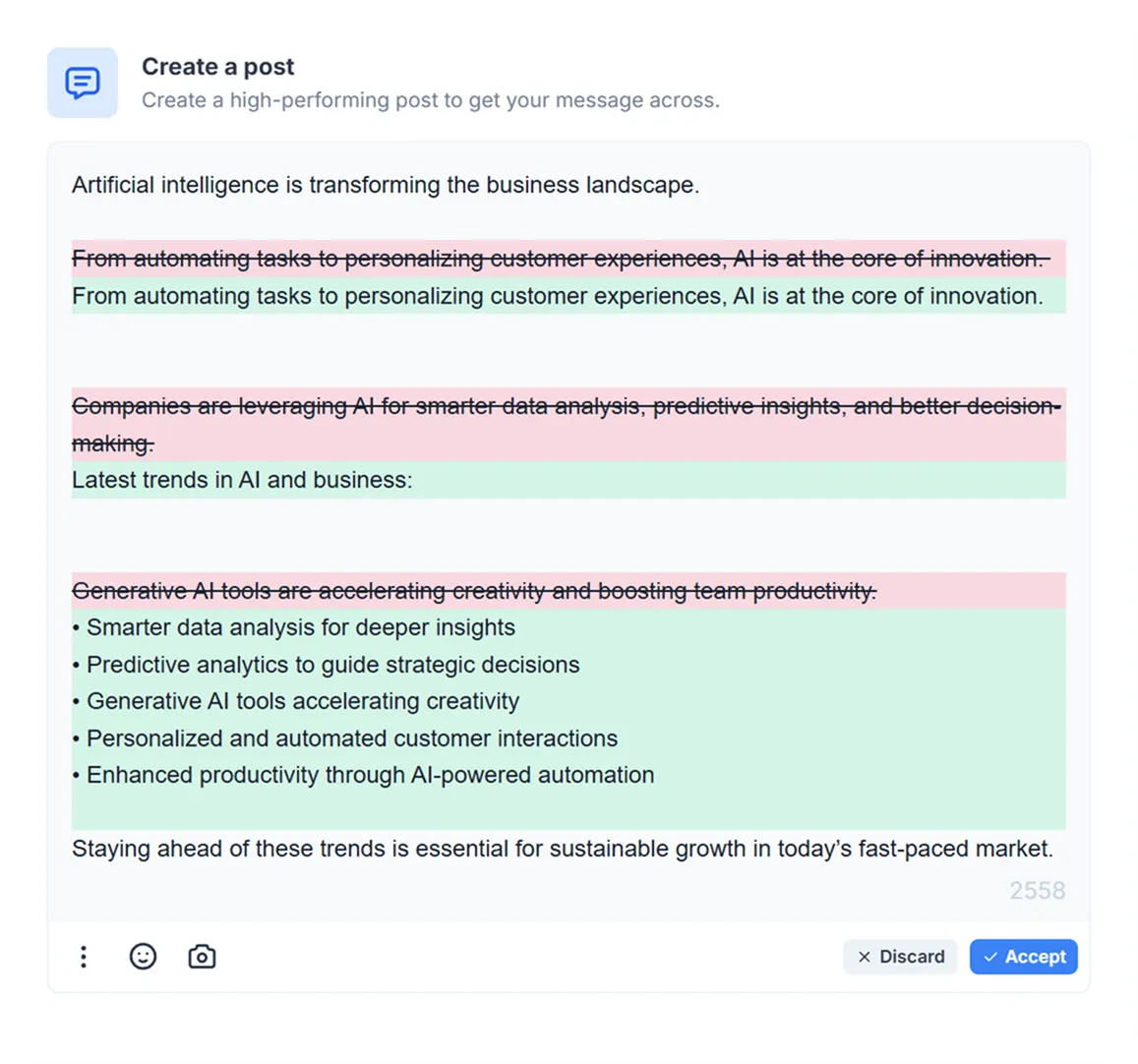
3. Use the "Inspire Me" feature
Stuck? FeedHive's Inspire Me suggests trending topics and angles based on your niche. Use it as a starting point, then add your unique spin.
4. Create variations for recycling
For your best-performing post formats, generate 3-4 variations upfront. This gives you ready-to-go content for recycling later.
Realistic Output Expectations
In 3 focused hours, you can realistically create:
- 60-80 post drafts across your pillars
- 15-20 "hero" posts (longer, higher-effort content)
- 10-15 engagement posts (questions, polls, conversation starters)
That's roughly 3 months of content if you're posting daily—more if you're posting 3-4x per week.
Step 4: Set Up Recycling & Automation (1 Hour)
The secret to a sustainable content calendar isn't creating more—it's getting more mileage from what you've already made.
Evergreen Recycling
Not all content has an expiration date. Your best tips, insights, and how-tos can run multiple times per year.
In FeedHive, you can:
- Mark posts as "Evergreen"
- Set recycling rules (e.g., repost after 90 days)
- Let the system automatically resurface your best content
What to recycle:
- Timeless tips and tactics
- Foundational how-tos
- Popular opinion posts
- Evergreen product features
What NOT to recycle:
- Time-sensitive announcements
- Dated references
- Posts tied to specific events
Conditional Posting
FeedHive's conditional posting feature lets you set rules for when posts go live. For example:
- Only post if engagement on the previous post exceeded X
- Skip posting on holidays
- Adjust timing based on platform-specific analytics
This keeps your calendar dynamic instead of rigid.
Queue Management
Set up posting queues for each platform with optimal times based on your audience data. FeedHive analyzes your historical performance to suggest the best slots.
Pro tip: Leave 20% of your calendar open for real-time content, trending topics, and spontaneous posts. A calendar that's 100% scheduled feels robotic.
Step 5: Review, Refine, Repeat
Your one-day planning session isn't a "set it and forget it" situation. Build in monthly check-ins to:
- Review performance: Which pillars are resonating? Which posts flopped?
- Refill the queue: Add fresh content to replace what's been posted
- Adjust the mix: Shift your pillar ratios based on what's working
- Update evergreen content: Refresh older posts with new data or angles
The Monthly Maintenance Rhythm
Week 1: Review last month's analytics
Week 2: Batch create new content for gaps
Week 3: Update/refresh evergreen posts
Week 4: Plan any upcoming campaigns
This takes 2-3 hours per month—a tiny investment to keep your calendar running smoothly.
Your One-Day Planning Checklist
Ready to execute? Here's your day at a glance:
Morning (9 AM - 11 AM)
- Define 3-5 content pillars
- Set up categories in FeedHive
- Document your brand voice guidelines
Late Morning (11 AM - 1 PM)
- Map all key dates for 2026
- Block out campaign periods
- Identify content gaps to fill
Lunch Break
- Step away. Seriously. Your brain needs it.
Afternoon (2 PM - 5 PM)
- Batch create content by pillar using AI
- Generate variations for top posts
- Aim for 60-80 drafts minimum
Late Afternoon (5 PM - 6 PM)
- Mark evergreen posts
- Set up recycling rules
- Configure posting queues
- Leave 20% buffer for spontaneous content
End of Day
- Schedule your monthly review sessions
- Celebrate—you just planned an entire year
Stop Planning, Start Doing
The best content calendar is the one you actually use. And the easiest calendar to use is one that's already filled with content you're proud of.
One focused day. AI-powered creation. Smart recycling. That's the formula.
Your 2026 social media presence starts with a single planning session. Block out the day, follow this system, and watch the hamster wheel finally stop spinning.