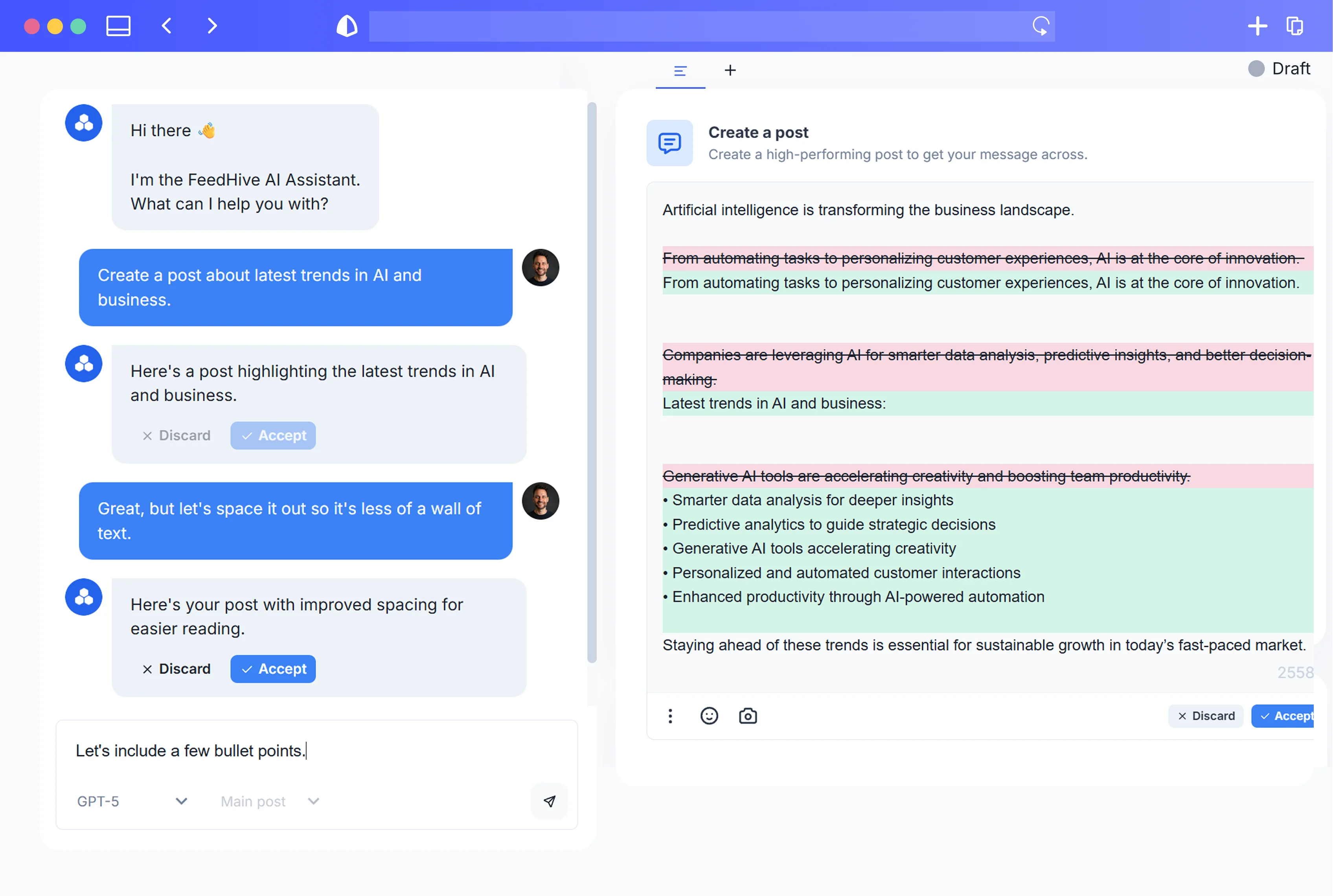


Most social teams are already using AI—but in a messy, ad‑hoc way. One creator has a “magic prompt” in a Notes doc. Another keeps their tricks in a private ChatGPT thread. A freelancer makes AI do great work for one campaign, but nobody can reproduce it the next time.
According to HubSpot’s State of AI in Marketing report, 64% of marketers already use AI or automation tools, and social media content is one of the top use cases for those tools (HubSpot, 2023). At the same time, controlled experiments show AI can make people 40% faster on writing tasks and improve quality by around 18% (Noy & Zhang, MIT, 2023), and consultants using GPT‑4 completed more tasks, faster, with better outputs in real client scenarios (Mollick et al., 2023).
If you can capture how your best people prompt AI into reusable systems, you multiply those gains across your entire team.
This guide will show you how to move from one‑off prompts to reusable AI prompt systems—practical “playbooks” anyone on your social or content team can plug into. You’ll learn how to:
- Document your brand voice in an AI‑ready way.
- Build modular prompt blocks for ideas, drafting, editing, and repurposing.
- Turn those blocks into standardized workflows inside tools like FeedHive.
- Govern and update your prompt library so it stays on‑brand and low‑risk.
- Measure the impact on speed, quality, and performance.
Why One-Off Prompts Are Failing Your Social Media Strategy
Most teams are currently in prompt chaos:
- Every creator has their own way of asking AI for help.
- Prompts are saved in random places (DMs, Notion, personal docs).
- Outputs swing wildly in tone, quality, and accuracy.
- When someone leaves, their prompt “secret sauce” leaves with them.
That’s a problem, because AI is no longer a toy; it’s a serious productivity lever.
- In a randomized experiment with hundreds of professionals, access to ChatGPT made people about 40% faster on writing tasks and boosted output quality by ~18% as rated by blind evaluators (MIT study, 2023).
- A separate field experiment with consultants found that, when tasks fit AI’s strengths, AI‑assisted consultants completed 12% more tasks, worked 25–40% faster, and produced higher‑quality work (Mollick et al., 2023).
Those are huge gains—but only if you can reproduce them reliably.
With one‑off prompting:
- Brand voice fragments. LinkedIn sounds thoughtful, Twitter sounds snarky, Instagram sounds generic—depending on who prompted the AI.
- Quality is inconsistent. One post is sharp, strategic, and on‑brand; the next is fluffy or factually shaky.
- You can’t scale what works. A few people figure out excellent prompt combinations, but there’s no mechanism to share and standardize them.
- Onboarding is slow. New hires have to rediscover what senior strategists already know about prompting well.
In other words, one‑off prompts turn AI into a series of random acts of content. To make AI a reliable part of your social media strategy, you need systems, not sporadic genius.
What Is a Prompt System? From Single Commands to AI Playbooks
Think of the difference this way:
- A prompt is a single command:
“Write 5 LinkedIn posts about our new feature.” - A prompt system is an end‑to‑end playbook that encodes who you are, who you’re talking to, how you speak, what you’re trying to achieve, and how to refine the output—in a reusable, shareable way.
A robust prompt system usually includes:
1. Context and roles
- Who the AI is: “You are the social media manager for a B2B SaaS brand in [industry].”
- Who the audience is: “You’re speaking to [persona]: role, pain points, goals.”
- What the objective is: awareness, engagement, lead gen, retention, etc.
2. Brand voice and tone modules
- Your core voice traits and examples.
- When to be more formal vs casual, more educational vs persuasive.
- Words, phrases, and stylistic quirks to use or avoid.
3. Task templates
- Structured instructions for common jobs: ideation, drafting, editing, repurposing, A/B variation.
- Clear inputs: campaign theme, CTA, platform, character limits, etc.
- Expected outputs: number of ideas, format, hooks, hashtags, calls to action.
4. Guardrails and constraints
- “Never invent data; if a statistic is missing, ask for one.”
- “Avoid these topics or claims.”
- “Always include [disclaimer] when referencing [topic].”
5. Optimization loops
- Prompts that ask the AI to critique its own outputs against your rules.
- Iterative steps to improve clarity, engagement, or alignment.
- A way to bake performance learnings back into the system over time.
6. Documentation and ownership
- Who owns each system, when to use it, and how to customize it.
- Version labels and change logs so people know what’s current.
Once you define these components, a “prompt system” stops being a clever line and becomes a reusable AI playbook any teammate can open, follow, and trust.
Foundations: Capturing Your Brand Voice, Personas, and Guardrails for AI
Before you worry about clever prompt wording, you need to make your brand voice machine‑readable.
Why this matters financially
A Lucidpress (now Marq) study found that consistent brand presentation can increase revenue by up to 33% (Marq, The Impact of Brand Consistency, 2019). And Salesforce’s State of the Connected Customer report showed that 88% of customers say the experience a company provides is as important as its products or services, and roughly three‑quarters expect consistency across channels (Salesforce, 2022).
If every team member prompts AI differently, you get exactly the inconsistency customers dislike—and you leave money on the table.
Turn your style guide into an AI-ready module
Most brands already have some kind of style guide, but it’s usually:
- Written for humans, not machines.
- Buried in a PDF or slide deck.
- Too vague (“be empowering”) or too detailed (pages of typography rules) to plug into a prompt.
You want a concise, structured “AI voice pack” that any creator can paste into the beginning of a conversation with an AI model.
Include at least:
1. Brand essence (1–2 paragraphs)
- What your company does and for whom.
- Your positioning and primary value props.
- A one‑sentence “elevator pitch” in plain language.
2. Voice pillars (3–5 adjectives)
Example:
- Pragmatic, optimistic, and a bit witty.
- Expert but never condescending.
- Direct and concise; no corporate fluff.
For each pillar, add:
- A short explanation: “We keep sentences short and concrete; we avoid buzzwords.”
- 1–2 sample sentences that feel “right” for your brand.
3. Tone by scenario
Social media isn’t one tone all the time. Define how you flex in different situations:
- Product launch
- Thought leadership
- Customer support reply
- Crisis or sensitive topics
For each, describe:
- Formality (low/medium/high)
- Emotion level (calm/enthusiastic/empathetic)
- What to lean into and what to avoid
4. Voice do’s and don’ts
Make it explicit:
- We say: “customers”, “team”, “we”.
We don’t say: “users”, “resources”, “the company”. - Emojis: when they’re okay, and when they aren’t.
- Hashtags: how many, branded vs generic.
- Jargon: which terms are okay for which personas.
5. Audience personas
Summarize your main audience types in a way AI can use:
- Role and responsibilities
- Industry and company size
- Main goals and KPIs
- Pain points and objections
- What they already know/don’t know
6. Guardrails and risk rules
Bake compliance and brand safety into the foundation:
- Claims you can and cannot make.
- Sensitive topics and red lines.
- Required disclaimers for certain topics.
- Instructions like: “If you’re unsure about a factual claim, ask the user to confirm instead of guessing.”
Once you’ve defined this “voice + persona + guardrails” pack, you can drop it into any downstream prompt system. It becomes the standard starting block for every AI‑assisted social workflow.
Designing Modular Prompt Blocks (Ideas, Drafting, Editing, Repurposing)
With your brand foundations in place, the next step is to build modular prompt blocks—small, reusable chunks you can combine into full workflows.
This approach aligns with official guidance from AI providers. OpenAI’s prompt engineering best practices emphasize defining clear roles, breaking complex tasks into steps, and providing reference style guides or examples for more consistent outputs (OpenAI, 2023). Anthropic’s public prompt library shows the same pattern, using reusable templates with roles, style constraints, and step‑by‑step workflows for tasks like social media writing (Anthropic, 2023).
You’re going to operationalize those ideas for your social team.
Core building blocks
Start with blocks you can plug into almost any task:
1. Brand voice block
A short, copy‑pastable chunk:
- Who you are.
- Your 3–5 voice pillars with examples.
- A sentence like: “Whenever you write on behalf of [Brand], you must follow these voice rules.”
2. Audience persona block
One block per key persona:
- Role, goals, pain points.
- What they care about in your topic.
- How much they already know.
You’ll attach the right persona block to each workflow.
3. Tone & format block
Platform‑ and scenario‑specific instructions. For example:
- For LinkedIn thought leadership: longer posts, narrative structure, 1–2 emojis max, no hashtag soup.
- For TikTok scripts: short sentences, spoken language, clear hooks and CTAs.
4. Task block
This is the heart of the instruction—what you want AI to do, with specifics such as:
- Goal: generate ideas, draft posts, edit, rewrite, summarize, etc.
- Inputs: topic, product, angle, campaign, CTA.
- Constraints: number of outputs, character limits, banned words.
5. Constraints & guardrails block
A short standard section you reuse everywhere:
- “Do not invent statistics, quotes, or case studies.”
- “If you lack critical details, ask up to 3 clarification questions before drafting.”
- “Avoid medical, legal, or financial advice.”
6. Optimization block
Prompts that tell AI to critique and improve its own output:
- “Evaluate the above post on a 1–10 scale for clarity, engagement, and alignment with our brand voice rules. Suggest improvements, then provide a revised version.”
Workflow-specific blocks
Now you wrap those core blocks into task‑specific systems.
Ideas block
Goal: generate on‑strategy content ideas, not random prompts.
- Include brand voice + persona.
- Ask AI to:
- Propose content themes aligned to your content pillars.
- Generate post ideas per theme, tagged by funnel stage and persona.
- Flag which ideas might work as threads, carousels, short videos, etc.
Drafting block
Goal: create first drafts that are publishable, not just rough.
- Reference:
- Brand voice block.
- Persona block.
- Tone & format block.
- Ask AI to:
- Draft [X] variations for each idea.
- Start with strong hooks tailored to the platform.
- Include clear CTAs that match your goal.
- Respect platform‑specific constraints (e.g., character limits, link placement).
Editing block
Goal: give your team an on‑demand senior editor.
- Instruct AI to:
- Review a human‑ or AI‑written draft for:
- Brand voice alignment.
- Clarity and structure.
- Jargon and accessibility.
- Make tracked suggestions (e.g., “Original / Suggested”) or mark up changes clearly.
- Offer 2–3 alternative hooks or CTAs.
- Review a human‑ or AI‑written draft for:
Repurposing block
Goal: systematically squeeze more value out of long‑form content.
- Provide:
- The source asset (blog, webinar transcript, whitepaper).
- Target persona and platform.
- Ask AI to:
- Summarize key takeaways.
- Map them to specific post ideas.
- Draft posts in the right format for each channel.
- Suggest visuals or content formats (carousel, reel, thread, etc.).
Once you’ve designed these blocks, you can snap them together like LEGO into prompt systems for your most common social media workflows.
Building Reusable Prompt Systems for Common Social Media Workflows
Social is the perfect “lab” for prompt systems because it’s high volume and high velocity.
- HubSpot’s State of Marketing research shows that social media marketing is consistently among the most widely used and effective tactics across industries (HubSpot, 2024).
- Yet the 2024 B2B Content Marketing Benchmarks report found that producing content consistently and creating content that resonates are top challenges for marketers (Content Marketing Institute & MarketingProfs, 2024).
- Forrester (via SiriusDecisions) has long estimated that 60–70% of B2B content is never used, often because it’s hard to find or poorly aligned with frontline needs (Forrester, 2013).
Prompt systems that cover ideation → drafting → editing → repurposing help you produce more, better, and better‑used content with the same headcount.
Here are four high‑ROI systems to build first.
1. Always-on social content system
Use case: Weekly cadence of posts across LinkedIn, X/Twitter, Instagram, etc.
Chain:
-
Brief intake
- Human fills a simple template:
- Campaign/theme
- Target persona
- Platforms
- Goal (awareness, engagement, traffic)
- Feed those details into your Ideas block.
- Human fills a simple template:
-
Idea generation
- AI returns:
- 10–20 post ideas tagged by platform, persona, and funnel stage.
- Human selects 5–10 to move forward.
- AI returns:
-
Drafting
- Pass selected ideas into the Drafting block with relevant tone & format modules.
- AI drafts 2–3 variants per idea and platform.
-
Editing & QA
- Use the Editing block to:
- Check brand voice.
- Tighten hooks.
- Remove fluff or repetition.
- Human reviews and tweaks.
- Use the Editing block to:
-
Scheduling
- Final posts are added to your scheduler (e.g., directly inside your social management platform).
Once this chain is defined, anyone can run it weekly. Inputs and steps are standardized; only the campaign theme and persona change.
2. Campaign launch system
Use case: Product launches, events, big announcements.
Chain:
-
Campaign brief to messaging map
- Give AI a structured brief (audience, goals, key dates, product details).
- Ask it to produce:
- Core narrative.
- 3–5 key messages per persona.
- A simple launch content roadmap by week.
-
Hero + support content
- Use drafting block to create:
- Hero posts for launch day.
- Teaser posts in the lead‑up.
- Follow‑up posts (case studies, FAQs, testimonials).
- Use drafting block to create:
-
Persona & platform tailoring
- Feed hero posts back in with different persona and platform blocks:
- AI adapts the same core idea for each segment/channel.
- Feed hero posts back in with different persona and platform blocks:
-
Launch QA
- Editing block checks:
- Messaging consistency.
- Compliance (roadmap vs actual feature availability, claims).
- Editing block checks:
This system lets you reproduce a strong launch pattern each time, instead of reinventing your AI prompts from scratch.
3. Repurposing long-form content system
Use case: Turning blogs, webinars, and reports into social feeds.
Chain:
-
Key insights extraction
- Provide the source asset.
- Ask AI to:
- Summarize 5–10 key insights.
- Map each insight to personas and funnel stages.
-
Post concepts
- For each insight, generate:
- 2–3 post ideas per platform.
- Suggestions for visuals or accompanying creatives.
- For each insight, generate:
-
Drafts & variants
- Run promising ideas through the drafting block for full posts.
- Generate variants for A/B testing.
-
Calendar placement
- Ask AI to suggest an optimal posting schedule for these posts within a given timeframe (e.g., “over the next 3 weeks”).
This system attacks that 60–70% content waste directly by making repurposing a default, not an afterthought.
4. Community engagement & reply system
Use case: Responding to comments, DMs, and mentions at scale—without sounding robotic or off‑brand.
Chain:
-
Sentiment and intent detection
- Paste the comment/DM.
- Ask AI to:
- Classify sentiment (positive/neutral/negative).
- Infer intent (support question, product objection, praise, complaint, etc.).
-
Reply drafting
- With brand voice + persona + guardrails:
- Generate 2–3 response options.
- Include guidance for human: which is safer vs bolder.
- With brand voice + persona + guardrails:
-
Escalation logic
- For high‑risk or sensitive topics, the system should:
- Draft a holding response.
- Flag for human review and escalation.
- For high‑risk or sensitive topics, the system should:
This system helps frontline teams respond faster while reducing the risk of off‑brand or inappropriate replies.
Turning Prompt Systems into Team-Ready Playbooks Inside Tools Like FeedHive
So far, we’ve talked about the design of prompt systems. Now you need to make them operational.
Harvard Business Review has explicitly encouraged organizations to build AI playbooks and centralized prompt libraries so non‑experts can safely use generative AI in their daily work (HBR, 2023). And there’s strong evidence that when you embed expert knowledge into AI systems, it especially benefits less‑experienced staff: a study of more than 5,000 call‑center agents using a generative‑AI assistant showed a 14% productivity increase overall, with novice workers improving by about 34% (Brynjolfsson et al., Generative AI at Work, 2023).
Your goal is to do the same for social: capture your best strategists’ know‑how in playbooks so juniors can perform more like seniors.
Here’s how.
1. Inventory your core social workflows
List the repeatable jobs your team does:
- Monthly/weekly always‑on content.
- Campaign launches and promotions.
- Repurposing webinars, blogs, and reports.
- Community management.
- Crisis communication.
- Influencer collaborations.
For each, note:
- Inputs (briefs, assets, constraints).
- Who’s involved.
- Current pain points.
These are your candidates for AI playbooks.
2. Translate each workflow into a prompt chain
For each workflow:
- Break it into discrete steps (ideate → draft → edit → schedule).
- Assign the relevant modular blocks (brand voice, persona, tone, task, optimization).
- Define where humans must approve or add context.
Document each playbook as:
- Purpose (when to use it).
- Inputs required.
- Step‑by‑step instructions.
- Sample outputs.
3. Implement inside your social tools
In a platform like FeedHive, you can keep prompt systems close to the work by:
- Saving them as shared templates or snippets your team can access from the post composer.
- Attaching prompt notes to campaigns or content categories (e.g., “use Launch System v2 for this campaign”).
- Creating a central library (folder or workspace) labeled by workflow:
SM-IDEAS-ALL-CHANNELS-v1SM-REUSE-WEBINARS-v1SM-REPLIES-COMMUNITY-v1
This avoids copy‑pasting from scattered docs and ensures everyone is literally using the same words to instruct AI.
4. Train the team on how and when to use playbooks
- Run short sessions where you:
- Walk through a playbook start‑to‑finish.
- Show before/after examples with and without the system.
- Explain what’s customizable vs non‑negotiable.
- Encourage people to suggest improvements:
- New guardrails.
- Better persona descriptions.
- Additional blocks (e.g., for carousels or scripts).
5. Bake playbooks into onboarding
For new hires:
- Include “AI playbooks 101” in their onboarding plan.
- Give them:
- The brand voice module.
- 1–2 core playbooks to practice with.
- Set a goal like:
- “Within 2 weeks, produce a full week of social content using the standard playbooks, with no more than one revision per post.”
The combination of well‑designed playbooks and hands‑on training makes AI a team capability, not just a personal trick.
Governance: Versioning, QA, and Keeping Your Prompt Library On-Brand
As AI use grows, leaders are rightly worried about accuracy, security, and brand risk.
Salesforce’s 2023 Generative AI Snapshot: The Marketer’s Perspective found that while many marketers are already using generative AI, accuracy, data security, and responsible use are among their top concerns—and a majority say they lack clear guidelines for using it safely (Salesforce Research, 2023). Meanwhile, Deloitte’s State of Generative AI in the Enterprise report highlights cybersecurity, regulatory compliance, and potential brand damage as primary barriers to scaling gen AI (Deloitte, 2023).
Prompt systems give you a lever to address these risks—if you govern them well.
1. Define ownership and approval
- Assign an AI content owner (often your head of content/social or content operations).
- Require that:
- New playbooks are drafted by practitioners.
- Reviewed by brand and, where needed, legal/compliance.
- Labeled clearly as:
- Approved (for production use).
- Experimental (sandbox only).
- Deprecated (do not use).
2. Version control and documentation
Avoid “prompt drift” by treating systems like living products:
- Use consistent naming:
PLAYBOOK-NAME_v1.0_2026-01.
- Keep a brief change log:
- What changed.
- Why it changed (e.g., “updated tone for APAC audience”).
- Store playbooks and logs in a shared location (knowledge base, your social tool, or both).
3. Build a standard QA checklist
Before anything goes live, reviewers (human or AI) should run through:
- Brand voice and tone alignment.
- Factual accuracy:
- Features, pricing, integrations, timelines.
- Compliance:
- Required disclosures or disclaimers.
- Inclusivity and accessibility:
- No insensitive language or stereotypes.
- Readable structure (short paragraphs, alt‑text suggestions for images).
- Platform best practices:
- Character limits, link placement, hashtag strategy, tagging rules.
You can turn this checklist into an AI editor block that evaluates draft posts and suggests fixes before human review.
4. Embed guardrails directly in prompts
Every playbook should include clear instructions like:
- “Never fabricate statistics, case studies, or customer names.”
- “If a user requests medical/financial/legal advice, respond that you cannot provide such advice and suggest they consult a professional.”
- “If you don’t have enough information, ask up to 3 specific questions before drafting.”
By putting rules inside the prompts themselves, you don’t rely on each user remembering every policy.
5. Manage access and environments
- Limit editing rights on core playbooks to a small group.
- Allow experimentation in:
- A separate “sandbox” library.
- Draft‑only environments where nothing can be published directly.
- For sensitive workflows (e.g., crisis comms), require:
- Two‑person review.
- Clear escalation paths.
A disciplined governance approach turns AI from a liability into a controlled, auditable asset in your social stack.
Measuring the Impact: Speed, Consistency, and Performance Uplift
To justify investment in prompt systems—and keep improving them—you need to measure their impact.
McKinsey estimates that generative AI could add $2.6–$4.4 trillion in economic value annually, with roughly three‑quarters of that value concentrated in customer operations, marketing and sales, software engineering, and R&D. For marketing and sales alone, the incremental value is pegged at $400–$660 billion per year (McKinsey Global Institute, 2023).
Prompt systems are how your social team captures its share of that value.
Track metrics in four buckets.
1. Output and speed
Baseline vs after prompt systems:
- Posts created per creator per week.
- Time from brief → first draft.
- Time from draft → approved post.
Aim to see:
- More high‑quality posts per person.
- Shorter cycle times, especially on repeated workflows (launches, weekly content).
2. Quality and brand consistency
Create simple internal scoring:
- After review, rate each post (1–5) on:
- Brand voice alignment.
- Message clarity.
- Strategic fit with brief.
Track:
- Average score over time.
- Number of revision cycles per post.
- Percentage of drafts approved with no or minor edits.
If your prompt systems are working, you should see higher average scores and fewer revision rounds.
3. Performance metrics
Compare performance before vs after you roll out playbooks (and later between different versions):
- Engagement rate (reactions, comments, saves) per impression.
- Click‑through rate to your site or landing pages.
- Conversion rate on key campaigns (sign‑ups, demo requests, downloads).
To avoid false signals:
- Measure over enough posts and time.
- Account for seasonality and major campaign differences.
- Where possible, A/B test:
- Posts made with vs without the system.
- Old vs new versions of the same playbook.
4. Onboarding and team-level impact
Prompt systems should make your team more consistent and easier to scale:
- Time for a new hire to produce publish‑ready posts.
- Gap between junior and senior creators on:
- Internal quality scores.
- External performance metrics.
You want that gap to narrow as juniors leverage the same expert‑designed playbooks.
5. System health and feedback loops
Don’t just measure outputs; measure the systems themselves:
- Usage:
- Which playbooks are used most/least?
- By which teams or roles?
- Feedback:
- Recurrent manual edits reviewers make after AI drafts.
- Common complaints or suggestions from users.
Regularly feed these insights back into your prompts:
- Update personas and voice rules.
- Tighten guardrails.
- Add missing steps or clarifications.
This “measure → refine” loop turns your prompt library into a living asset that gets smarter with each campaign.
Starter Templates: Plug-and-Play AI Prompt Systems You Can Use Today
Here are practical templates you can adapt immediately. Replace bracketed sections with your own details and store them as shared snippets for your team.
1. Brand voice + persona primer (use at the start of any session)
Purpose: Teach AI who you are and who you’re talking to.
Template (adjust and save as a reusable block):
- You are the social media strategist for [BRAND], a [short description of product/service] serving [primary audience]. Our mission is [mission in one sentence].
- Our brand voice: We are [3–5 adjectives]. We speak like this: [2–3 sample sentences]. We avoid sounding like this: [1–2 “bad” examples].
- Audience for this task: [Persona name]. They are a [role] at [company type] who cares about [goals] and struggles with [pain points]. They are [experience level] with [topic].
- Tone guidelines: On [platform] for this audience, we are [tone: e.g., practical and encouraging, lightly witty]. We use [emoji/hashtag rules].
- Guardrails: Never invent statistics, quotes, or customer stories. Don’t mention competitors by name. Avoid [sensitive topics]. If you’re missing important details, ask up to 3 clarifying questions before drafting.
Use this as the first message in conversations where quality really matters (e.g., launches, big campaigns).
2. Ideas → drafts → edits system for weekly content
Purpose: Generate and refine a week’s worth of posts in one session.
Step 1 – Idea generation
- Using the brand and persona guidelines above, propose 20 social media post ideas for [platforms] about [campaign/theme].
- Tag each idea with: [persona], [funnel stage: awareness/consideration/decision], and [content format suggestion: single image, carousel, thread, short video].
- Prioritize ideas that: [drive X goal, break common myths, respond to frequent questions, etc.].
Step 2 – Drafting
For selected ideas:
- For each of the following ideas, write [number] post drafts for [platform]. Start with a strong hook tailored to that platform, respect character limits, and end with a clear call to action: [desired action].
Step 3 – Editing & optimization
For your favorite drafts:
- Review the above post. Evaluate it on a 1–10 scale for clarity, engagement, and alignment with our brand voice rules. Explain your reasoning briefly.
- Then provide an improved version of the post, addressing any issues you found. Offer 2 alternative hooks and 2 alternative CTAs.
Save these as one chained playbook so anyone can run “Weekly Content System” quickly.
3. Long-form repurposing system
Purpose: Turn one big asset into multiple platform‑specific posts.
Step 1 – Extract insights
- Here is a [webinar transcript/blog article/whitepaper]. Summarize 10 key insights in bullet points. For each insight, suggest:
- Which persona it’s most relevant to.
- Whether it’s best for awareness, consideration, or decision stage.
- Which content formats it suits best (e.g., LinkedIn post, Twitter thread, Instagram carousel, TikTok script).
Step 2 – Generate post concepts
- From those insights, propose 3 post concepts per platform ([list platforms]) that would resonate with [target persona]. Describe each concept in 2–3 sentences, including the main hook and takeaway.
Step 3 – Drafts
- Choose [X] of the strongest concepts and write full posts for [platform(s)], using our brand voice and tone rules. Include suggestions for visuals where relevant.
Step 4 – QA
- Check each post for factual accuracy vs the source content. Flag anything that might be overstated or misaligned, and correct it.
Use this playbook whenever a new long‑form asset goes live.
4. Engagement and reply system
Purpose: Help social managers respond consistently and empathetically to comments and DMs.
Template:
- Here is a comment or message from a customer: “[paste text]”.
- 1) Classify the sentiment (positive, neutral, negative) and intent (praise, question, objection, complaint, other).
- 2) Propose 3 reply options using our brand voice and guardrails. At least one option should be concise and one more detailed.
- 3) For each option, explain when it would be most appropriate (e.g., “use this when we want to de‑escalate,” “use this for a power user who knows the product well”).
- 4) Highlight any cases where this should be escalated to [team] instead of being resolved in a single reply.
Store this as a fast‑access snippet your community managers can use dozens of times a day.
Next Steps: Scaling Your AI Playbooks Across Channels, Languages, and Teams
Once you have a few strong prompt systems working, the next move is to scale them responsibly.
1. Standardize global foundations
Create a single, canonical set of:
- Brand voice rules.
- Core personas.
- Guardrails and compliance rules.
These become the base layer for all regions and channels.
2. Add channel-specific layers
For each platform (LinkedIn, X/Twitter, Instagram, TikTok, YouTube, etc.):
- Define a channel tone (formality, pacing, visual guidance).
- Document format preferences:
- Typical post length.
- Use of emojis, line breaks, hashtags, tags.
- Create small, channel‑specific add‑on blocks that sit on top of your global foundation.
Your prompt systems then look like:
Global brand voice + Persona + Guardrails
- Channel module
- Task module (ideas, drafts, edits, repurposing)
3. Localize for regions and languages
If you operate in multiple markets:
- Partner with local marketers to:
- Adapt brand voice descriptors into local language.
- Flag cultural sensitivities and taboos.
- Tailor examples and idioms.
- Create localized versions of your foundation pack:
- e.g.,
BRAND-VOICE-EMEA-v1,BRAND-VOICE-LATAM-v1.
- e.g.,
- Use AI to assist translation, but have humans:
- Review and refine prompts.
- Approve localized tone and examples.
4. Expand playbooks to adjacent teams
Social is just the start. Once your prompt systems are stable, consider:
- Customer support:
- Reply templates for common questions.
- Consistent tone and escalation rules.
- Sales and SDR teams:
- Outreach sequences aligned with brand voice.
- Personalized follow‑up messages based on persona.
- Content & product marketing:
- Long‑form content outlines.
- Launch decks and internal enablement materials.
Keep ownership clear (each function controls its own playbooks) but align on:
- Shared brand voice.
- Shared guardrails for safety and compliance.
5. Close the loop inside your tools
In your social platform (for instance, FeedHive):
- Attach performance data (engagement, CTR, conversions) to posts created with specific playbooks.
- Periodically review:
- Which systems drive the best results.
- Where human editors are repeatedly changing AI outputs.
- Use these findings to:
- Update your prompt blocks.
- Retire underperforming patterns.
- Create new variants for testing.
Scaling isn’t about adding more prompts; it’s about letting your best systems spread—with clear ownership, localization, and feedback loops.
Conclusion
Generative AI is already embedded in how social media teams work. The question is no longer whether to use it, but how to use it in a way that is consistent, safe, and scalable.
One‑off prompts can give you quick wins, but they also create chaos: fractured brand voice, uneven quality, and no way to capture what works. Prompt systems—reusable AI playbooks built from clear brand foundations and modular blocks—turn those quick wins into a durable capability your whole team can rely on.
By:
- Making your brand voice and personas AI‑ready,
- Designing modular blocks for ideas, drafting, editing, and repurposing,
- Turning them into team‑ready playbooks inside your social tools,
- Governing them with versioning, QA, and clear guardrails, and
- Measuring their impact on speed, consistency, and performance,
you give every social media manager, from junior to senior, the ability to produce on‑brand, high‑performing content at scale.
Start small: build one solid brand voice module and one end‑to‑end workflow (for weekly content or repurposing). Test it, measure it, refine it—and then roll it out across more channels, campaigns, and teams. Over time, your prompt systems become one of your most valuable assets: a living playbook of how your brand shows up in the world, powered by AI but guided by your strategy.