

Social isn’t where you quietly “test ideas.” It’s where your brand shows up in front of billions of people, every day, in real time. According to We Are Social and Meltwater’s Digital 2024 Global Overview Report (We Are Social), there are about 5.04 billion social media users worldwide, spending over two hours per day on social platforms. Every post you ship is a tiny product launch into that environment.
Yet most teams still build a calendar, get a few approvals, schedule everything, and hope.
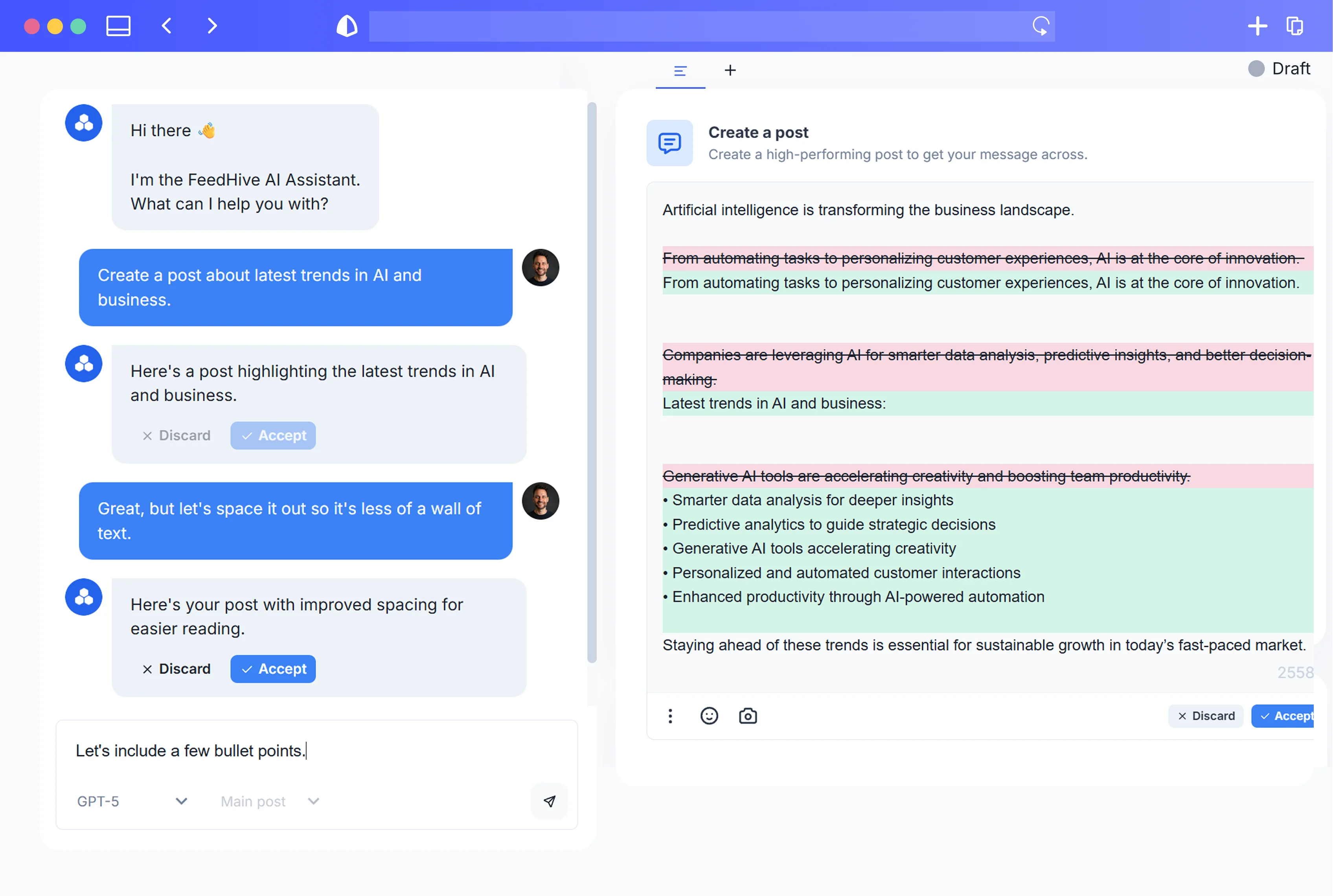
AI now gives you a better option: simulate your content calendar before it goes live. Treat it like a software release candidate. Use AI (inside a tool like FeedHive) to “pre-launch” your posts, stress-test hooks, surface objections, flag risks, and prioritize the highest-impact ideas—without adding weeks to your process.
Below is a practical, end-to-end guide to doing exactly that.
1. Why You Should Simulate Your Social Calendar Before It Goes Live
There are three uncomfortable truths about social media today:
-
The stakes are high.
Edelman’s 2022 Trust Barometer found that a majority of consumers say they will buy or boycott brands based on their stance on social and political issues (Edelman). A misjudged tweet isn’t just “low engagement”; it can become a screenshot storm, a call for boycotts, or a trust issue your PR team has to clean up for months. -
Most content barely registers.
BuzzSumo’s analysis of 100 million articles found that half of posts received four or fewer Facebook interactions (BuzzSumo). Social feeds are extremely winner-take-most: a tiny fraction of posts drive the majority of attention, while the rest are effectively invisible. -
You usually get only one shot.
Algorithms throttle organic reach; your audience scrolls quickly. If a post lands flat the first time, there’s rarely a second chance without paid support.
Put together, this means:
- A small number of posts will do most of the work for your brand.
- A small number of missteps can create outsized risk.
- But we typically don’t know which is which until after we hit “publish.”
AI-powered simulation lets you move that learning upstream:
- Before publishing, you can:
- Test multiple hooks and angles.
- See how different audience segments might react.
- Predict likely objections and questions.
- Scan for tone-deaf, confusing, or risky phrasing.
- Estimate relative engagement potential.
Instead of guessing which posts will work and hoping nothing blows up, you:
- Rank posts by likely impact.
- Fix weak or risky content before the world sees it.
- Ship a calendar with far fewer unknowns.
2. Turning Your Monthly Calendar into a ‘Release Candidate’
In software, a Release Candidate (RC) is a build that’s feature-complete and stable enough to ship—as long as it passes final tests. You don’t just write code and push it live; you run unit tests, integration tests, usability tests, beta programs.
There’s a good reason:
- Classic research from IBM’s Systems Sciences Institute estimated that fixing defects after release can cost 10–100x more than addressing them during design or development (IBM). The later you catch a problem, the more expensive the fix.
Usability experts have found something similar on the UX side. The Nielsen Norman Group notes that even small usability tests with as few as five users catch most major usability problems early, dramatically reducing rework and redesign later (Nielsen Norman Group).
Your social calendar deserves the same discipline.
From “content list” to “release candidate”
High-performing content teams already know planning matters. CoSchedule’s State of Marketing Strategy research found that marketers with a documented strategy are 313% more likely to report success than those without one (CoSchedule). And the Content Marketing Institute reports that top B2B marketers repeatedly cite “creating content that resonates with our audience” and “producing content consistently” as their biggest challenges (Content Marketing Institute).
You likely already have:
- A documented strategy.
- An editorial calendar.
- A planning and approval workflow.
AI simulation is the next maturity step:
-
Treat each month’s calendar as a “release candidate”
- It’s feature-complete: posts drafted, assets ready.
- Now it needs “tests”: hooks, sentiment, objections, risk, impact.
-
Run structured “debugging” passes with AI
- Hook & angle test.
- Audience segment simulation.
- Objection & question discovery.
- Sensitivity / backlash scan.
- Engagement range estimation.
-
Only then mark the calendar “ready to ship.”
The result:
You’re not just documenting what you plan to post—you’re de-risking and optimizing it before your audience ever sees it.
3. Setting Up an AI Simulation Environment Inside Your Scheduler
You don’t need a custom ML pipeline to simulate your calendar. You need:
- A central content calendar.
- Access to a capable generative AI model.
- A repeatable set of prompts and scenarios.
Most teams already have the first two. HubSpot’s State of Generative AI in Marketing report found that around two-thirds of marketers are already using generative AI, most commonly for social media posts and short-form copy, and that the vast majority say AI saves them time and improves quality (HubSpot).
Salesforce’s Generative AI Snapshot: Marketing similarly reports that marketers see content creation, personalization, and automation as the top use cases for AI—and that it helps them create content faster (Salesforce).
Here’s how to turn that into a simulation environment, step by step.
Step 1: Centralize your “release candidate”
- Build your monthly calendar in your social management tool.
- Make sure each post includes:
- Final (or near-final) copy.
- Link to the asset (image/video) or a short description if the asset isn’t finished yet.
- Target platform(s).
- Target audience or persona (if you have one).
Step 2: Define your simulation metadata
For each post, add internal notes or tags that capture:
- Campaign or theme (e.g., product launch, webinar promo, evergreen tip).
- Primary goal (e.g., awareness, engagement, click-through, lead gen).
- Primary audience segment (e.g., new prospects, current customers, partners).
- Risk level (e.g., low, medium, high – especially for sensitive topics).
You’ll feed this context to AI so its simulations are tailored.
Step 3: Create a “simulation prompts” library
You want simulation to be fast and standardized, not ad hoc.
- Draft a small set of reusable prompts:
- Hook tests.
- Audience reactions.
- Objection discovery.
- Risk/backlash scan.
- Engagement potential estimation.
- Save them where your team works (inside your social tool’s AI assistant, a shared doc, or a knowledge base).
- Standardize outputs (e.g., “Give me bullets for: strengths, weaknesses, risks, suggestions.”).
We’ll cover concrete prompt templates in Section 11.
Step 4: Calibrate with your own data
AI is powerful, but it’s not clairvoyant. You’ll improve simulations if you give it real baselines:
- Pull 3–6 months of performance data:
- Typical engagement rate per platform.
- What your top 10% posts look like.
- Which themes, formats, and CTAs tended to perform best or worst.
- Turn those into simple descriptors for the AI:
- “On LinkedIn, our average organic engagement rate is around 0.8%. Posts that exceed 2% are considered top performers for us.”
- “Our audience tends to engage most with [format/topics], and least with [format/topics].”
You’ll feed this context into your engagement-range prompts later.
4. Stress-Testing Hooks: Headlines, Thumbnails, and First Lines
In both paid and organic content, creative quality is where the leverage is.
Nielsen Catalina Solutions analyzed more than 500 advertising campaigns and found that creative quality accounts for about 47% of the sales contribution of advertising, more than reach, targeting, or recency (Nielsen Catalina Solutions). If almost half of your ad impact is driven by creative, your organic posts are no different: hooks, first lines, and visuals will decide whether anyone stops to care.
What to test in your hooks
For each planned post, you want to stress-test:
- Scroll-stopping power
- Does the first line actually interrupt the feed?
- Is there a clear “pattern break” (surprise, tension, bold statement)?
- Clarity and promise
- Is it obvious who this is for and what they’ll get?
- Is the main benefit explicit?
- Curiosity versus clickbait
- Does it open a curiosity gap without feeling manipulative?
- Alignment with asset
- Does the caption hook match what the image/video suggests?
How to simulate hook performance with AI
For each post, feed AI:
- The platform (e.g., LinkedIn vs. TikTok).
- Your target audience segment.
- 2–5 alternate hooks or first lines you’re considering.
Then ask AI things like:
- “Rank these five hooks from most to least likely to stop [audience] scrolling on [platform]. Explain your reasoning.”
- “For each hook, list:
- 3 strengths
- 3 weaknesses
- 1 suggestion to make it more specific and benefit-driven.”
- “Rewrite the top two hooks to be:
- Version A: more curiosity-driven
- Version B: more direct and benefit-focused
- Version C: more emotional and story-driven.”
For thumbnails and images:
- Describe your planned image or upload a draft.
- Ask:
- “Given this caption and image description, how likely is this thumbnail to stand out in a typical [platform] feed for [audience]? What would you change (color, focal point, text overlay, emotion) to improve it?”
Use simulations not as final verdicts, but as rapid, low-cost feedback that helps you iterate through a dozen hook variations in minutes—and lock in the best.
5. Simulating Audience Segments, Reactions, and Objections
Most social teams still ship one message for everyone on a given platform. But audiences are not monolithic.
McKinsey estimates that companies that get personalization right can achieve 5–8x ROI on their marketing spend and lift sales by 10% or more (McKinsey & Company). While you may not fully personalize each organic post, you can ensure that your message resonates with—rather than alienates—your most important segments.
Step 1: Define 3–5 core segments
Common examples:
- New prospects – curious but skeptical; little context.
- Power users / champions – already love you; want depth and insider value.
- Economic buyers / executives – care about ROI, risk, and credibility.
- Skeptical peers / competitors – quick to call out fluff and exaggeration.
- Community members – care about values, trust, and belonging.
Write a short profile for each (goals, fears, typical objections).
Step 2: Ask AI to “become” each segment
For each important post:
- Provide:
- Post copy.
- Platform.
- Brief segment description.
- Prompt AI to simulate:
Examples:
- “Act as a [segment] seeing this post in your [platform] feed.
- What is your immediate emotional reaction (1–2 sentences)?
- What do you like?
- What confuses or annoys you?”
- “From the perspective of a [segment], list 5 questions or objections this post might trigger.”
- “What small changes to this copy would make it feel more relevant and compelling to a [segment], without changing the core message?”
Step 3: Translate insights into content decisions
Use simulated reactions to:
- Adjust emphasis
- Add ROI proof and risk mitigation for executives.
- Add more depth, examples, or advanced tips for power users.
- Preempt objections
- If a segment is likely to say “this won’t work in my industry,” bake a line into the copy that addresses it.
- Plan follow-up content
- If a simulation surfaces recurring “but how?” questions, schedule a thread, carousel, or video that answers them in detail.
Instead of guessing what different audiences might think, you’ve pressure-tested your message through multiple lenses before it ever appears in their feeds.
6. Spotting Red Flags: Backlash, Sensitivity Issues, and Brand Risks
Even well-intentioned posts can go sideways: a phrase that lands fine in one culture or community can feel offensive or dismissive in another. AI won’t replace diverse human review, but it can be a powerful early-warning system.
Modern language models are already very good at modeling sentiment and toxicity:
- Transformer-based models like BERT have achieved over 90% accuracy on standard sentiment benchmarks such as the SST‑2 dataset (Google Research)—which means they’re quite reliable at classifying text as broadly positive, neutral, or negative.
- Tools like Jigsaw and Google’s Perspective API use large-scale ML models to score the likelihood that text will be perceived as toxic, insulting, or hateful, and are used by major publishers and platforms for automated moderation workflows (Perspective API).
You can tap into similar capabilities during planning.
What to scan for
Have AI look for:
- Tone problems
- Condescending, dismissive, or patronizing wording.
- Unintended sarcasm or ambiguity.
- Cultural and social sensitivities
- Phrases that might be offensive in certain regions or communities.
- Stereotypes or exclusionary language.
- Brand consistency risks
- Statements that clash with your stated values.
- Overpromising, misleading claims, or unclear disclaimers.
Example “risk scan” prompts
For each higher-risk or higher-visibility post, ask AI:
- “Analyze this post for potential risks:
- Phrases that could be seen as insensitive, exclusionary, or offensive.
- Claims that might be interpreted as misleading.
- Any wording that could easily be taken out of context in a negative way. Provide:
- A short risk summary.
- A list of specific phrases to reconsider.
- Safer alternative phrasings.”
- “Imagine the worst-case scenario where this post is taken badly on [platform].
- Write 3–5 hypothetical quote-tweets or comments that criticize it.
- Based on that, how would you edit the post to reduce the risk of backlash while keeping the core message?”
Use this as input to your human reviewers:
- If AI flags nothing and humans agree, you have extra confidence.
- If AI surfaces edge cases, your team can decide:
- Do we adjust the copy?
- Do we add context (e.g., a thread, a disclaimer)?
- Do we reroute this message to a different channel?
7. Estimating Engagement Ranges and Prioritizing High-Impact Posts
Not every post in your calendar is equal. Some are likely to be quiet; some have a real shot at breaking out. The goal of simulation isn’t to predict exact numbers—it’s to rank posts by likely impact so you can prioritize.
We know, structurally, that engagement is constrained:
- Rival IQ’s 2023 Social Media Industry Benchmark Report shows that median engagement rates for brand accounts on major platforms are typically well below 1%, even in higher-performing industries (Rival IQ). Your baseline is low; small lifts matter.
- Academic work supports that content features matter:
- De Vries, Gensler, and Leeflang found that message characteristics like vividness (images/video) and interactivity significantly affect likes, comments, and shares on Facebook brand pages (Journal of Interactive Marketing).
- Bandari, Asur, and Huberman showed that you can forecast the popularity of news articles on social media using features like source, category, and sentiment with reasonable accuracy (ICWSM). Performance isn’t pure randomness.
That’s exactly the kind of pattern AI can reason about when you give it your post attributes and historical context.
Step 1: Define your performance tiers
Using your analytics, set simple, qualitative tiers for each platform:
- Tier 1 – Underperformer: below X% engagement.
- Tier 2 – Typical: around your average (e.g., 0.5–0.8%).
- Tier 3 – Strong: above average but not top 10%.
- Tier 4 – Top performer: top 10% posts (e.g., >2% for your account).
- Tier 5 – Breakout: rare posts that significantly exceed your usual best.
You’ll use these tiers in your prompts.
Step 2: Have AI estimate likely tiers
For each post, provide:
- The copy.
- The planned media (image, video, carousel, etc.).
- Platform.
- Your baseline tier definitions and a brief summary of what usually overperforms for you.
Then ask:
- “Given our history (described above) and this post:
- Which performance tier (1–5) is this most likely to land in on [platform]?
- Why?
- What 3 changes would most likely move it up one tier?”
You’re not asking for exact predictions—just a relative ranking grounded in content features and your history.
Step 3: Use simulations to prioritize and adjust the calendar
Once each post has a simulated performance tier and rationale:
- Promote likely Tier 4–5 posts:
- Give them the best time slots.
- Consider repurposing them across platforms.
- Support them with paid spend if aligned with goals.
- Improve or demote Tier 1–2 posts:
- Run one more round of hook and CTA iteration.
- If they’re inherently low-impact but necessary (e.g., legal updates), accept their role and avoid giving them prime real estate.
- Balance your week/month:
- Avoid clumping all potential “winners” on one day.
- Ensure each week has a healthy mix of high-impact and supporting posts.
Now your calendar isn’t just “filled”—it’s strategically weighted toward posts that simulations say are most likely to perform.
8. Iterating Fast: Using AI Feedback to Improve Copy, Creatives, and CTAs
Simulation only pays off if you act on what you learn—without bogging your team down.
The good news: we know from digital A/B testing that small creative tweaks can produce large performance lifts. Case studies from platforms like Meta, Google Ads, and experimentation tools such as Optimizely frequently show 20–50%+ uplifts in click-through or conversion rates from changes to headlines, images, or CTAs alone (Optimizely, Meta for Business, Google Ads).
AI is perfect for helping you explore these micro-iterations quickly.
A fast iteration loop for any post
For each post that simulations flag as “average” or risky:
- Identify the main issues
From your earlier simulations, summarize:- Weak hook?
- Confusing promise?
- Misaligned tone?
- Missing proof or specificity?
- Ask AI for targeted revisions
Prompts like:- “Rewrite this copy to keep the same meaning but:
- Make the first line more surprising.
- Make the benefit more concrete.
- Tighten the length by 20%.”
- “Propose 3 alternative CTAs tailored to:
- People who are interested but busy.
- People who are skeptical and need proof.
- People who are already fans and ready to act.”
- “Rewrite this copy to keep the same meaning but:
- Re-run a quick simulation
- Re-test hooks and engagement tiers for the new variants.
- Ask which version addresses objections and risks best.
- Select and update
- Pick the best-performing variant.
- Update the scheduled post.
- Note what improved (for future patterns).
Where to focus your iterations
You don’t need to iterate everything. Focus on:
- High-importance posts (launches, big announcements).
- High-risk posts (sensitive topics, bold opinions).
- High-potential posts that simulations place just below your top tier.
If a post is low-risk and inherently low-stakes, a simple tone/clarity pass may be plenty.
9. Building a Repeatable Simulation Checklist for Your Team
For simulation to stick, it has to be:
- Simple.
- Fast.
- Built into existing workflows.
This is especially important because social teams are stretched thin. Sprout Social’s Index reports that social media managers commonly cite lack of time, too many responsibilities, and difficulty keeping up with platform changes as top challenges—driving them to seek more automation and AI help (Sprout Social).
A clear checklist ensures AI simulation becomes a standard step, not a one-off experiment.
Define three levels of simulation
-
Level 1 – Quick check (2–3 minutes/post)
For everyday posts (memes, small updates).- Run:
- Tone & clarity scan.
- Quick hook improvement.
- Run:
-
Level 2 – Full simulation (5–10 minutes/post)
For campaign content, launch assets, key thought-leadership pieces.- Run:
- Hook stress test.
- 2–3 audience segment reactions.
- Objection list.
- Risk scan.
- Engagement tier estimate.
- Run:
-
Level 3 – Enhanced simulation (15–20 minutes/post)
For high-stakes posts (crisis communication, major announcements).- Run:
- All Level 2 tests.
- Additional worst-case scenario analysis.
- Recommended response plan if things go wrong.
- Run:
Sample Level 2 checklist
For each important post:
- [ ] Hook tested and top variant chosen.
- [ ] At least 2 audience segments simulated; key reactions noted.
- [ ] Top 5 objections/questions documented.
- [ ] Risk/backlash scan completed; sensitive phrases reviewed.
- [ ] Engagement tier estimated; rationale documented.
- [ ] At least one round of targeted copy or CTA improvement completed.
Keep this checklist where your team works (e.g., in your task manager or as a note attached to each scheduled post). Over time, you’ll refine it based on what actually correlates with real performance and real-world issues.
10. Integrating Simulations into Approvals and Stakeholder Reporting
Simulation shouldn’t create a new approval bottleneck. It should streamline approvals by giving decision-makers better information, faster.
Where simulation fits in your workflow
Typical flow:
- Brief / idea.
- Draft copy and creative.
- Internal review.
- Final approval.
- Schedule and publish.
Updated, simulation-driven flow:
- Brief / idea.
- Draft copy and creative.
- AI simulation pass (by the creator or strategist).
- Internal review with simulation summary attached.
- Iterate (if needed) based on both.
- Final approval.
- Schedule and publish.
What to include in a simulation summary
For each important post, generate a concise summary (1–2 paragraphs or a few bullet points) that goes into your approval doc:
- Best hook chosen + 1–2 backup options.
- Audience insights:
- Key reactions from 1–3 personas.
- Top objections or questions.
- Risk notes:
- Any potential sensitivity issues found and how they were addressed.
- Impact estimate:
- Expected performance tier with a short rationale.
- Recommendations (e.g., “good candidate for repurposing to Instagram Stories”).
Approvers now see not just a post, but evidence-backed reasoning:
- Why this angle?
- Why this CTA?
- What risks did we check?
- What outcome do we expect?
Using simulation data in stakeholder reporting
At the end of the month or quarter, you can:
- Correlate simulated tiers vs. actual performance:
- Did predicted Tier 4–5 posts mostly outperform average?
- Did Tier 1–2 posts underperform as expected?
- Highlight wins from simulation:
- Posts where AI-driven iterations clearly improved engagement or reduced risk.
- Feed these learnings back into:
- Your simulation prompts.
- Your creative guidelines.
- Your content strategy.
Over time, you evolve from “we think this works” to “we have a test-driven loop that consistently sharpens our content before it ships.”
11. Example Prompts and Templates to Start Simulating in FeedHive Today
Here are ready-to-use prompts and templates you can adapt and save where you work. You can run them directly using the AI assistant inside FeedHive and attach outputs to each scheduled post.
A. Hook and first-line testing
Use when you have multiple hook options.
- “You are a [describe persona] scrolling [platform].
Here are 4 hook options for the same post:- [Hook A]
- [Hook B]
- [Hook C]
- [Hook D]
Rank them from most to least likely to stop your scroll. For each, explain:
- Why it works or doesn’t.
- How to improve it in one sentence.”
B. Audience segment reactions
Use on any important post.
- “Here is a social post planned for [platform]:
‘[Paste post copy]’
Simulate reactions for each of these audience segments:- [Segment 1 description]
- [Segment 2 description]
- [Segment 3 description]
For each segment, provide:
- Immediate emotional reaction (1–2 sentences).
- 3 things they like.
- 3 things that confuse, annoy, or turn them off.
- 3 small edits to make the post more compelling for them.”
C. Objections and questions
Use when you want to uncover friction points.
- “Act as a skeptical but fair [role, e.g., CFO, developer, marketer] reading this post:
‘[Paste post copy]’
List:- 10 potential objections you might have.
- 5 follow-up questions you’d ask in the comments.
- 3 ways the post could preemptively address your biggest concerns.”
D. Risk and backlash scan
Use on anything remotely sensitive or high-profile.
- “Analyze this social post for risk before publishing on [platform]:
‘[Paste post copy]’
Identify:- Phrases that could be seen as insensitive, exclusionary, or offensive (and why).
- Claims that could be misinterpreted or seem misleading.
- Ways in which different cultural or political groups might take this badly.
Then: - Suggest safer alternative wording while keeping the core message.
- Write 3 hypothetical negative comments or quote-tweets that could appear.
- Propose an edited version of the post that reduces these risks.”
E. Engagement range and prioritization
Use to rank posts for a given platform.
-
“Here are our performance tiers on [platform]:
- Tier 1: Underperformer – [your description].
- Tier 2: Typical – [your description].
- Tier 3: Strong – [your description].
- Tier 4: Top performer – [your description].
- Tier 5: Breakout – [your description].
Here is a draft post:
‘[Paste post copy and describe media]’Based on:
- Our tiers above.
- General best practices for [platform].
- The content, hook, and CTA of this post.
Answer:
- Which tier (1–5) is this most likely to land in, and why?
- What 3 specific changes would most likely move it up one tier?”
F. CTA optimization
Use when you’re not sure how to close.
- “This post currently ends with the CTA: ‘[Current CTA]’.
The primary goal is [goal: e.g., webinar registrations, ebook downloads, demo requests].
Suggest:- 3 alternative CTAs optimized for low-friction engagement.
- 3 alternative CTAs optimized for clear, decisive action.
- 3 alternative CTAs framed for people who are already fans and ready to take the next step.
Ensure each CTA is short, specific, and aligned with the earlier copy.”
Save these prompts as templates and tweak them over time based on what ends up correlating best with actual performance.
12. From Guesswork to Test-Driven Social: Making Simulation a Standard Practice
Adopting AI simulation doesn’t mean:
- Turning your social into a lab experiment with no personality.
- Trusting a model over your own expertise.
- Running endless tests instead of shipping.
It means:
- Bringing the discipline of testing into your creative process.
- Catching avoidable issues before they become public mistakes.
- Giving your best ideas a better shot at winning.
A practical way to roll this out:
- Pilot on one campaign
- Pick an upcoming month or launch.
- Run full simulations on those posts only.
- Document what helped most and what felt like noise.
- Codify your version 1.0 checklist
- Keep it light; 5–10 minutes per important post.
- Train the team
- Show examples where simulation clearly improved a post or caught a risk.
- Emphasize that AI is a second opinion, not the boss.
- Iterate based on real results
- Compare simulated expectations vs actual outcomes.
- Refine prompts and tiers accordingly.
Over time, your social operation starts to look much more like test-driven development in software:
- You write content with clear intent.
- You run checks (simulation).
- You adjust based on feedback.
- Then you ship.
The result is a calendar that’s not just full, but meaningfully optimized and de-risked.
Conclusion
Social media has become an always-on launchpad where every post can help—or hurt—your brand in front of billions. Most content never gets seen; a few pieces drive outsized impact; a few missteps can cause real damage.
By treating your monthly calendar like a release candidate and using AI to simulate audience reactions before you publish, you:
- Catch weak hooks and confusing messages early.
- Anticipate objections and questions and address them up front.
- Spot potential backlash and sensitivity issues before they’re public.
- Rank posts by likely impact and double down on your best ideas.
- Tighten your approvals with evidence-backed summaries instead of gut feel alone.
You don’t need a research lab to do this—just a central scheduler, access to AI, and a simple, repeatable simulation workflow. Start with one campaign, build your checklist, and let AI help you test before you ship. Over a few cycles, you’ll feel the shift from guessing in the dark to running a confident, test-driven social program that compounds value with every post.